
whichllm
A CLI tool that auto-detects your GPU/CPU/RAM and ranks the best local LLMs from HuggingFace that actually fit and perform on your hardware.
At a Glance
Fully free and open-source under the MIT License. Install via pip, uv, or Homebrew.
Engagement
Available On
Listed May 2026
About whichllm
whichllm is an open-source command-line tool that helps users find the best local large language model for their specific hardware. Built in Python and published on PyPI under the MIT license, it auto-detects NVIDIA, AMD, Apple Silicon, and CPU-only configurations, then ranks models from HuggingFace using real benchmark data rather than parameter count alone. The project reached v0.5.2 as of May 2026 and has accumulated over 500 GitHub stars since its March 2026 creation.
What It Is
whichllm sits in the local-inference tooling category: it answers the question "which model should I actually run?" rather than just "which model fits in my VRAM?" It fetches live model data from the HuggingFace API, merges scores from multiple benchmark sources (LiveBench, Artificial Analysis, Aider, Chatbot Arena ELO, Open LLM Leaderboard, and a multimodal/vision index), and produces a ranked list with estimated token-per-second speeds. The result is a single terminal command that outputs a ranked table or JSON for scripting.
How the Ranking Engine Works
The scoring system assigns each model a 0–100 score built from several weighted factors:
- Benchmark quality — merged from LiveBench, Artificial Analysis, Aider, vision benchmarks, Arena ELO, and Open LLM Leaderboard, weighted by source confidence
- Model size — log₂-scaled as a world-knowledge proxy; MoE models use total params for quality but active params for speed
- Quantization penalty — lower-bit quants are discounted multiplicatively
- Evidence confidence — scores tagged
direct,variant,base,interpolated, orself-reportedand discounted accordingly (×0.55 for self-reported, ×1.0 for direct) - Runtime fit — full GPU, partial offload (×0.72), or CPU-only (×0.50)
- Speed gate — ±8 points based on usability relative to a fit-dependent tok/s floor
- Source trust — official-org bonus, known-repackager penalty
- Popularity — downloads/likes as a tie-breaker, weight shrinks as evidence strengthens
Inheritance is rejected when a model's parameter count diverges more than 2× from its family's dominant member, preventing small forks from borrowing a large base model's benchmark score.
Key Commands and Workflow
The tool is designed around a single-command workflow with optional flags for deeper control:
whichllm— auto-detect hardware and show ranked modelswhichllm --gpu "RTX 4090"— simulate any GPU before purchasingwhichllm run— download and start an interactive chat with the best model, usinguvfor isolated environment setupwhichllm snippet "qwen 7b"— print a copy-paste Python code snippet for any modelwhichllm plan "llama 3 70b"— reverse lookup: what GPU do I need?whichllm hardware— display detected hardware info only--jsonflag — pipe-friendly JSON output for scripting withjq
Supported model formats include GGUF (via llama-cpp-python), AWQ/GPTQ (via transformers + autoawq/auto-gptq), and FP16/BF16 (via transformers).
Architecture and Data Pipeline
The project is structured into four main layers: CLI (cli.py via Typer), hardware detection (hardware/), model fetching and benchmarking (models/), and the ranking engine (engine/). Hardware detection covers NVIDIA via nvidia-ml-py, AMD via dbgpu/ROCm, Apple Silicon via Metal, and CPU/RAM/disk via standard system calls. Model data is cached at ~/.cache/whichllm/ with a 6-hour TTL for model lists and 24-hour TTL for benchmark data, with curated frozen fallbacks for offline or rate-limited use. VRAM estimation accounts for weights, GQA KV cache, activations, and framework overhead (~500 MB).
Update: v0.5.2
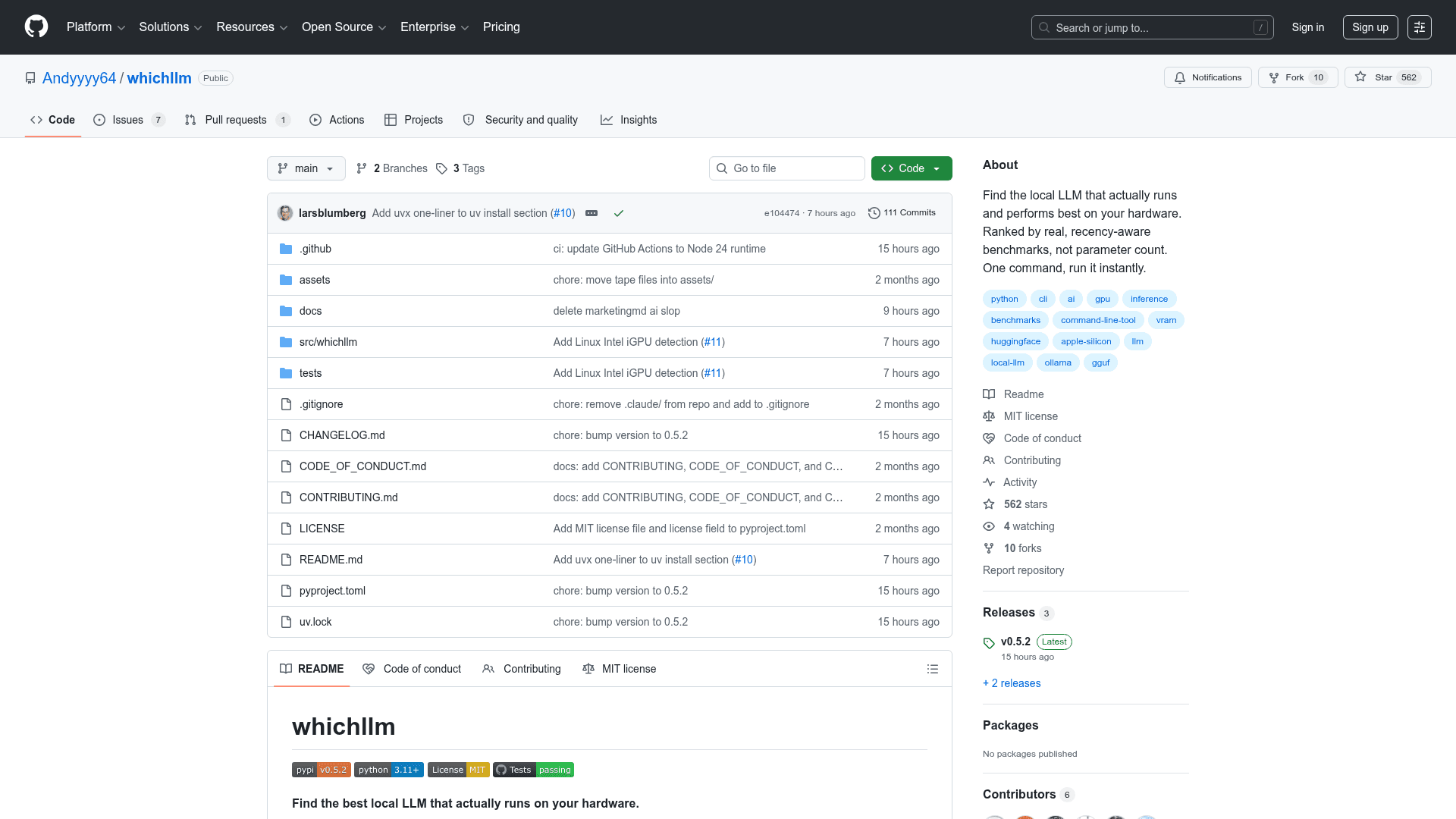
The latest release, v0.5.2, was published on May 15, 2026, with the repository last pushed the same day. The project was created in March 2026 and has moved quickly through five minor versions. The GitHub repository lists Python 3.11+ as the minimum requirement and supports installation via uvx, Homebrew, or pip. Active development is signaled by 8 open issues and ongoing benchmark source integration work.
Community Discussions
Be the first to start a conversation about whichllm
Share your experience with whichllm, ask questions, or help others learn from your insights.
Pricing
Open Source (MIT)
Fully free and open-source under the MIT License. Install via pip, uv, or Homebrew.
- Auto hardware detection
- Benchmark-aware LLM ranking
- GPU simulation
- whichllm run for instant model chat
- whichllm snippet for Python code generation
Capabilities
Key Features
- Auto-detect NVIDIA, AMD, Apple Silicon, and CPU-only hardware
- Benchmark-aware ranking using LiveBench, Artificial Analysis, Aider, Chatbot Arena ELO, and Open LLM Leaderboard
- GPU simulation with --gpu flag for pre-purchase planning
- One-command model download and interactive chat via whichllm run
- Copy-paste Python code snippet generation via whichllm snippet
- Reverse hardware lookup via whichllm plan
- JSON output for scripting and pipelines
- Task profiles: general, coding, vision, math
- Live HuggingFace API data with local cache (6h/24h TTL)
- Supports GGUF, AWQ, GPTQ, FP16, BF16 model formats
- Evidence-graded scoring with confidence dampening
- Recency-aware benchmark demotion to prevent stale leaderboard bias
- Offline fallback with curated frozen benchmark data
- Ollama integration via JSON pipe