
Wink
A Windows desktop app where a lead bot plans jobs and delegates them to Claude Code, Codex, Gemini, Grok and Muse workers running in real terminals.
At a Glance
Free, Apache-2.0 licensed desktop app for Windows; no account or paywall. Users bring their own existing AI coding CLI subscriptions.
Engagement
Available On
Listed Nov 2026
About Wink
Wink is an open-source desktop app by Edward Yi that brings several AI coding CLI subscriptions into one place. A lead bot splits a job, hands pieces to workers running Claude Code, Codex, Gemini (Antigravity), Grok and Muse, and reviews their changes. It currently ships for Windows 10 and 11 (x64) under the Apache-2.0 license.
What It Is
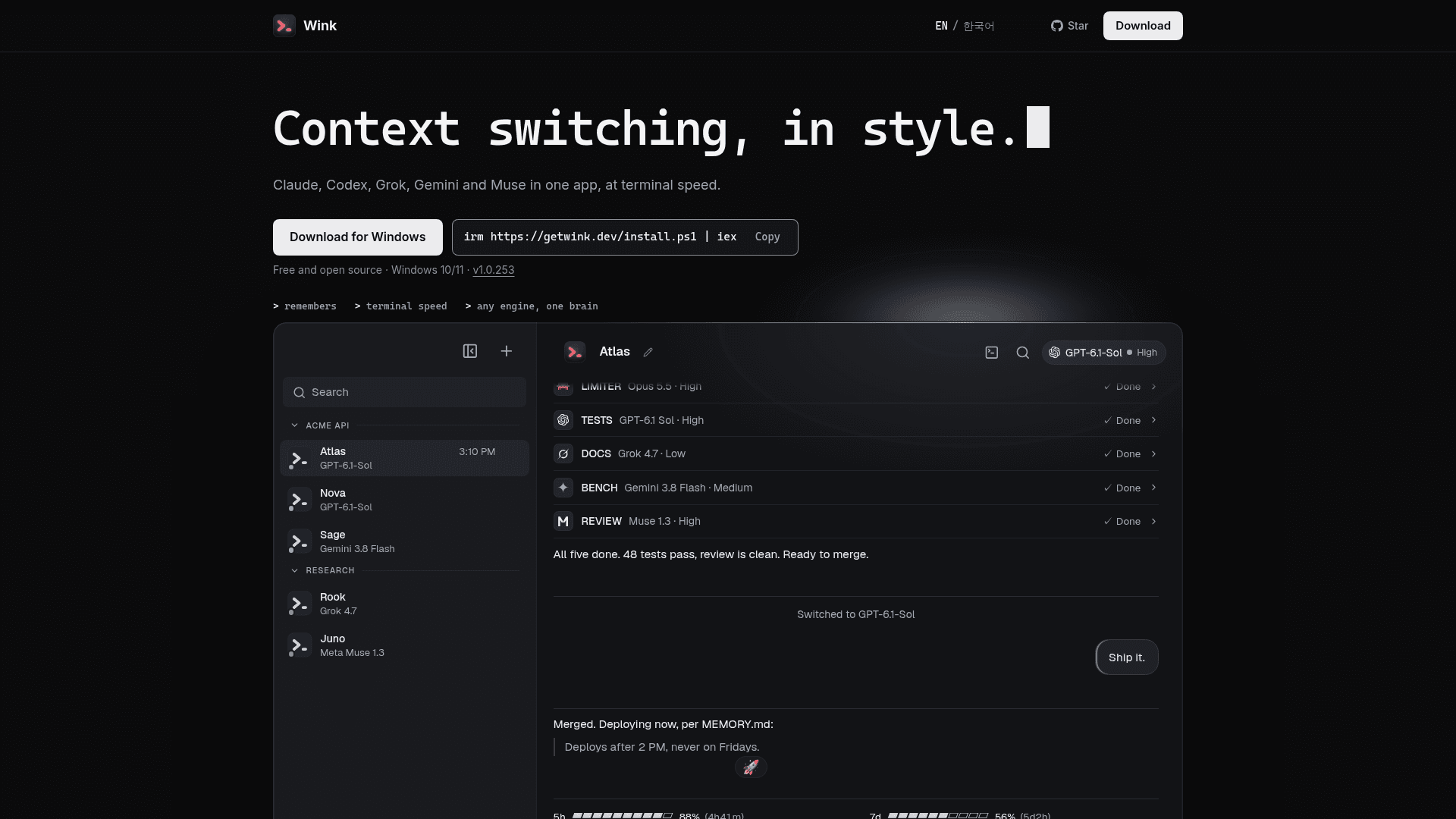
Wink is a desktop orchestration layer over the coding CLIs you already have installed and signed in to. It needs no API keys and no Wink account. Each bot gets its own engine, model and effort level, and Alt+M switches the model mid-thread while the thread carries over.
How the lead and workers operate
You ask the lead bot once. It splits the job, picks each worker's engine, model and effort, and checks the work before it lands. Workers run their engine's own CLI in real terminals, one tab per worker, and by default each uses its own git worktree. You can open a worker's terminal with `Ctrl+`` and drive it yourself. The built-in playbook asks bots to use separate worktrees, but Wink does not enforce this.
Memory, phone access and themes
Each bot keeps one thread and a MEMORY.md that carries across models, PCs and your phone, with no /compact step. Chats can be reached from a phone over a Tailscale tailnet or a self-hosted relay, with push notifications when a bot needs attention. Wink also shows plan usage meters and offers 50+ themes.
Setup path and privacy notes
Install at least one engine CLI, sign in once, then run the Windows installer. Wink detects the engines on the PC, and Git for Windows is needed for workers. The README states there are no analytics and error reports are off by default. Chats stay on the PC and can sync to a folder you choose. Workers run with their CLI's permission prompts disabled, which the README documents. The installer is not yet code-signed, so SmartScreen may warn. macOS and Linux have no release yet.
Community Discussions
Be the first to start a conversation about Wink
Share your experience with Wink, ask questions, or help others learn from your insights.
Pricing
Open Source
Free, Apache-2.0 licensed desktop app for Windows; no account or paywall. Users bring their own existing AI coding CLI subscriptions.
- Apache-2.0 license
- No account, no paywall
- No API keys required (uses your existing Claude Code, Codex, Gemini, Grok and Muse CLI logins)
- No analytics
- Windows 10/11 x64 only for now
Capabilities
Key Features
- Lead bot that splits jobs and delegates to workers
- Per-bot engine, model and effort selection
- Alt+M model switching with thread carry-over
- Real terminal tab per worker in separate git worktrees
- Per-bot MEMORY.md persisted across models, PCs and phone
- Phone access via Tailscale or self-hosted relay with push notifications
- Plan usage meters for multiple engines
- 50+ themes
- No API keys, no account, no analytics
- Optional sync through a folder you choose