Worktrunk
A CLI for Git worktree management designed for running multiple AI agents in parallel, making worktrees as easy to use as branches.
At a Glance
Fully free and open-source under MIT and Apache-2.0 licenses.
Engagement
Available On
Alternatives
Listed Aug 2026
About Worktrunk
Worktrunk is an open-source CLI tool built in Rust by Maximilian Roos that simplifies Git worktree management for developers running parallel AI agent workflows. It wraps Git's native worktree feature with ergonomic commands, lifecycle automation, and status aggregation, reducing multi-step worktree operations to single commands. The project is dual-licensed under MIT and Apache-2.0 and is available on GitHub.
What It Is
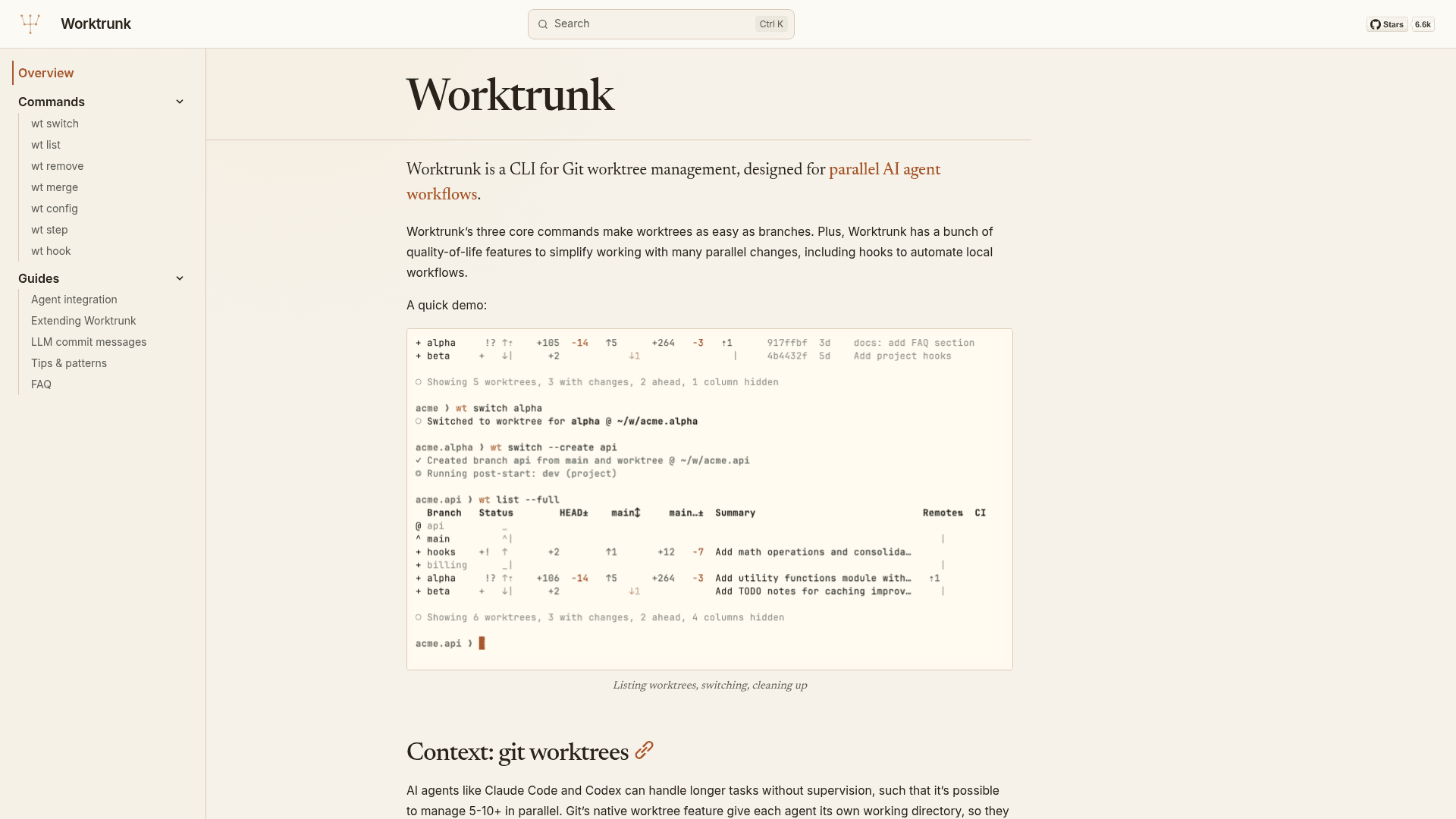
Worktrunk addresses a specific friction point: Git's built-in git worktree commands require verbose, repetitive syntax for even basic tasks. Creating a worktree, switching to it, and launching an agent requires typing the branch name multiple times and chaining several commands. Worktrunk replaces that with three core commands — wt switch, wt list, and wt remove — that handle the full worktree lifecycle. It is designed specifically for workflows where developers run 5–10+ AI agents (such as Claude Code or Codex) simultaneously, each in its own isolated working directory.
Core Commands and Workflow
The three primary commands cover the most common worktree operations:
wt switch <branch>— switches to an existing worktree or creates one, with an optional-cflag to create a new branch and-xto run a command (e.g., launch an agent) after switchingwt list— shows all worktrees with rich status: staged changes, commits ahead/behind, CI status, unpushed commits, and optionally AI-generated branch summarieswt remove— removes the worktree directory and deletes the branch, with safety checks for uncommitted changes and unmerged contentwt merge— squashes, rebases onto the target branch, fast-forward merges, and cleans up in one command
Worktrees are addressed by branch name rather than filesystem path; paths are computed from a configurable template (defaulting to ../<repo>.<branch> as a sibling directory).
Workflow Automation Features
Beyond the core commands, Worktrunk includes a set of quality-of-life features for managing many parallel changes:
- Hooks — run shell commands on lifecycle events: pre-start, post-start, pre-merge, post-merge, etc., for automating dependency installation or dev server startup
- LLM commit messages — generate commit messages from diffs using a configured LLM command
- Interactive picker — browse worktrees with live diff and log previews using a fuzzy finder
- Build cache copying — share
target/,node_modules/, and other ignored directories between worktrees to avoid cold starts - PR checkout —
wt switch pr:123jumps directly to a pull request's branch - Dev server per worktree — a
hash_porttemplate filter assigns each worktree a unique port - Aliases and per-branch variables — define custom
wt <name>subcommands and branch-scoped state for hook templates - CI status —
wt listcan display CI status per branch viagh(GitHub) orglab(GitLab)
Installation and Platform Support
Worktrunk installs via Homebrew (macOS and Linux), Cargo, Winget (Windows), Arch Linux's pacman, or Conda/Pixi. Shell integration (wt config shell install) enables directory-changing commands and tab completion across Bash, Zsh, Fish, Nushell, and PowerShell. On Windows, Worktrunk installs as git-wt by default to avoid a conflict with Windows Terminal's wt command. Git 2.43 or newer is required.
Update: v0.74.0
The GitHub repository shows the latest release as v0.74.0, published on August 14, 2026. According to the README, Worktrunk was released at the start of 2026 and has been under active development, with the repository showing 6,635 stars and 239 forks as of late August 2026. The project is maintained by Maximilian Roos and accepts community contributions via GitHub issues. A community extension, worktrunk-sync, adds stacked-branch support as a custom subcommand.
Community Discussions
Be the first to start a conversation about Worktrunk
Share your experience with Worktrunk, ask questions, or help others learn from your insights.
Pricing
Open Source
Fully free and open-source under MIT and Apache-2.0 licenses.
- All core commands (wt switch, wt list, wt remove, wt merge)
- Hooks and workflow automation
- LLM commit message generation
- Interactive worktree picker
- Shell integration for Bash, Zsh, Fish, Nushell, PowerShell
Capabilities
Key Features
- Git worktree lifecycle management (create, switch, remove)
- wt switch: create and switch worktrees by branch name
- wt list: rich status view with staged changes, CI status, ahead/behind counts
- wt remove: safe worktree and branch cleanup with merge checks
- wt merge: squash, rebase, merge, and cleanup in one command
- Hooks: run commands on pre-start, post-start, pre-merge, post-merge events
- LLM commit message generation from diffs
- Interactive worktree picker with live diff and log previews
- Build cache copying between worktrees (target/, node_modules/)
- PR/MR checkout via wt switch pr:123
- Dev server per worktree with hash_port template filter
- CI status per branch via gh or glab
- AI-generated branch summaries in wt list --full
- Custom aliases and per-branch variables
- Shell integration for Bash, Zsh, Fish, Nushell, PowerShell
- Tab completion across supported shells
- Command approval system for project hooks
- Verbosity flags (-v, -vv) with structured debug logging
- Windows support via Winget (installs as git-wt)
Integrations
Demo Video