
wsp
Open-source app that runs Claude Code, Codex, OpenCode and Cursor agent threads across your own computers from one window.
At a Glance
Free and open source under AGPL-3.0. Agent subscriptions and cloud compute are billed separately.
Engagement
Available On
Alternatives
Listed Nov 2026
About wsp
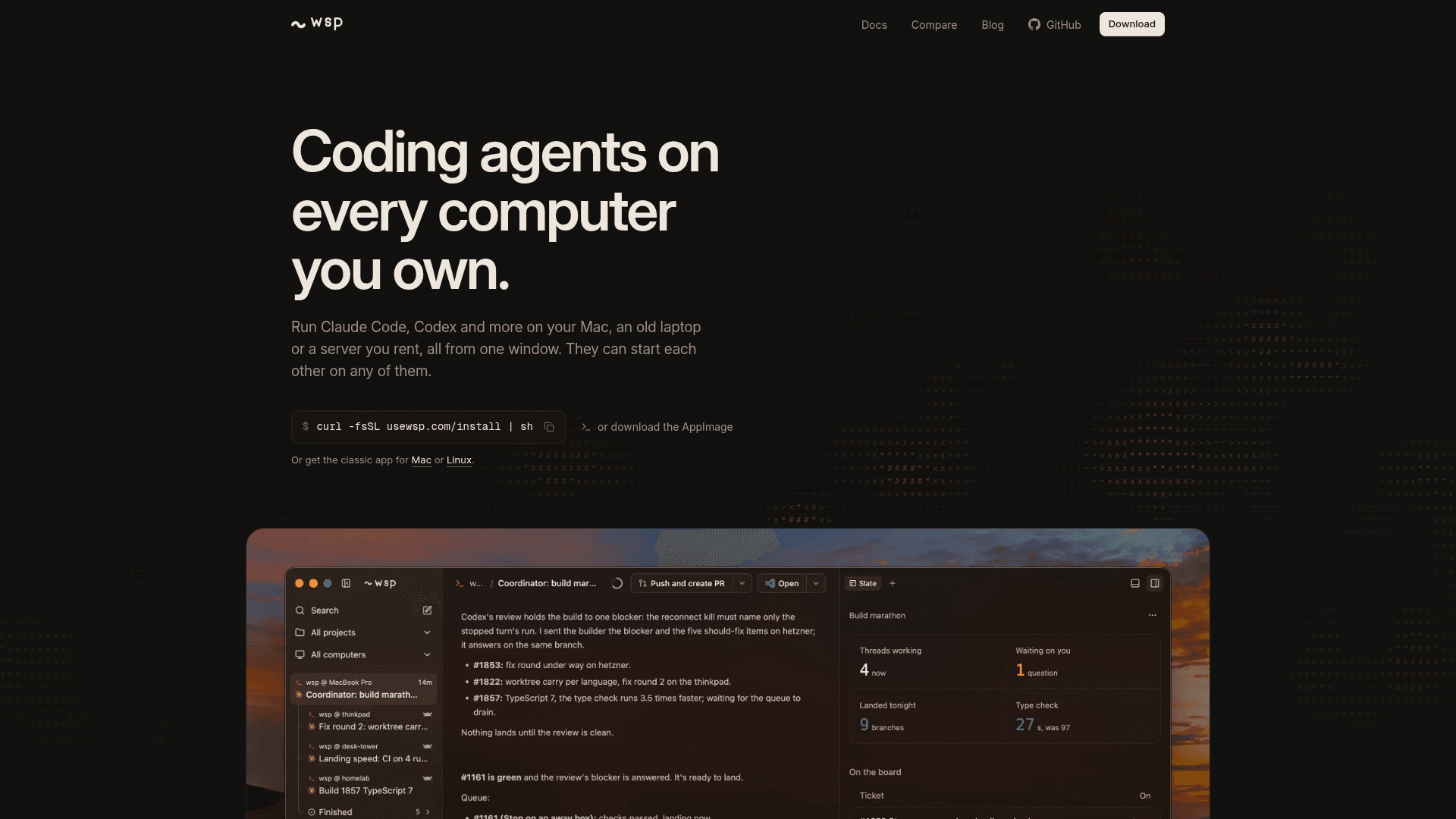
wsp, developed by wsp-labs, is an open-source app for running coding agents on every computer you own. It runs Claude Code, Codex, OpenCode and Cursor threads on your Mac, an old laptop or a rented server from a single window, and lets those agents start each other. The latest release listed on GitHub is v0.3.11.
What It Is
wsp is an orchestration app for coding agents. Each conversation is a thread in a sidebar, and threads can run locally, on another computer reached over SSH, or on a computer that dials out to you. Threads use the agent subscriptions you are already signed in to; OpenCode uses a key from the model provider you choose. The docs list Mac and Linux as the computers that run the app.
How Delegation Works
A lead thread can start child threads on other agents or computers. For example, a Claude Code thread can start a Codex thread to review its branch and then read the report. Every agent gets the same tools, so each can start threads, and every child stays in the sidebar under the thread that started it. A CLI and MCP tools connect to the same persistent host.
Adding a Computer
Point wsp at a Linux computer reachable over SSH and choose what comes along: signed-in agents, MCP servers, command line tools, skills and plugins, GitHub sign-in, repos, and git and shell settings. Choices can be saved as a recipe. A computer behind a firewall can dial out instead, so no port needs to be open. The README also describes cloud children, with Boat listed as available and other providers listed as coming soon, in a cloud-enabled build.
Slate and Workspace Panes
Slate is a panel beside a thread that the agent builds and updates with checklists, live numbers, charts, forms and buttons; button presses are read back by the agent. Around the thread are a terminal that follows your Ghostty config, a pull request pane for checks, review and merge, a browser pane for the dev server, a changes view, activity and usage tracking, and open-in-editor support for VS Code, Cursor and Zed.
Privacy and Licensing
Threads run on your computers. Code passes through the relay, and therefore Cloudflare, only if you turn the relay on. The project is licensed under AGPL-3.0, and agent subscriptions and cloud compute are billed separately.
Community Discussions
Be the first to start a conversation about wsp
Share your experience with wsp, ask questions, or help others learn from your insights.
Pricing
Open Source
Free and open source under AGPL-3.0. Agent subscriptions and cloud compute are billed separately.
- AGPL-3.0-only licensed core
- Run Claude Code, Codex, OpenCode and Cursor threads across your computers
- Connect Linux computers over SSH
- Slate panels beside threads
- Agent subscriptions and cloud compute billed separately
Capabilities
Key Features
- Run Claude Code, Codex, OpenCode and Cursor threads from one window
- Agents can start threads on other agents and computers
- Add Linux computers over SSH or via dial-out behind a firewall
- Copy agents, MCP servers, CLI tools, skills, repos and shell settings to new computers
- Slate: agent-built live panel with checklists, charts, forms and buttons
- Terminal pane that reads your Ghostty config
- Pull request pane with checks, review and merge
- Browser pane for previewing dev servers
- Open thread folders in VS Code, Cursor or Zed over SSH
- Usage, activity and process tracking across computers
- CLI and MCP tools for starting threads
- Optional relay for remote access