EveryDev.ai
Subscribe
Home
Tools

5,901+ AI tools

  • Featured
  • Gems
  • Trending
  • New
  • Rate tools
  • Compare
  • Arena
Categories
  • Agents2972
  • Coding2248
  • Infrastructure1067
  • Projects818
  • MCP794
  • Research744
  • Analytics565
  • Marketing527
  • Design488
  • Testing476
  • Data442
  • Security412
  • Integration288
  • Communication284
  • Prompts283
  • Extensions238
  • Voice213
  • DevOps190
  • Commerce183
  • Web128
  • Learning123
  • Finance44
AI Tools by Topic
  • AI Coding Assistants
  • Agent Frameworks
  • MCP Servers
  • AI Prompt Tools
  • Vibe Coding Tools
  • AI Design Tools
  • AI Database Tools
  • AI Website Builders
  • AI Testing Tools
  • LLM Evaluations
Follow Us
  • X / Twitter
  • LinkedIn
  • Reddit
  • Discord
  • Threads
  • Bluesky
  • Mastodon
  • YouTube
  • GitHub
  • Instagram
Get Started
  • Users
  • Rate Tools
  • About
  • Editorial Standards
  • Corrections & Disclosures
  • Community Guidelines
  • Advertise
  • Contact Us
  • Newsletter
  • Submit a Tool
  • Start a Discussion
  • Write A Blog
  • Share A Build
  • Terms of Service
  • Privacy Policy
Explore with AI
  • ChatGPT
  • Gemini
  • Claude
  • Grok
  • Perplexity
Agent Experience
  • llms.txt
Theme
With AI, Everyone is a Dev. EveryDev.ai ©
    1. Home
    2. Tools
    3. xCode CLI (xyzmean)
    xCode CLI (xyzmean) icon

    xCode CLI (xyzmean)

    AI Coding Assistants

    Third-party terminal coding agent based on Claude Code that runs on OpenAI models; not affiliated with Apple's Xcode.

    Visit Website

    At a Glance

    Pricing
    Free

    Source code and release binaries are public on GitHub at no cost. The repository publishes no license, and model usage requires your own ChatGPT subscription or OpenAI API key.

    Engagement

    Available On

    Windows
    macOS
    Linux
    CLI

    Resources

    WebsiteDocsGitHubllms.txt

    Topics

    AI Coding AssistantsMulti-agent SystemsCommand Line Assistants

    Alternatives

    neoshSupersetsubagent-tuner
    Developer
    xyzmean

    Listed Nov 2026

    About xCode CLI (xyzmean)

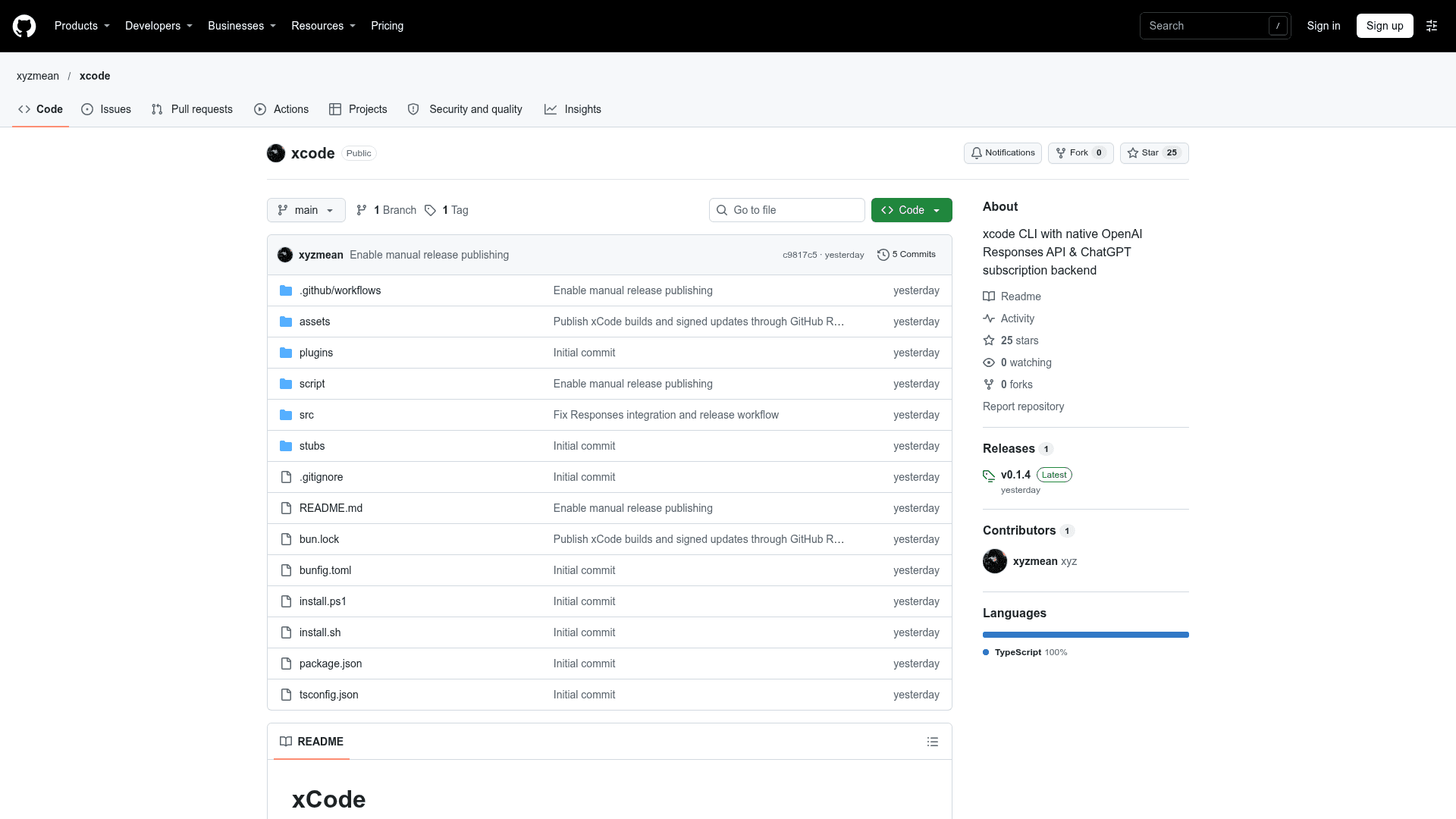
    xCode CLI is a third-party terminal coding agent published by the GitHub user xyzmean. It is not affiliated with Apple or Apple's Xcode IDE. It is based on Claude Code and uses a React/Ink interface with native streaming through the OpenAI Responses API. It can read and edit files, search a codebase, run shell commands, delegate to subagents, and connect to MCP servers. The latest release listed is v0.1.4. The repository does not publish a license.

    What It Is

    xCode CLI is a command-line coding assistant that runs in the terminal. Users sign in with a ChatGPT subscription (via ChatGPT Token Sharing or a Codex browser flow) or supply an OpenAI API key. OpenAI is the only supported model provider.

    Setup Path

    Prebuilt binaries are installed on Linux, macOS, or Windows via install scripts from GitHub Releases. The installers select x64 or ARM64 and verify the binary's SHA-256. ripgrep is needed for file search. The tool can also be run from source with Bun 1.3+.

    Models and Configuration

    The /model command or a --model flag switches models, and the default main model is gpt-6.2-sol. Environment variables override the API base URL, the main model, the fast auxiliary model, and the subagent model. The global config directory defaults to ~/.xcode. Project-level .claude/ settings are supported, but global settings from ~/.claude are not imported.

    Updates

    Standalone builds check GitHub Releases at startup and every 30 minutes, and verify a signed OTA manifest before installing. xcode update checks manually, and DISABLE_AUTOUPDATER=1 turns off background checks.
    xCode CLI (xyzmean) - 1

    Community Discussions

    Be the first to start a conversation about xCode CLI (xyzmean)

    Share your experience with xCode CLI (xyzmean), ask questions, or help others learn from your insights.

    Pricing

    FREE

    Free

    Source code and release binaries are public on GitHub at no cost. The repository publishes no license, and model usage requires your own ChatGPT subscription or OpenAI API key.

    • Source code and prebuilt binaries for Linux, macOS and Windows on GitHub
    • No license published in the repository
    • Requires your own ChatGPT subscription or OpenAI API key (external cost)
    • Optional donations

    Capabilities

    Key Features

    • Read and edit files
    • Codebase search via ripgrep
    • Run shell commands
    • Delegate tasks to subagents
    • MCP server connections
    • Native streaming via OpenAI Responses API
    • React/Ink terminal interface
    • Model switching with /model
    • Signed OTA auto-updates
    • ChatGPT subscription or OpenAI API key authentication

    Integrations

    OpenAI Responses API
    ChatGPT
    MCP servers
    ripgrep
    Bun

    Ratings & Reviews

    No ratings yet

    Be the first to rate xCode CLI (xyzmean) and help others make informed decisions.

    Rate other tools you’ve used

    Developer

    xyzmean

    Read more about xyzmean
    WebsiteGitHub
    1 tool in directory

    Similar Tools

    neosh icon

    neosh

    A terminal-first, Neovim-inspired agent workspace for running and orchestrating AI coding agents across multiple models and machines.

    Superset icon

    Superset

    A code editor for AI agents that lets you orchestrate swarms of Claude Code, Codex, Gemini, and other CLI agents in parallel using isolated Git worktrees.

    subagent-tuner icon

    subagent-tuner

    A Claude Code mod that picks the model and reasoning effort of every subagent, by asking you, recommending by task type, or applying your saved default.

    Browse all tools

    Related Topics

    AI Coding Assistants

    AI tools that help write, edit, and understand code with intelligent suggestions.

    1232 tools

    Multi-agent Systems

    Platforms for creating and managing teams of AI agents that can collaborate.

    678 tools

    Command Line Assistants

    AI-powered command-line assistants that help developers navigate, search, and execute terminal commands with intelligent suggestions and context awareness.

    438 tools
    Browse all topics
    Back to all toolsSuggest an edit
    ratings
    discussions