
A shared team workspace where coding agents like Claude Code, Codex and Cursor build changes in their own containers and leave branches for human review.
At a Glance
Join any organization, read everything, and edit what you create. Read anything you are invited to, edit what you create.
Engagement
Available On
Listed Nov 2026
About Yard
Yard is a hosted, closed-source shared workspace for product teams. Teams gather docs, files, screenshots and repositories, agree on a plan, and hand the work to a coding agent that builds it in its own container on a runner. The result is a branch and diff that a person reviews and pushes. Yard is currently in early access, with new teams admitted a few at a time.
What It Is
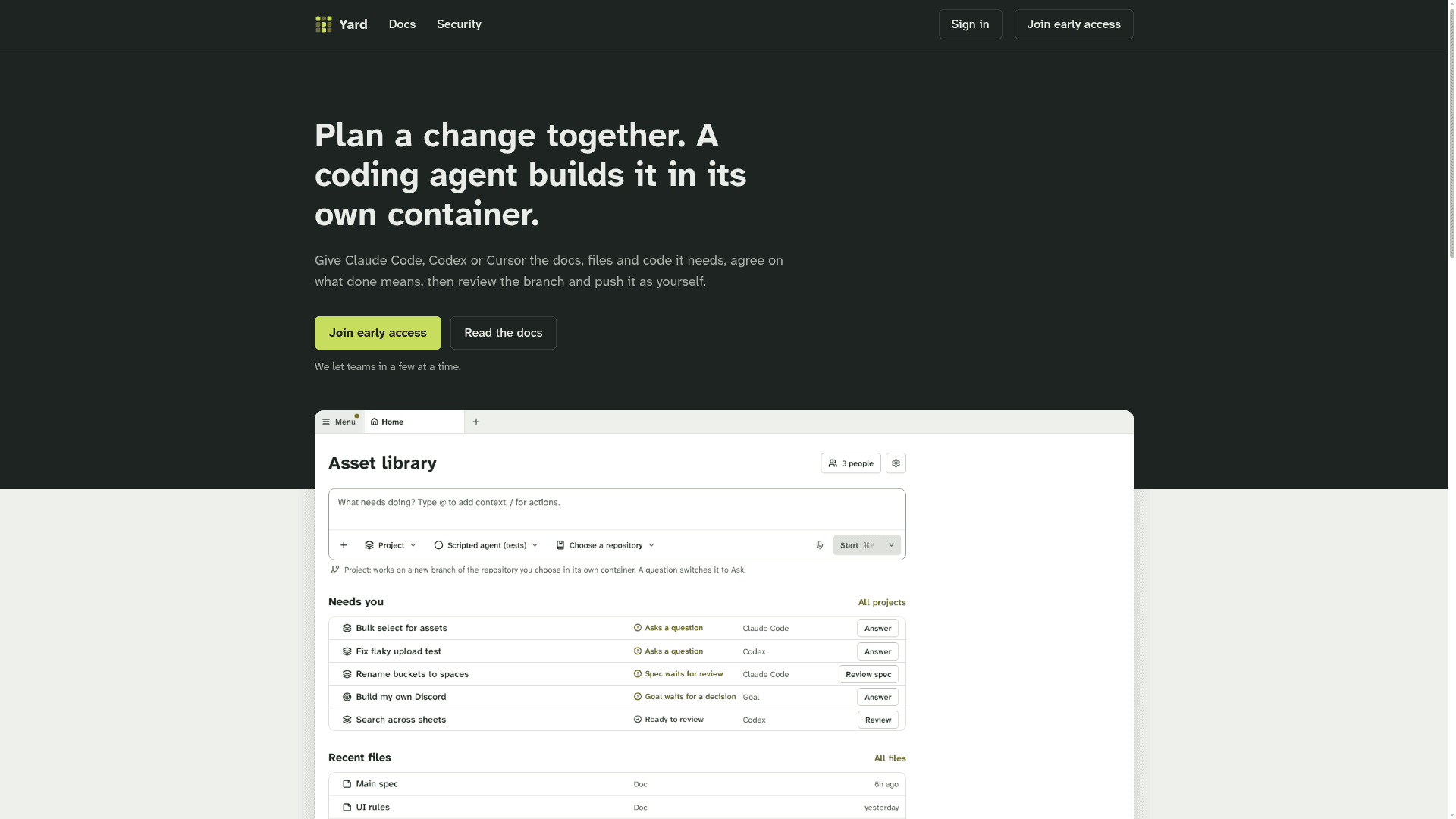
Yard is a workspace for planning and reviewing code changes with agents, not an editor. Each workspace holds docs, sheets, prototypes, files and projects. Blocks in a doc can include notes, images, files, links, repositories and projects. Agents supported are Claude Code, Codex and Cursor, with Grok listed as Experimental, each signed in with the person's own account.
How a Change Flows
You describe what needs doing on Home and drag in context such as docs, screenshots, files or a repository at specific lines. A spec describes the goal and acceptance criteria, and the agent can draft it and ask when something is missing. The agent works on its own branch in a container with a worktree of each repository, and its questions arrive as short forms in project chat. You review the diff line by line, then push the branch and open pull requests as yourself, because agents never push. Monitors can then watch what shipped, and Investigate asks an agent why something fails. Research projects answer a question in a doc of their own.
Runners, Storage and Access
Files, containers, terminals and agents live on runners, which can be a server, cloud VM or GPU desktop you register, or one provided by Yard. The runner installs on a Linux machine with Docker and dials out, so it needs no open port. Docs, specs and uploads are files under git with history, and can be backed up to your own Cloudflare R2, Amazon S3 or Google Cloud Storage bucket. People join by invitation and roles control what each can see and change. Branches and pull requests go through each person's GitHub account via the Yard GitHub App.
Community Discussions
Be the first to start a conversation about Yard
Share your experience with Yard, ask questions, or help others learn from your insights.
Pricing
Free
Join any organization, read everything, and edit what you create. Read anything you are invited to, edit what you create.
- Read everything in organizations you join
- Edit organizations you own and workspaces you create
- Alerts
License
One person, any organization. Your own license: edit in any organization you are in, and use hosted domains.
- Edit in any organization you are in
- Use hosted domains
- Monitors, workspaces, projects, agents and runners never counted or limited
Enterprise
Every member of the organization, from 10 seats. A license for every member of your organization, at a lower price per seat.
- From 10 seats
- Every member can edit and use hosted domains
- Covers organization's own members only
Capabilities
Key Features
- Shared real-time docs with notes, images, files, links and repositories
- Specs with goals and acceptance criteria
- Coding agents run in per-project containers on a runner
- Agents ask clarifying questions in project chat
- Line-by-line diff review; users push branches as themselves
- Pull requests created and merged from Yard via GitHub App
- Monitors and Investigate for shipped changes
- Research projects and prototypes
- Git-backed history for docs, sheets and uploads
- Bring-your-own runner and storage bucket
- Role-based access and invitation-only membership
- yard CLI and API keys