
Zit
A git extension that lets many developers and coding agents change one repository at once using copy-on-write workspaces, claims, and checked accepts.
At a Glance
About Zit
Zit is a git extension from Autohand AI for repositories that several people and coding agents change at the same time. Each session works in its own copy-on-write workspace instead of a git worktree, and changes are checked against what landed meanwhile before they are accepted. Branches, history and remotes stay plain git, so teammates who never install Zit are not affected. The docs list the latest release as 0.1.2.
What It Is
Zit is a command-line git extension (zit and git zit) that coordinates parallel work on one repository. Sessions get copy-on-write clones of a cached checkout, can claim a file, symbol or Markdown section before editing, and land changes through zit accept. Its design is called the Causal Program State Graph (CPSG): states are git trees, changes are git commits, and the graph lives under refs/zit/* beside your branches.
How Accepting Changes Works
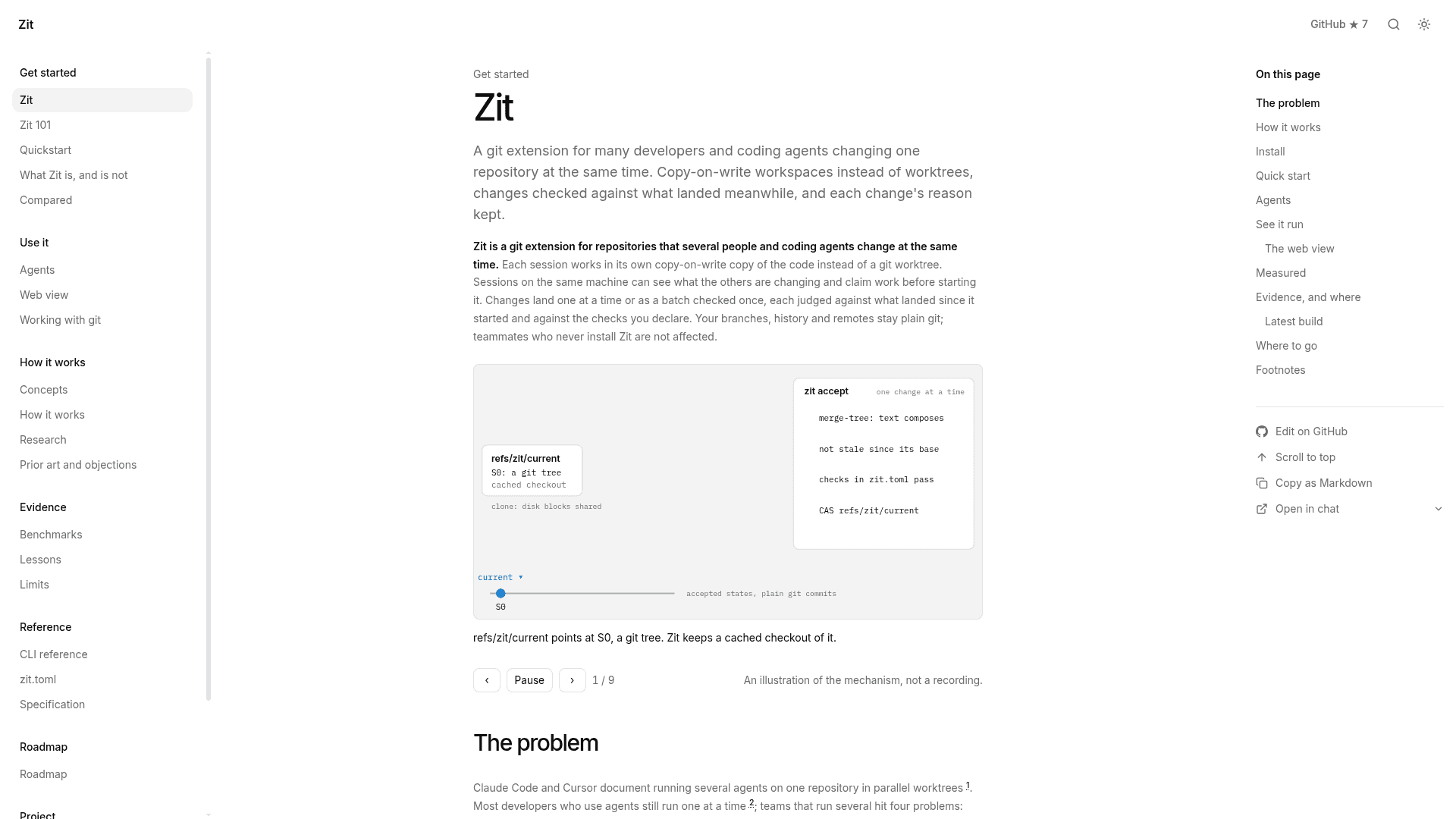
zit accept composes a change onto the current state with git merge-tree. It refuses a change if the text does not merge, if the merged text no longer parses, if it touched the same function, type or section as a change that landed since it started, or if it uses a symbol whose interface changed in the meantime. The combined state must also pass the checks declared in zit.toml before refs/zit/current moves by compare-and-swap. Several changes can land as one batch checked once. Symbol awareness covers Rust, Python, JavaScript, TypeScript, Go, Java, Ruby and C#, plus Markdown sections and TOML and JSON manifest keys.
Agents and Recorded Reasons
zit run --agent <name> --intent "..." starts an agent in a new workspace and records what it leaves as a change, including the agent's final message as the reason. Token and dollar costs reported by the agent are stored and summed by zit log. Documented agent paths include Autohand Code, Claude Code, Codex and Pi, any CLI via zit run --agent <name> -- <command>, and an MCP server mode via zit mcp.
Setup Path and Observability
Zit requires git 2.38 or newer on macOS or Linux and installs with cargo install zit --locked (Rust 1.88+); prebuilt binaries are also published. zit doctor checks git version, copy-on-write support, free space and agents on PATH. Copy-on-write uses APFS on macOS or btrfs/XFS with reflink on Linux; other file systems get plain checkouts. zit web gives a live view of landed, waiting and colliding changes and open workspaces with their claims. The docs state that Zit does not review code, and the vendor's own benchmarks report it is slower than a plain merge loop when checks are cheap.
Community Discussions
Be the first to start a conversation about Zit
Share your experience with Zit, ask questions, or help others learn from your insights.
Pricing
Open Source
Zit git extension released under GPL-2.0-only license; install via cargo from crates.io.
- License: GPL-2.0-only
- Install with cargo install zit --locked (needs Rust 1.88+)
- Copy-on-write workspaces for multiple developers and coding agents
- Claims on work before starting it
- Changes checked against what landed and zit.toml checks
Capabilities
Key Features
- Copy-on-write workspaces instead of git worktrees
- Claims on files, symbols or Markdown sections
- Accept checks for text merge, parsing, same-symbol overlap and changed interfaces
- Declared checks in zit.toml must pass before current moves
- Batch landing of changes checked once
- Recorded agent reasons, tokens and cost
- Shared installed dependencies via [prepare] in zit.toml
- Live web view (zit web)
- MCP server mode (zit mcp)
- Export to a branch or pull request
- Plain git compatibility via git zit