
ZTC (Zerg Terminal Client) is an AI coding agent for the terminal and desktop that plans changes, edits code, and runs tests in your project.
At a Glance
Evaluate ZTC at no software charge under the Zerg Source Available License. The license also covers specified personal, educational, research and nonprofit uses. Model usage is billed separately.
Engagement
Available On
Alternatives
Listed Nov 2026
About ZTC
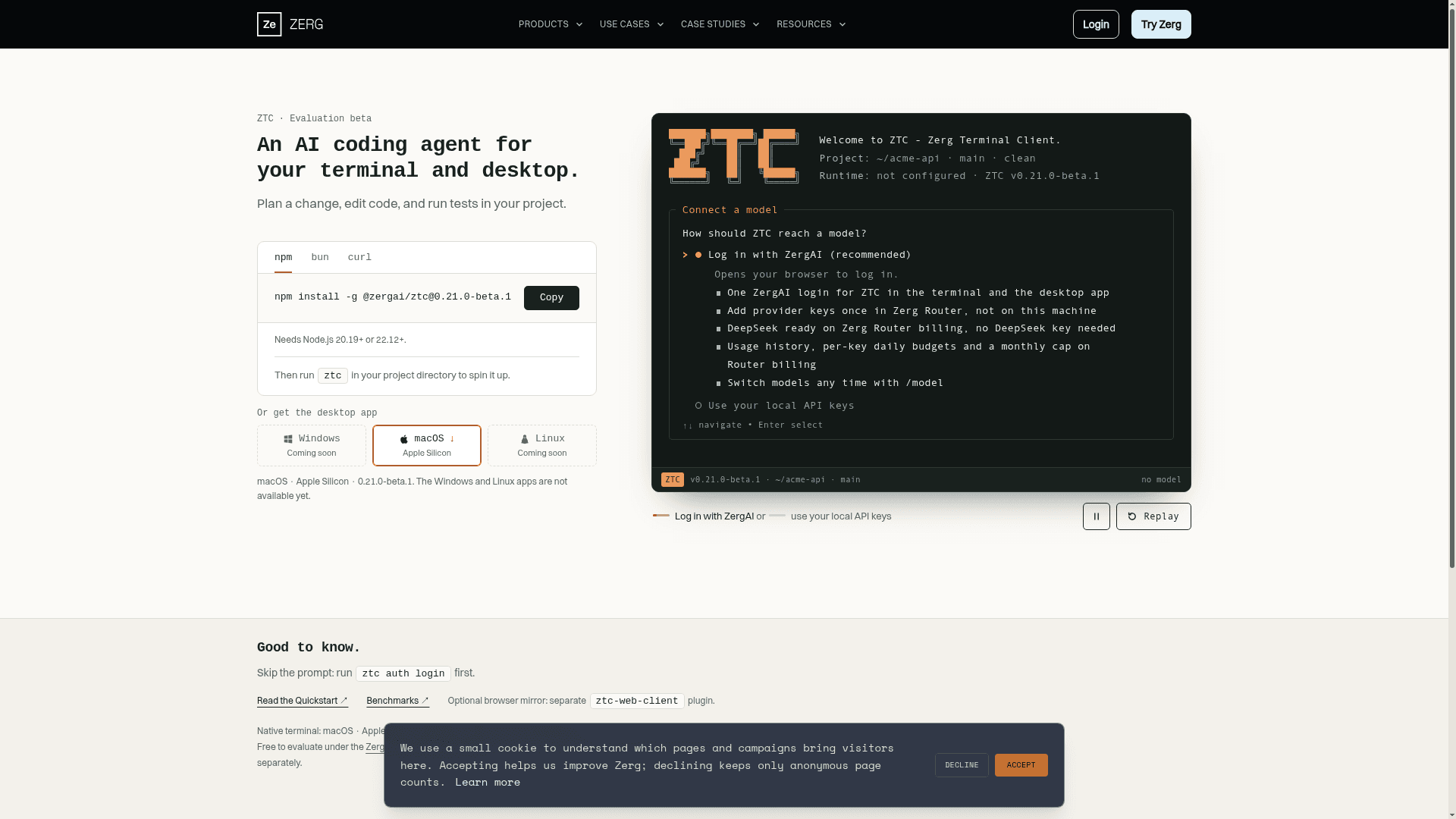
ZTC, the Zerg Terminal Client, is an AI coding agent from Zerg AI that runs in the terminal and as a desktop app. It plans a change, edits code, and runs tests inside your project directory. The product is currently labeled an evaluation beta, with version 0.21.0-beta.1 listed on the product page.
What It Is
ZTC is a terminal-based agent workbench. After installing it with npm and running ztc in a project directory, the interface shows the project path and git branch, then asks how to connect a model. Users can log in with a ZergAI account, or use their own local API keys. A browser login can be skipped by running ztc auth login first.
Model Access
Logging in with ZergAI gives one login across the terminal client and the desktop app. Provider keys are added once in Zerg Router rather than on the local machine. The page states DeepSeek is ready on Zerg Router billing without a DeepSeek key, and that Router billing includes usage history, per-key daily budgets, and a monthly cap. Models can be switched at any time with /model.
Setup and Availability
The CLI needs Node.js 20.19+ or 22.12+ and installs via npm, bun, or curl. The desktop app is available for macOS on Apple Silicon, while Windows and Linux apps are listed as coming soon. The native terminal is listed for macOS on Apple Silicon, and headless mode for macOS, Linux, and Windows. An optional browser mirror is provided by a separate ztc-web-client plugin.
Current Status
ZTC is labeled an evaluation beta. The page states it is free to evaluate under the Zerg Source Available License, that commercial use requires a license, and that model usage is billed separately.
Community Discussions
Be the first to start a conversation about ZTC
Share your experience with ZTC, ask questions, or help others learn from your insights.
Pricing
Free Evaluation
Evaluate ZTC at no software charge under the Zerg Source Available License. The license also covers specified personal, educational, research and nonprofit uses. Model usage is billed separately.
- Terminal and desktop beta
- Use your own model account or Zerg Router
Commercial License
Ongoing commercial use requires a separate signed license. Zerg AI handles commercial terms by email. Model charges are separate.
- License for ongoing commercial use
Capabilities
Key Features
- Plans changes, edits code, and runs tests in your project
- Terminal client and desktop app
- Log in with ZergAI or use local API keys
- Zerg Router with usage history, per-key daily budgets, and monthly cap
- Switch models with /model
- Headless mode on macOS, Linux and Windows
- Optional browser mirror via ztc-web-client plugin
- ztc auth login command