Ultracode and Dynamic Workflows: Claude Code Can Now Run 1,000 Agents on One Task

Jarred Sumner, the creator of Bun, pointed Claude Code at his JavaScript runtime and asked it to port the whole thing from Zig to Rust. Eleven days later, a pull request landed on main: roughly 750,000 lines of Rust, 6,755 commits, and 99.8% of the existing test suite still passing. Sumner said he hadn't typed the code himself. Hundreds of Claude agents wrote it in parallel, with two reviewers checking every file.
Anthropic shipped this on May 28, 2026, and calls it dynamic workflows. The setting that turns it on is named ultracode. This post explains what it actually does, how it works under the hood, how to set it up and use it without runaway token costs, and where the skeptics have a real point.
For two years, using Claude Code meant one model, one conversation, one task at a time. Dynamic workflows break that. Claude now writes its own orchestration script and runs an entire crew of agents against a problem too big for any single pass.
What Actually Shipped, and Who Can Use It
Dynamic workflows are in research preview. You need Claude Code v2.1.154 or later; check with claude --version and run claude update if you're behind.
Availability depends on your plan:
- Pro: available, but off by default. Turn it on from the Dynamic workflows row in
/config. - Max and Team: on by default.
- Enterprise: off by default at launch. An admin enables it in the Claude Code admin settings.
- API, Amazon Bedrock, Google Vertex AI, Microsoft Foundry: all supported.
So the blog announcement's "Max, Team, and Enterprise" framing is already a little out of date. The docs now list every paid tier, Pro included. If you're on Pro and the feature seems missing, it's because you haven't flipped the switch in /config yet.
One warning up front, because Anthropic repeats it three times in their own materials: a workflow can burn meaningfully more tokens than a normal session. Start scoped. Get a feel for the cost on a bounded task before you run it against your entire monorepo.
Why One Agent Hits a Wall
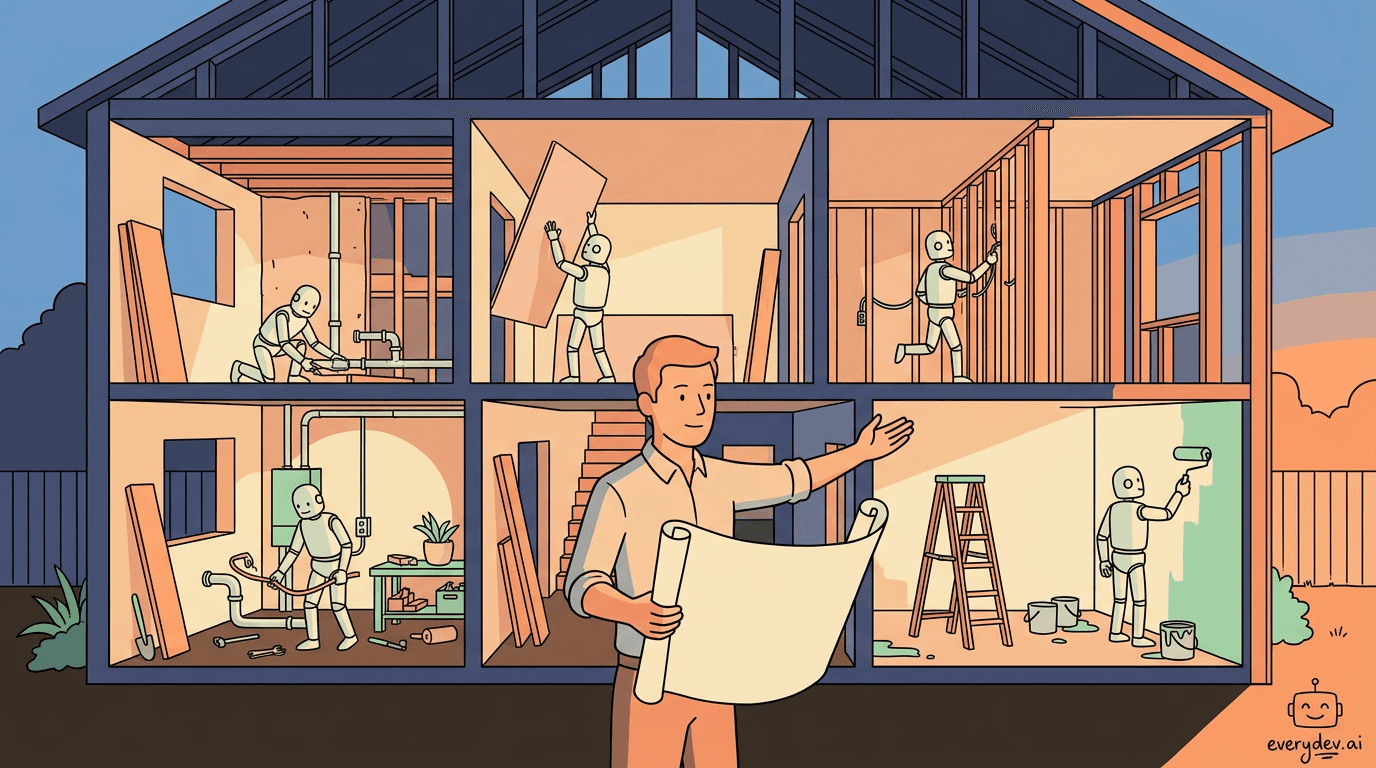
Picture a solo contractor doing a full home renovation. They're skilled. They can fix the plumbing, hang drywall, and rewire an outlet. But they're one person in one room at a time. If you want the kitchen and three bathrooms gutted and rebuilt at once, no amount of skill fixes the fact that there's only one of them.
That was Claude Code before this release. Capable, but sequential. You handed it a task, it worked through the steps in order, and it handed back a result. For a single bug or one feature, perfect. For a migration that touches 500 files, you were either waiting a very long time or watching the task blow past what a single context window can hold. Every intermediate result, every file it read, every decision it made along the way had to live in that one conversation's memory. Eventually the context fills, and quality drops.
A dynamic workflow solves the bottleneck the way a general contractor would: it writes a plan and puts a crew on it. Claude reads your request, writes a JavaScript script that breaks the job into subtasks, and a runtime executes that script in the background, distributing the work across dozens or hundreds of subagents while your session stays free to keep talking. The plan moves out of the conversation and into code.
Recommended
VS Code Agents Can Now Work While You're Away
You can now ask a VS Code agent to check your repository every morning without starting the session yourself. On my machine, the Automations page in VS Code 1.140 offered a template called Catch up on main, set to run ev…
Read nextSubagents vs Skills vs Workflows: Who Holds the Plan
Claude Code already had two ways to run a multi-step job. Subagents are workers Claude spawns one at a time. Skills are instruction sets Claude follows. Both have a hidden limit: Claude itself is the orchestrator, deciding turn by turn what to do next, and every result lands back in Claude's context window. Run enough of them and you're back to the context problem.
A workflow moves the plan out of Claude's head and into code. The script holds the loop, the branching, and all the intermediate results. Claude's context only sees the final answer.
The docs compare the three side by side:
| Subagents | Skills | Workflows | |
|---|---|---|---|
| What it is | A worker Claude spawns | Instructions Claude follows | A script the runtime executes |
| Who decides what runs next | Claude, turn by turn | Claude, following the prompt | The script |
| Where intermediate results live | Claude's context | Claude's context | Script variables |
| What's repeatable | The worker definition | The instructions | The orchestration itself |
| Scale | A few per turn | A few per turn | Dozens to hundreds per run |
| Interruption | Restarts the turn | Restarts the turn | Resumable in the same session |
The scale row is the whole point: a few delegated tasks per turn is the ceiling the older tools couldn't break, and workflows push that to hundreds of agents per run.
A script also gives you a repeatable quality pattern. It can make independent agents adversarially review each other's work before anything gets reported. It can draft a plan from several angles and weigh them against each other. You're trusting Claude to execute a plan it already wrote and you already approved, not to improvise correctly across a thousand decisions.
CyberAgent's lead systems engineer, Ken Takao, described the positioning this way: dynamic workflows fill the gap between firing off a single subagent and standing up a full agent team, with plan-to-implementation that "just flows" without losing visibility.
Ultracode and the Effort Dial
You can start a workflow two ways. The first takes one word: put "workflow" anywhere in your prompt.
Run a workflow to audit every API endpoint under src/routes/ for missing auth checks
Claude Code highlights the word, writes a script for that one task, and runs it instead of working through the problem in conversation. If it highlights "workflow" when you didn't mean it, press alt+w to ignore the trigger for that prompt.
The second way is ultracode, which sits at the top of the effort dial. Claude Code's effort menu is a slider from "Faster" to "Smarter": low, medium, high, xhigh, max, and then, set off past a divider, ultracode. The menu labels it "xhigh + workflows": the highest reasoning effort paired with automatic workflow orchestration.
/effort ultracode
With ultracode on, you stop deciding when to fan out; Claude decides for you. It runs a quick pre-assessment of each request and chooses whether to answer inline or deploy a workflow. A single request can spawn several workflows in a row: one to map the architecture, one to make the change, one to verify it. That's why it sits past max on the dial, where the model makes the fan-out call instead of you.
ultracode lasts for the current session and resets when you start a new one. Drop back to /effort high when you return to routine work. It only appears on models that support xhigh effort; on others, the menu won't offer it.
Ultracode is not ultrathink
These two get confused. ultracode is a session setting that turns on workflows. ultrathink is a one-shot keyword. Drop "ultrathink" into a single prompt and Claude reasons harder for that one reply, no session change, no workflows, no extra agents. One is a mode you flip on for a stretch of heavy work; the other is a nudge for a single hard question.
Among the "think" variants people pass around, only ultrathink is a real keyword. Typing "think," "think hard," or "think more" does nothing special; it's just text the model reads like any other. If you want more reasoning on one turn, ultrathink is the word that does it.
For routine work, stay on /effort high. Reach for ultracode when the job is to move the whole codebase, not fix one corner of it.
How a Workflow Actually Runs
Anthropic's diagram lays out the architecture. On the left, "agent teams": a small mesh of Claude instances passing work back and forth. On the right, "dynamic workflows": a single orchestrator at the top kicks off N tasks where N can run into the hundreds. Each task gets the same three-stage treatment: an implementer does the work, two verifiers check it, and a fixer resolves what they flagged. Every task's output then converges back down to one Claude that returns the final result when everything's done.
The implementer-verifier-verifier-fixer loop runs on every subtask in parallel. Each piece of work gets done, checked twice by independent agents, and fixed before anything rolls up to the final answer.
Anthropic's own phrasing: agents attack the problem from independent angles, other agents try to refute what they found, and the run keeps iterating until the answers agree, which is how a workflow reaches a result a single pass can't.
Two properties make this practical for long jobs. The coordination sits outside your conversation in the script, so the plan stays fixed even as the task grows. And progress is saved as the run goes, so an interrupted job resumes from where it stopped instead of starting over. That resume works within the same Claude Code session; if you fully quit, the next session starts fresh.
The Bun Rewrite, in Detail
Anthropic leads its announcement with the Bun port, which runs the pattern at a scale most teams won't need.
Bun is a JavaScript runtime, originally written in Zig, that companies like X and Midjourney run in production. Anthropic acquired Bun in December 2025, in part because Claude Code itself ships as a Bun executable. If Bun breaks, Claude Code breaks. After the acquisition, the team aimed Claude agents at the whole problem: translate the entire Zig codebase to Rust. The motivation was memory safety, not speed. Rust's tooling catches whole classes of bugs earlier than Zig does today.
The work broke into distinct workflows, each a clean example of the pattern:
- One workflow mapped the correct Rust lifetime for every struct field in the Zig codebase. Lifetimes are the hard part of any Zig-to-Rust port, so this got its own dedicated pass first.
- The next wrote every
.rsfile as a behavior-identical port of its.zigcounterpart. Hundreds of agents ran in parallel, with two reviewers assigned to each file. - A fix loop then drove the build and the test suite, iterating until both ran clean.
- After the port landed, an overnight workflow hunted down unnecessary data copies and opened a separate PR for each, ready for human review in the morning.
Sumner described his per-unit-of-work pattern bluntly: do the work, run an adversarial review, apply the changes. He even banned slow commands like git and cargo inside the agent loop to keep throughput up. Weeks earlier he'd said there was "a very high chance all this code gets thrown out completely." After running it, he called dynamic workflows the state of the art today for reliably using agents to finish medium-to-large projects.
The numbers, cross-checked across the announcement and the merged PR: PR #30412, 6,755 commits, 2,188 files changed, roughly 750,000 lines of Rust added, 99.8% test compatibility on Linux x64 glibc, eleven days from first commit to merge. The Rust build is canary-only for now; v1.3.14 was the final Zig release, and the port isn't in production yet.
The Skeptics Have a Point
The launch posts skip the controversy. The Bun rewrite was contentious, and the objections hold up.
On Lobste.rs, developers coined "vibe porting" to describe what happened: AI-driven translation that passes the tests statistically but may not understand the target language deeply. Generated Rust can follow surface patterns while missing idiomatic Rust, the stuff that makes code maintainable by humans six months later. A second PR that removed 600,000 lines of old Zig got auto-flagged by GitHub as "AI slop" and closed. One commenter on the merge wrote, dripping with sarcasm, "What a nice reviewable little commit. I'm sure it will not contain any bugs." When a single PR adds a million lines, no human is actually reviewing it line by line.
There's a cautionary parallel. The Rust uutils project, an AI-assisted rewrite of the battle-tested GNU coreutils now shipping in Ubuntu, hit exactly this wall. One of its own developers said in April 2026 that rewriting code "full of edge cases" turned out to be genuinely hard, and called part of the result "so subpar I don't even have words." Passing a test suite and being production-grade are different bars, and the gap is the edge cases that don't have tests yet.
The workflow mechanics worked; that's not in dispute. Hundreds of agents really did produce a million-line port that passes 99.8% of tests in eleven days. Whether the output is something you'd want to maintain for a decade is a separate question, and one the Bun team is still answering by keeping it on canary. Dynamic workflows produce a working result fast. Whether "working" is the bar that matters for your project is your call.
What It's Actually Good For
The use cases share the same traits: lots of surface area, parallelizable, and needing a second check. They cluster into three kinds of jobs.
Codebase-wide scan-and-classify. Use it for security audits, dead-code hunts, and profiler-guided optimization passes. Claude searches the whole repo in parallel, then runs independent verification on every finding so the report surfaces real issues instead of false positives. A concrete example from a developer running it on a real product: cataloguing hundreds of A/B test flags to find the ones rolled out to 0% or 100%, so the stale ones could be deprecated. Sequential, that's an afternoon of an agent crawling flags one by one. As a workflow, it ran in parallel and finished in under ten minutes. Klarna's engineering team reports the same shape working for dead-code discovery, surfacing cleanup that traditional static analysis missed.
Large migrations and modernization. Framework swaps, API deprecations, and language ports, with the Bun case at the extreme end. Work that touches hundreds of files and needs consistent judgment across all of them is exactly where a single sequential agent loses the thread. Parallel agents with independent review hold consistency far better.
High-stakes work you need verified. When a wrong answer is expensive, you want independent attempts at the same problem plus adversarial agents actively trying to break the result before you see it. The output reaches you already checked from three angles.
Ken Huang's three-part gate is a good one to keep in mind. Reach for a workflow when three conditions are true at once: the task is too big for a single context window, you don't know the right way to split it in advance, and result quality matters more than token economy. If any one of those is false, a normal session or a plain subagent is the cheaper, better call.
How to Set It Up and Use It
Turn it on
Pro users: open /config and toggle on the Dynamic workflows row. Max and Team: it's already on. Enterprise: ask your admin. Anthropic also recommends turning on auto mode for the best experience.
Start a workflow
For a one-off, just say "workflow" in your prompt. For a session where Claude decides on its own:
/effort ultracode
Or open the effort menu and slide right past max to ultracode. Arrow keys to adjust, Enter to confirm, Esc to cancel.
Try the bundled one first
Before you point this at your own code, run the built-in workflow to feel how it behaves:
/deep-research What changed in the Node.js permission model between v20 and v22?
It splits searches across several angles, cross-checks the sources against each other, votes on each claim, and hands back a cited report with the claims that didn't survive cross-checking already stripped out. It demonstrates the verify-then-converge loop end to end before you commit your own code to it.
Approve the plan
The first time a workflow triggers, Claude Code shows the planned phases and asks before running. Your options:
- Yes, run it to start.
- Yes, and don't ask again to skip the prompt for this workflow in this project going forward.
- View raw script (
Ctrl+Gopens it in your editor) to read the code before deciding. - No to cancel.
Tablets you tweak the prompt before launch.
What you get prompted for depends on your permission mode. In default or accept-edits mode you're asked every run until you opt out per workflow. In auto mode you're asked only on first launch, and ultracode skips the prompt entirely. In bypass-permissions, claude -p, or the Agent SDK, runs start immediately with no prompt.
Watch and steer the run
/workflows is your control panel. It lists running and completed workflows; select one and press Enter to open its progress view, which shows each phase with its agent count, token total, and elapsed time.
| Key | Action |
|---|---|
Enter or -> | Drill into a phase, then into an agent to read its prompt, tool calls, and result |
Esc | Back out one level |
p | Pause or resume the run |
x | Stop one agent, or the whole workflow when focused on the run |
r | Restart a running agent |
s | Save the run's script as a reusable command |
A one-line progress summary also shows up in the task panel below your input box while a run is going.
Save a workflow you'll reuse
After a good run, press s in /workflows and pick a location:
.claude/workflows/in your project, shared with everyone who clones the repo.~/.claude/workflows/in your home directory, available everywhere but visible only to you.
Saved workflows become /your-command in autocomplete, right alongside /deep-research. A review you run on every release branch then runs the identical orchestration each time. If a project workflow and a personal one share a name, the project version wins.
Pre-approve the commands agents need
Inside a workflow, subagents run in acceptEdits mode and inherit your tool allowlist; file edits auto-approve. But shell commands, web fetches, and MCP tools not on your allowlist can still pause the run with a prompt. For a long overnight job, allowlist what the agents will need ahead of time so you're not blocking at 2 a.m. waiting on a permission dialog:
// .claude/settings.json
{
  "permissions": {
    "allow": ["Bash(npm run test *)", "Bash(cargo build *)", "Bash(cargo test *)"]
  }
}
Control the cost
Every agent uses your session's model unless the script routes a stage elsewhere. Two levers:
- Check
/modelbefore a big run, especially if you usually drop to a smaller model for routine work. - When you describe the task, tell Claude to use a smaller model for the stages that don't need the strongest one.
Turn it off
For yourself: toggle Dynamic workflows off in /config, or set "disableWorkflows": true in ~/.claude/settings.json, or set the CLAUDE_CODE_DISABLE_WORKFLOWS=1 environment variable. For an org, set disableWorkflows in managed settings or use the admin settings toggle. When disabled, /deep-research stops working, the "workflow" keyword does nothing, and ultracode vanishes from the effort menu.
The Limits You Should Know Before You Rely on It
A few hard constraints, straight from the runtime:
- 16 concurrent agents max (fewer on machines with limited CPU cores), with a ceiling of 1,000 agents total per run to prevent runaway loops.
- No mid-run input. Once a workflow starts, you can't feed it new instructions; only an agent permission prompt can pause it. If you need a human sign-off between stages, run each stage as its own workflow.
- The workflow script can't touch the filesystem or shell directly. Agents do the reading, writing, and running. The script only coordinates them.
- Resume is session-bound. Quit Claude Code mid-run and the next session starts the workflow over.
None of these are dealbreakers; they're the constraints of how the tool works. Know them ahead of time and your workflow runs clean overnight instead of stalling on a prompt you weren't there to answer.
Claude Writes the Orchestration Itself
Running agents in parallel was already possible. The new part is that Claude writes and manages the orchestration script itself, dynamically, from your prompt, then strictly follows the plan it wrote across hundreds of agents.
You describe the goal, and the model breaks the work into agents and writes the script that runs them. The Bun port made that concrete: Sumner described an outcome, Claude designed the workflow, hundreds of agents executed it, and what came back was a mergeable million-line migration that a skeptic signed off on.
Two questions decide whether a job fits: does it have more surface area than one agent can cover in one pass, and do you trust the tests enough to verify the result. If yes to the first and you've thought hard about the second, ultracode is built for that.
Dynamic workflows are in research preview now. Flip on ultracode from the effort menu, or just say "workflow" in your next prompt. The full docs are at code.claude.com/docs/en/workflows, with the setting reference at code.claude.com/docs/en/settings.
About the Author
Founder at EveryDev.ai
Apple, Disney, Adobe, Eventbrite, Zillow, Affirm. I've shipped frontend at all of them. Now I build and write about AI dev tools: what works, what's hype, and what's worth your time.
Comments
No comments yet
Be the first to share your thoughts