Clawdbot’s New Web Based Onboarding is a Game Changer for Non Devs

Big news for anyone who’s wanted to try Clawdbot ~ renamed Moltbot but felt intimidated by the setup process. There’s a new web based onboarding wizard in the works that could make things way more accessible.
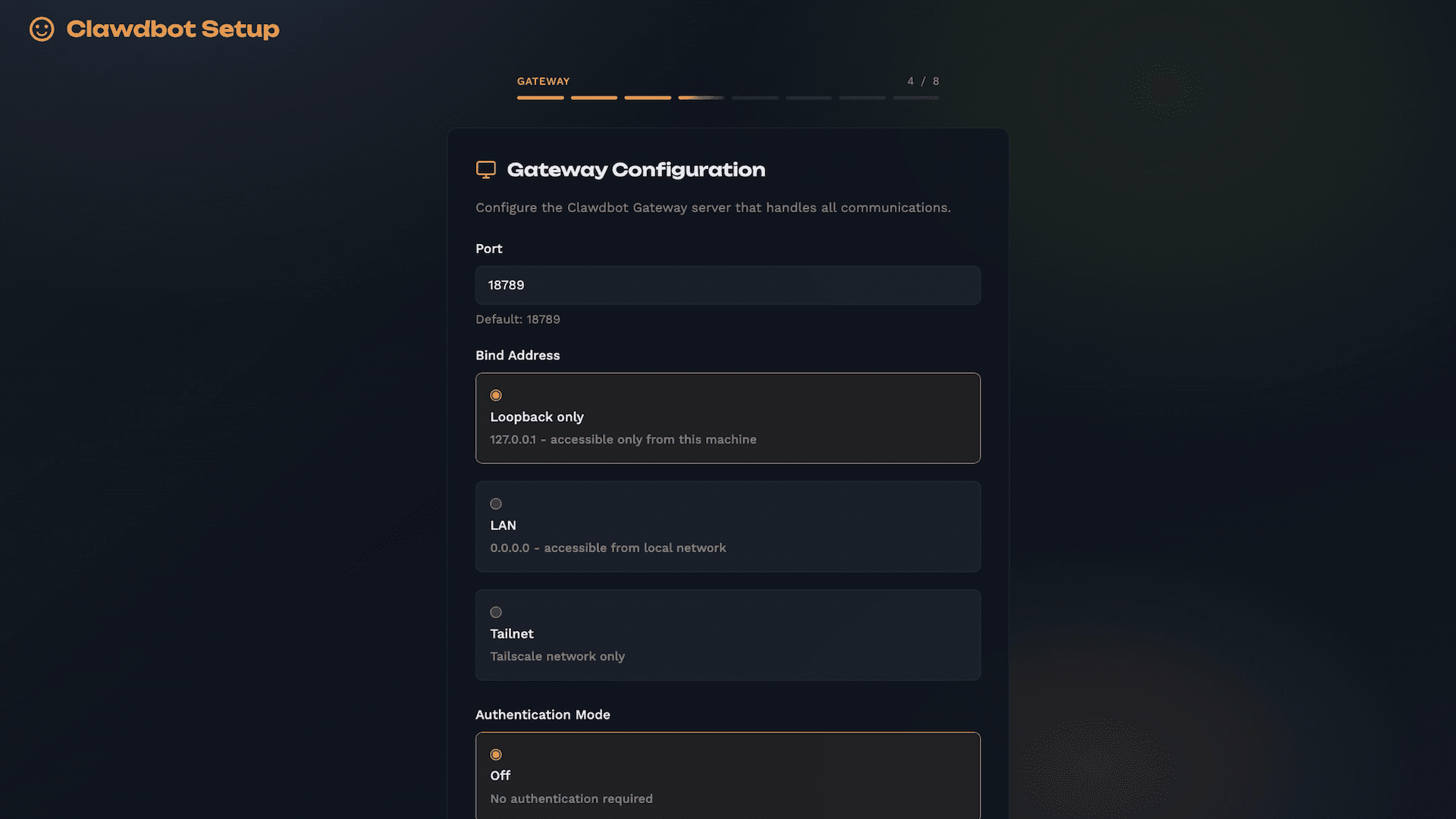
You can follow the discussion here.
Right now the TUI and CLI is still the best way to install Clawdbot, and if you’re comfortable with the terminal it works great. But let’s be real about what the current setup asks of you. You need Node 22 or newer installed. You need to know your way around npm or pnpm. You’re cloning repos, running build commands, and setting up daemon services with systemd or launchd. On Windows you need WSL2 because native Windows isnt even supported. And once you get past the install you’re still configuring API keys, OAuth tokens, gateway ports, and provider credentials through terminal prompts.
For developers this is totally fine. For someone who just wants a personal AI assistant connected to their WhatsApp or Discord, its a lot.
The new clawdbot onboard:web command spins up a local browser based wizard that walks you through the same 8 step setup but with actual form fields and visual feedback. You can browse and install skills with a real UI, scan your WhatsApp QR code right in the wizard, and get validation errors before you break something. Its still running locally on your machine so you keep all the privacy benefits of self hosting, but now you dont need to be fluent in terminal commands to get there.
This could really open up Moltbot to a much bigger audience. The product is genuinely impressive once its running, but the install process has been a filter that keeps out a lot of curious non dev users who would probably love it.
What do you think, would a web based setup have helped you get started faster, or do you actually prefer the CLI approach?
Comments (2)
Join the discussion
Sign in to share your thoughts
Your post on such an teresting subject has left me speechless. I regularlyly check out your blogs and stay current by reading the material that you offer; nevertheless, the blog that you have posted today is the one that I appreciate the most.
Love this, UI looks clean and the 8 step flow makes sense.
Few questions from me around edge cases…
How does it handle config drift? Like if someone does initial setup through the web wizard but then later tweaks things manually in clawdbot.json, what happens when they open the wizard again?
And how does error handling work? When something fails during setup, like a port conflict or invalid API key, what does that look like in the browser?
Would definitely test this out once the PR lands. Been meaning to help a few non dev friends get set up and the current process is a tough sell for them.