
Agent Lookout
A local dashboard that finds AI coding agent sessions running on your computer and shows which one is waiting on you.
At a Glance
Free and open source (MIT) local dashboard for AI coding agent sessions; no account required.
Engagement
Available On
Alternatives
Listed Nov 2026
About Agent Lookout
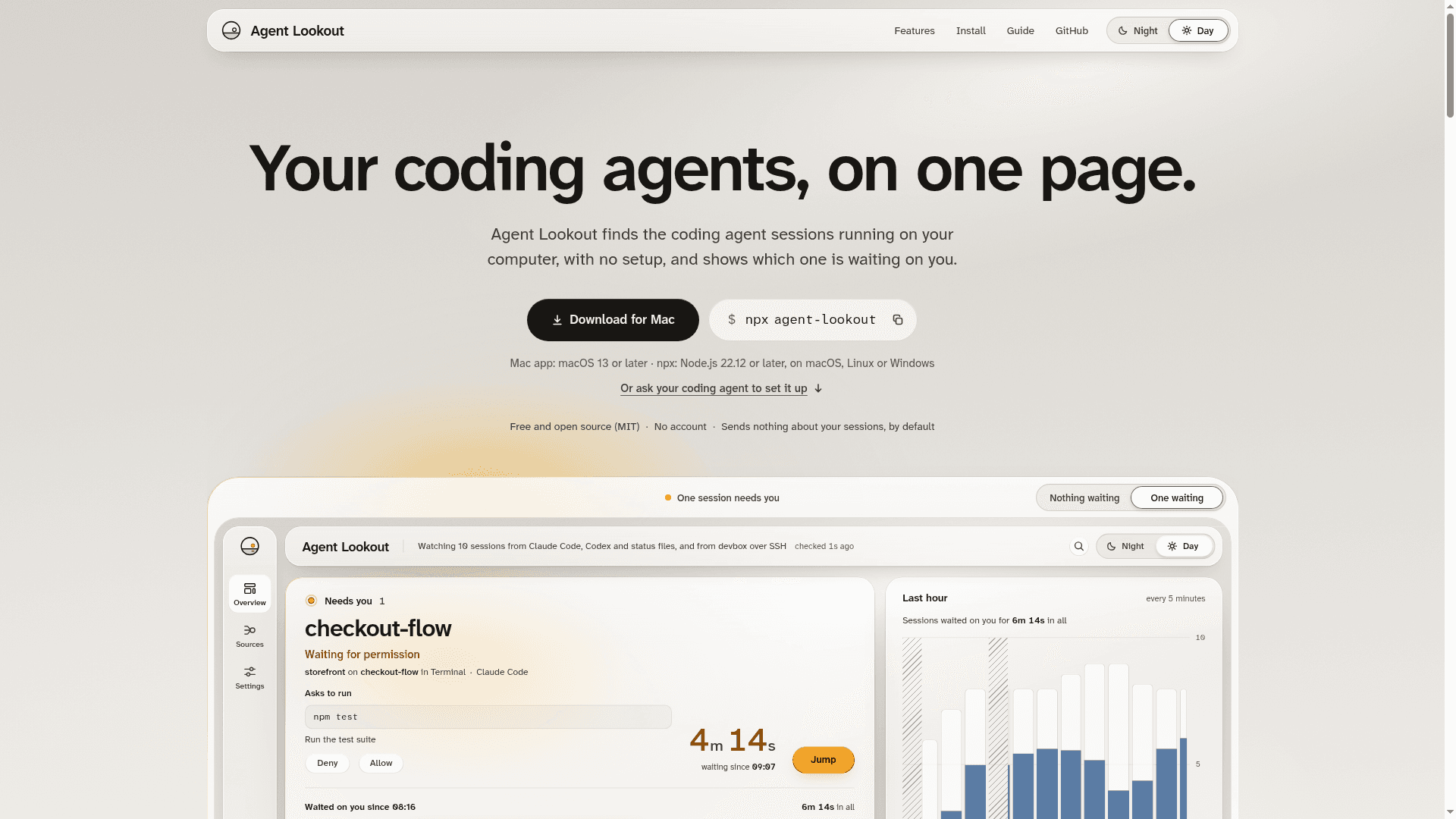
Agent Lookout is an open-source (MIT) local dashboard that discovers coding agent sessions already running on your computer and shows their folder, branch and status on one page. Its main job is to surface the session that is waiting for your permission or an answer. It is available as a Mac app and as an npx command for macOS, Linux and Windows.
What It Is
Agent Lookout is a session monitor for AI coding agents. It finds sessions from Claude Code, Codex, Gemini CLI, Cline, Copilot CLI, Kiro CLI and many other agents with no setup. Any other agent can appear by writing one small JSON status file per session. It never starts a session or sends one a message.
How the Needs You Workflow Works
Sessions that stop for permission or an answer move to the top, longest wait first, with a timer. A Claude Code session also shows what it is asking, including the full command. With the Claude Code plugin, you can Allow or Deny the prompt from the page. Jump opens the session in VS Code, a tmux pane, or a Terminal or iTerm2 tab, and Stop ends a Claude Code session after you confirm. Other views include sessions by status, repository or board, an events log, a timeline and a history of waits.
Per-Agent Coverage and Limits
Agents report different things, so a Sources view and a table show what each can and cannot report. For example, Codex does not record approval waits, so a waiting session shows as working. Support for many of the newer agents was built from source or documentation and has not yet been checked on a computer running them. On Windows, Stop, Allow, Deny and Resume are not available.
Privacy and Setup
By default it sends nothing about your sessions: no telemetry, analytics or account, and it listens on this computer only. The Mac app checks GitHub daily for updates, which can be turned off. Notifications by desktop, email, webhook, ntfy or Pushover are off until you configure them. The npx version needs Node.js 22.12 or later and serves the dashboard on a local port. The terminal status command and an MCP server let scripts and agents query who needs you. The Mac app is not yet signed with an Apple Developer ID.
Community Discussions
Be the first to start a conversation about Agent Lookout
Share your experience with Agent Lookout, ask questions, or help others learn from your insights.
Pricing
Open Source
Free and open source (MIT) local dashboard for AI coding agent sessions; no account required.
- MIT licensed
- No account
- Sends nothing about your sessions, by default
- Run via npx agent-lookout (Node.js 22.12+ on macOS, Linux or Windows)
- Mac app (macOS 13 or later)
Capabilities
Key Features
- Automatic discovery of coding agent sessions with folder, branch and status
- Needs you panel ordered by longest wait with timers
- Allow or Deny Claude Code permission prompts from the page
- Jump to a session in VS Code, tmux, Terminal or iTerm2
- Stop a Claude Code session after confirmation and copy a Resume command
- Optional notifications by desktop, email, webhook, ntfy or Pushover
- Sessions views by status, repository or board
- Events log, timeline and wait history
- Remote machines over SSH
- Terminal status command and read-only MCP server
- Support for custom agents via small JSON status files
- Local-only operation with no telemetry or account