
agterm
A native macOS terminal built on Ghostty's engine that organizes shells into workspaces and exposes a full control API via the agtermctl CLI.
At a Glance
agterm core macOS terminal and bundled agtermctl CLI, released under the MIT License and free to use, modify and distribute.
Engagement
Available On
Alternatives
Listed Nov 2026
About agterm
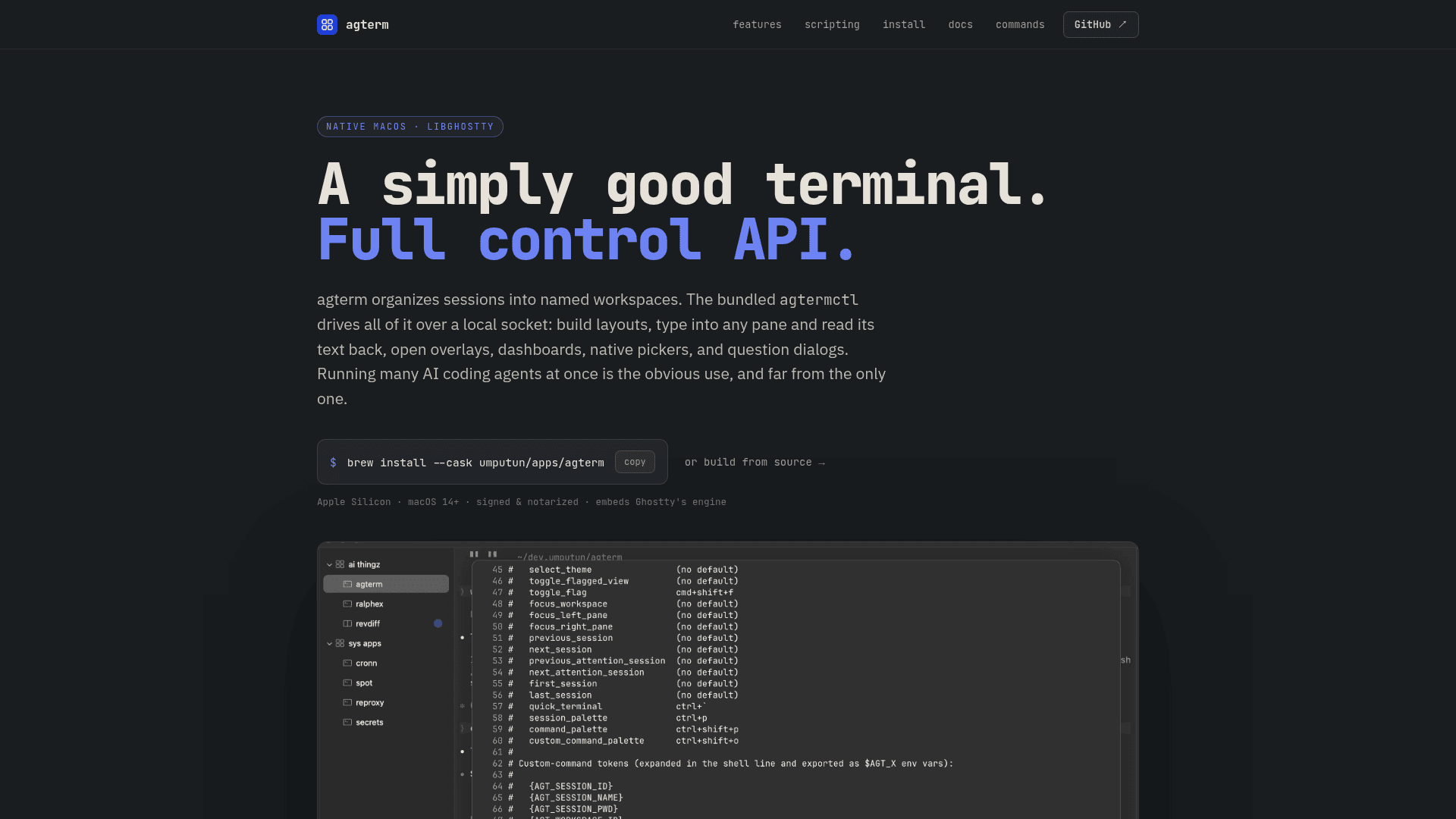
agterm is an open-source native macOS terminal by Umputun that groups shells into named workspaces and exposes almost every action through a bundled CLI, agtermctl, over a local socket. It embeds libghostty, the terminal engine from Ghostty, for rendering, VT parsing and shell I/O. Pre-built releases target Apple Silicon Macs on macOS 14 or later; the latest release listed is v0.43.0.
What It Is
agterm is a terminal emulator with a deliberately small interface. Sessions (one shell each, with its own directory and scrollback) are grouped under workspaces, and windows bundle workspaces so contexts like "work" and "personal" can sit on separate screens. The stated motivation is running many coding agents at once: each agent works in a named session and reports whether it is active, blocked or completed through a glyph on its sidebar row. It also works as a general-purpose terminal with 512 bundled themes, rebindable keys and session persistence.
Control API and Agent Workflow
agtermctl can create sessions, type into them, read a pane's text back, run programs in overlays and return their exit status, open pickers and question dialogs, move windows, set status glyphs and post notifications. An installable skill teaches Claude Code or Codex the control model so an agent inside agterm can build its own layout. Status hooks cover Claude Code, Codex, Pi, OpenCode and others. Custom commands and event hooks are defined in keymap.conf and hooks.conf, and a cookbook collects recipes.
Surfaces and Persistence
A session can be split into two shells, covered by a scratch terminal, accompanied by pinned companions (log tails, watchers, HTML pages), or have a program run in a floating overlay. A dashboard shows up to nine sessions' live output in a view-only grid. Three restore modes are available: fresh shells, re-run captured commands, or Live sessions, which keeps processes running across app restarts.
Remote Sessions
Sessions running on another Mac in Live sessions mode can be attached over key-based ssh. A Linux host can run agterm-server, installed with agtermctl server install, and be shown in a remote window so shells keep running when the Mac sleeps or the network drops.
Community Discussions
Be the first to start a conversation about agterm
Share your experience with agterm, ask questions, or help others learn from your insights.
Pricing
Open Source (MIT)
agterm core macOS terminal and bundled agtermctl CLI, released under the MIT License and free to use, modify and distribute.
- MIT License
- Workspaces and sessions
- agtermctl control API over local socket
- Splits, scratch terminals and overlays
- Companions
Capabilities
Key Features
- Named workspaces and sessions in a two-level sidebar
- agtermctl CLI control API over a local socket
- Agent status glyphs (active, blocked, completed)
- Split panes, scratch terminal, quick terminal and overlays
- Companions pinned under sessions
- Dashboard grid of up to nine live sessions
- Live sessions that survive app restarts
- Remote sessions over ssh and Linux agterm-server
- Installable agent skill for Claude Code and Codex
- 512 bundled themes and rebindable keymap.conf
- Custom commands and event hooks
- Fuzzy session and action palettes