
Intelligent Terminal
An experimental open-source fork of Windows Terminal with native integration for ACP-compatible AI agent CLIs.
At a Glance
Intelligent Terminal is an experimental fork of Windows Terminal with native agent integration, released under the MIT License. A supported agent CLI and its subscription (GitHub Copilot is the default) are required and are external costs.
Engagement
Available On
Alternatives
Listed Nov 2026
About Intelligent Terminal
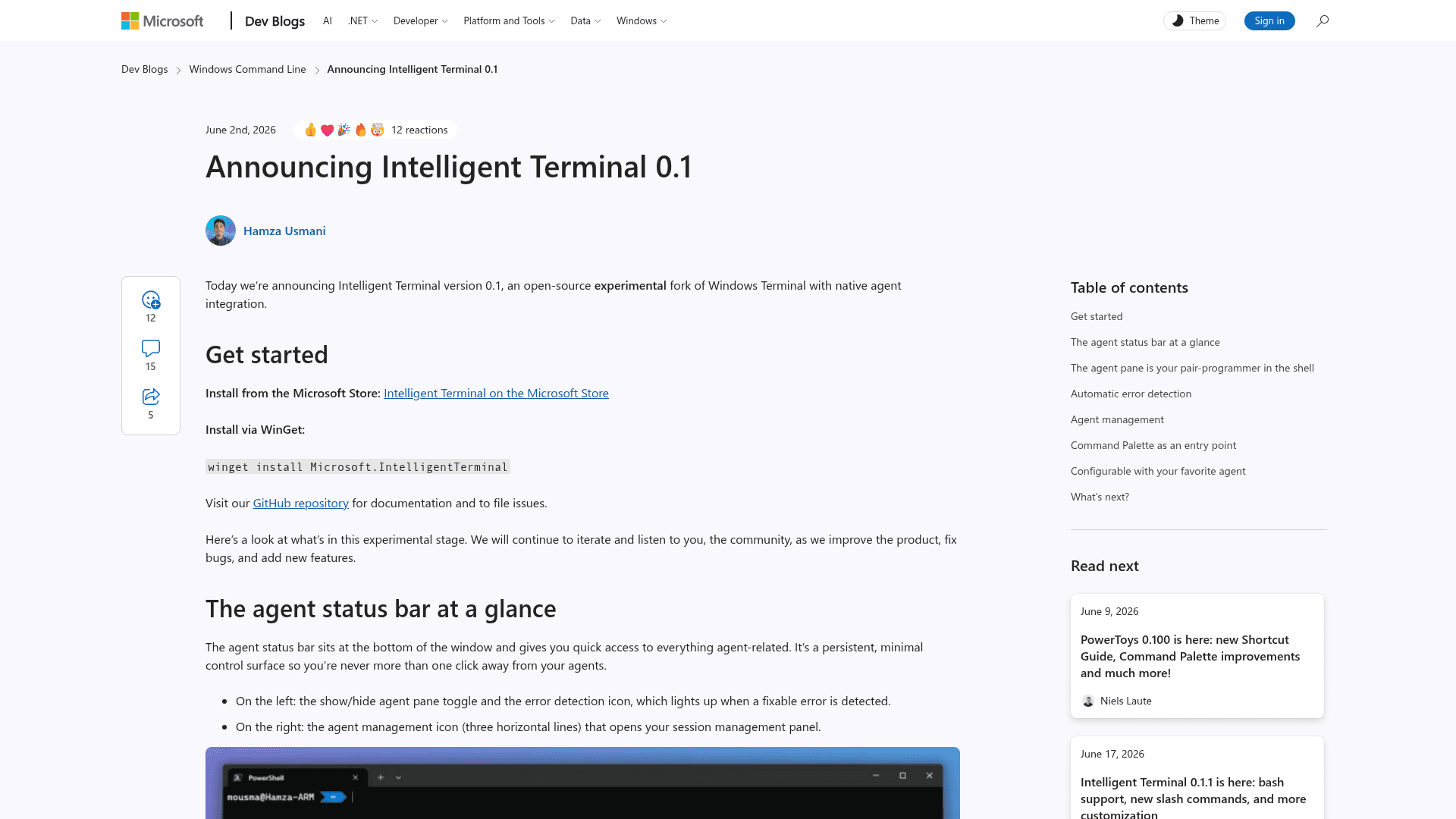
Intelligent Terminal is an experimental, open-source fork of Windows Terminal from Microsoft that adds native agent integration. It keeps Windows Terminal features such as tabs, profiles, themes, settings, shells, and keyboard shortcuts, and adds a docked agent pane, error detection, and agent session management. It ships as a separate app that installs next to the existing Windows Terminal, and is available from the Microsoft Store and WinGet.
What It Is
Intelligent Terminal works with any Agent Client Protocol (ACP)-compatible agent CLI, with GitHub Copilot CLI as the default. On first launch it auto-detects installed agents (Copilot, Claude, Codex, Gemini, OpenCode, Antigravity) and installs Copilot CLI via WinGet if none are found. The agent has context on shell output without copy-pasting, and it asks for approval before running suggested commands in your shell. The README describes the app as a local transport layer that passes prompts and shell context to the selected agent CLI.
How the Agent Workflow Works
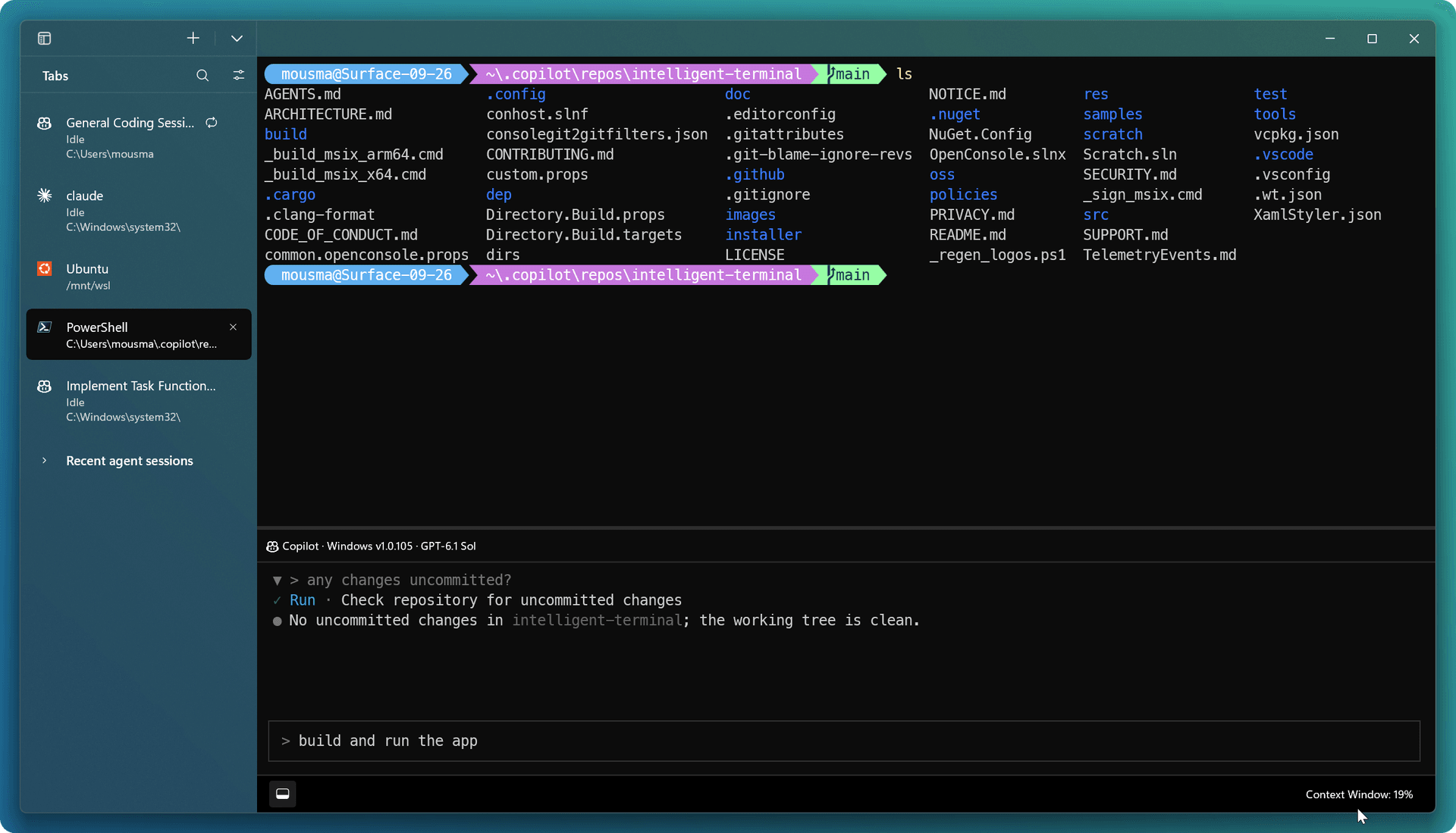
An agent status bar gives quick access to the agent pane, the error detection indicator, and agent management. The agent pane can be docked top, bottom, left, or right, and spins up background tabs for multi-step tasks. When a command fails, an indicator opens the pane with the error context loaded, and the agent can explain or suggest a fix; a /fix slash command does the same on demand. The Command Palette accepts ? followed by a prompt to start an agent task in a background tab. Slash commands such as /model, /config, /move, /new, and /sessions control the pane. Custom providers (BYOK) are supported through GitHub Copilot or OpenCode with OpenAI-compatible endpoints, including local endpoints such as Ollama.
Update: Version 0.3 Sidebar
The v0.3 release, which the developer blog calls the biggest update since launch, adds a vertical sidebar for managing tabs and agents. It shows live agent status per tab, pinning, nested split panes, global search across open tabs and recent agent sessions, and an agents-only filter. Tabs can show agent status, working directory, or Git information. Detected agent CLIs get profiles in the new-tab menu. Headless mode keeps selected tabs running in the background after the window closes.
Setup and Privacy
Intelligent Terminal requires Windows 10 2004 (19041) or later plus a supported agent CLI and subscription. Where data goes depends on the chosen agent CLI. The README states that the app collects usage data sent to Microsoft, with instructions to disable telemetry.
Community Discussions
Be the first to start a conversation about Intelligent Terminal
Share your experience with Intelligent Terminal, ask questions, or help others learn from your insights.
Pricing
Open Source (MIT)
Intelligent Terminal is an experimental fork of Windows Terminal with native agent integration, released under the MIT License. A supported agent CLI and its subscription (GitHub Copilot is the default) are required and are external costs.
- MIT License
- Works with any ACP-compatible agent CLI
- Bring your own provider credentials (BYOK) via GitHub Copilot or OpenCode
- Install via Microsoft Store, WinGet or GitHub releases
- Requires Windows 10 2004 (19041) or later
Capabilities
Key Features
- Docked, context-aware agent pane
- Works with any ACP-compatible agent CLI
- Automatic agent CLI detection and profiles
- Automatic error detection and fix suggestions
- Agent management panel for active and past sessions
- Command Palette prompt mode
- Slash commands (/fix, /model, /config, /move, /sessions)
- Custom providers (BYOK) including local models
- Vertical sidebar with live agent status, pinning, and global search
- Headless mode for background tabs
- Configurable pane placement
- Paste clipboard images into agent pane