EveryDev.ai
Sign inSubscribe
  1. Home
  2. Tools
  3. aix
aix icon

aix

Development Environments

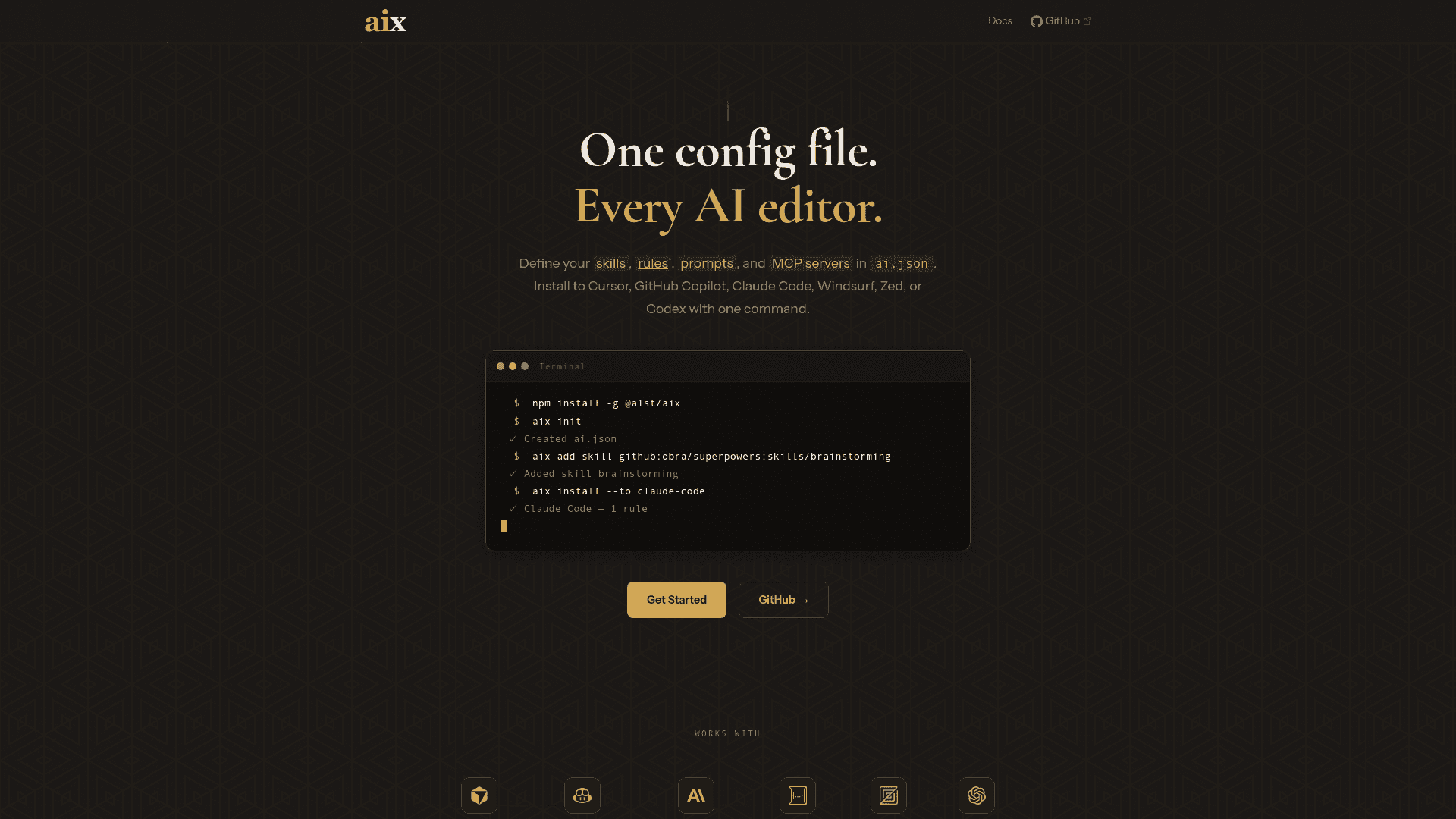
Define skills, rules, prompts, and MCP servers in ai.json, then install to multiple AI coding assistants with one command.

Visit Website

At a Glance

Pricing

Open Source

Free and open source CLI tool

Engagement

Available On

Windows
macOS
Linux

Resources

WebsiteDocsGitHubllms.txt

Topics

Development EnvironmentsMCP ToolsVersion Control

About aix

aix is a command-line tool that enables developers to define and manage AI coding assistant configurations through a unified ai.json file. It allows you to specify skills, rules, prompts, and MCP servers in one place, then install them across multiple AI coding assistants including Cursor, GitHub Copilot, Claude Code, Windsurf, Zed, and Codex with a single command.

  • Unified Configuration - Define all your AI assistant settings in a single ai.json file, eliminating the need to configure each tool separately and ensuring consistency across your development environment.

  • Multi-Tool Support - Install configurations to Cursor, GitHub Copilot, Claude Code, Windsurf, Zed, and Codex simultaneously, streamlining your workflow when working with multiple AI coding assistants.

  • MCP Server Management - Configure and manage Model Context Protocol (MCP) servers directly from your ai.json file, enabling advanced AI capabilities and custom integrations.

  • Skills and Rules Definition - Define custom skills and rules that guide AI behavior, allowing you to tailor AI assistance to your specific coding standards and project requirements.

  • Prompt Management - Store and organize prompts within your configuration, making it easy to reuse effective prompts across different AI tools and projects.

  • One-Command Installation - Deploy your entire AI configuration with a single command, reducing setup time and ensuring all your AI tools are configured identically.

To get started with aix, create an ai.json file in your project root defining your desired configuration. The file structure allows you to specify skills, rules, prompts, and MCP server configurations. Once your ai.json is ready, run the aix command to install the configuration to your supported AI coding assistants. The tool handles the translation and deployment of your settings to each platform's native format.
aix - 1

Community Discussions

Be the first to start a conversation about aix

Share your experience with aix, ask questions, or help others learn from your insights.

Pricing

OPEN SOURCE

Open Source

Free and open source CLI tool

  • Full CLI functionality
  • ai.json configuration
  • Multi-tool support
  • MCP server management
View official pricing

Capabilities

Key Features

  • Unified ai.json configuration file
  • Multi-tool installation support
  • MCP server configuration
  • Skills definition
  • Rules definition
  • Prompt management
  • One-command deployment
  • Support for Cursor, GitHub Copilot, Claude Code, Windsurf, Zed, and Codex

Integrations

Cursor
GitHub Copilot
Claude Code
Windsurf
Zed
Codex

Reviews & Ratings

No ratings yet

Be the first to rate aix and help others make informed decisions.

Developer

a1st

a1st develops developer tools focused on AI coding assistant configuration and management. The team builds aix, a CLI tool that unifies AI assistant settings across multiple platforms through a single configuration file.

Read more about a1st
WebsiteGitHub
1 tool in directory

Similar Tools

MCPJam Inspector icon

MCPJam Inspector

Local development client for ChatGPT Apps SDK with full widget emulator, OAuth debugger, and LLM playground for testing MCP servers.

Commander icon

Commander

A native macOS interface for AI coding agents with built-in diffs, git workflow, and worktrees for seamless code review and commits.

Continue icon

Continue

Open-source coding assistant with IDE plugins and a CLI to build and run custom AI code agents across VS Code, JetBrains, terminal, and CI, with model flexibility and team governance.

Browse all tools

Related Topics

Development Environments

AI-enhanced code editors and IDEs that improve the coding experience.

85 tools

MCP Tools

Tools built with the Model Context Protocol for specific tasks.

20 tools

Version Control

AI tools that enhance version control systems and code management.

8 tools
Browse all topics
Back to all tools
Explore AI Tools
  • AI Coding Assistants
  • Agent Frameworks
  • MCP Servers
  • AI Prompt Tools
  • Vibe Coding Tools
  • AI Design Tools
  • AI Database Tools
  • AI Website Builders
  • AI Testing Tools
  • LLM Evaluations
Follow Us
  • X / Twitter
  • LinkedIn
  • Reddit
  • Discord
  • Threads
  • Bluesky
  • Mastodon
  • YouTube
  • GitHub
  • Instagram
Get Started
  • About
  • Editorial Standards
  • Corrections & Disclosures
  • Community Guidelines
  • Advertise
  • Contact Us
  • Newsletter
  • Submit a Tool
  • Start a Discussion
  • Write A Blog
  • Share A Build
  • Terms of Service
  • Privacy Policy
Explore with AI
  • ChatGPT
  • Gemini
  • Claude
  • Grok
  • Perplexity
Agent Experience
  • llms.txt
Theme
With AI, Everyone is a Dev. EveryDev.ai © 2026
Main Menu
  • Tools
  • Developers
  • Topics
  • Discussions
  • News
  • Blogs
  • Builds
  • Contests
Create
Sign In
    Sign in
    8views
    0saves
    0discussions