
Bloks
A local-first desktop app for running a team of AI agents on your own computer using Claude Code, Codex, Gemini CLI, API keys or local models.
At a Glance
About Bloks
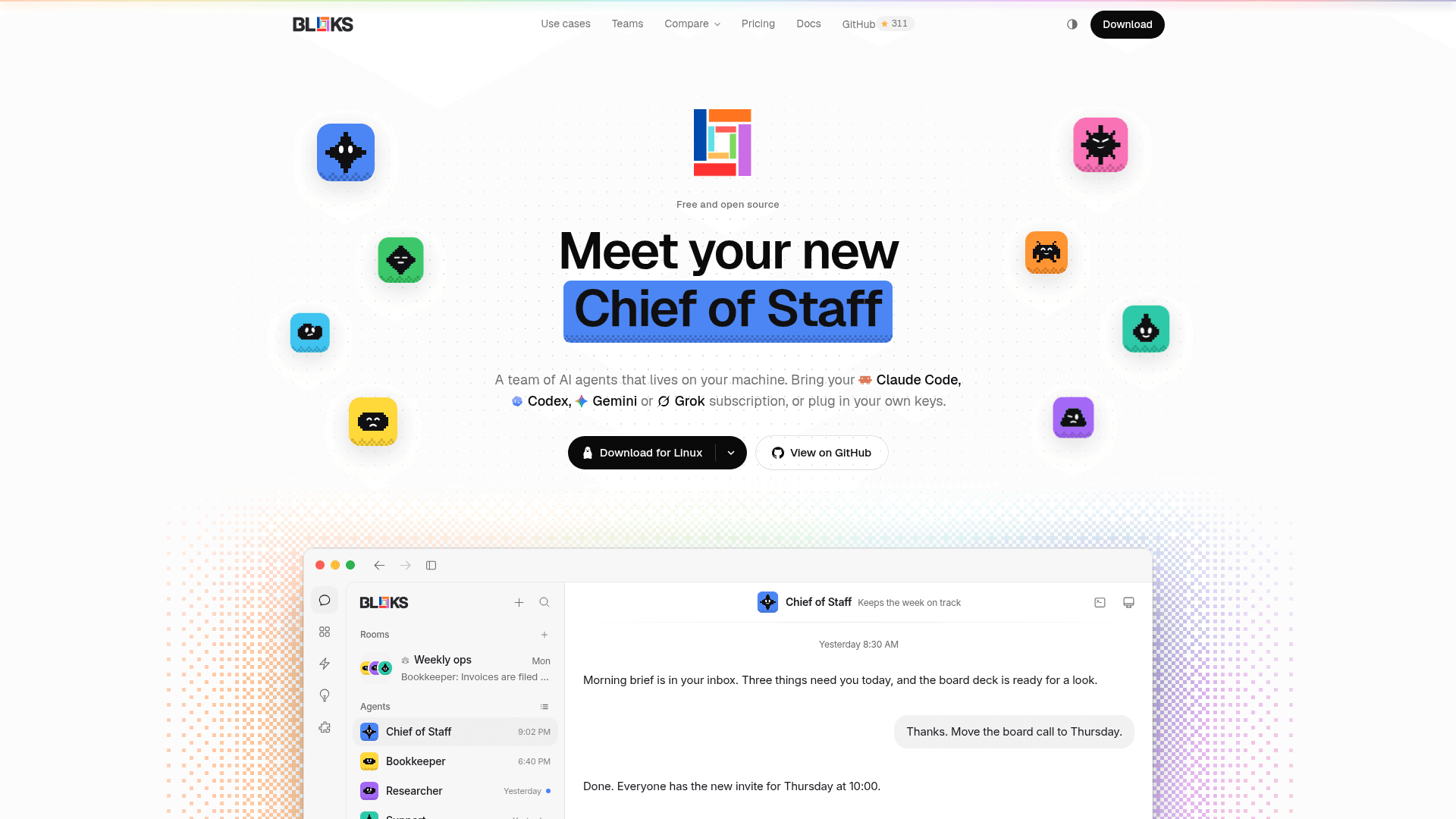
Bloks is a desktop app for personal AI agents that runs on your own computer, with companion iPhone and browser access. It looks like a messaging app: each agent is a contact, each room is a group chat, and agents work next to your files on engines and keys you already have. The app is free for Mac, Windows and Linux, and its source is published under the FSL-1.1-MIT licence.
What It Is
Bloks is a local-first agent workspace. Every agent is a real engine session, such as Claude Code, Codex, Gemini CLI or any API you hold a key for, or a local model through Ollama. Agents stream replies, show the commands they run, and keep their memory in plain Markdown files you can read and edit. The project states that there is no account to create and no server of the vendor holding your data.
How a team works
You can message one agent or place several in a room, where members answer in turn and the most senior or designated lead speaks last, reviews the work and gives one answer. A lead can propose hiring more agents, but nobody joins until you approve. Ten ready-made teams (for example Launch crew, Research desk, Engineering, Sales and Customer Support) are available in the team library, and a team is a single Markdown file you can export, edit and share.
Engines and backup
Each agent picks its own engine and model. Options include signed-in coding agents (Claude Code, Codex, Gemini CLI, Grok CLI, Antigravity, OpenCode, Pi), pasted API keys (Gemini, Grok, Kimi, Llama, DeepSeek, Mistral, Groq), OpenRouter sign-in, Ollama and any OpenAI-compatible endpoint. An agent can have a backup engine that takes over when the main one hits a usage limit, a rate limit or an outage, with the conversation so far.
Control, undo and automation
Agents ask before consequential actions, and you choose how much they may do before asking. Every turn that changes files ends with a card and an Undo button, conversations can be rewound, and agents can rehearse a change on a copy of a folder for you to apply or discard. Routines, watchers on folders, pages and feeds, webhooks and a morning brief let agents work while you are away. Approvals can be answered from the iPhone app, Telegram, Slack, Discord or email.
Reach and hosting options
Bloks Cloud, described by the vendor as a sealed end-to-end relay, lets a phone or browser reach your machine from anywhere, and Bloks Team adds shared rooms and workspace members. Bloks AI and managed hosting are optional paid add-ons, and bloks-server can run a workspace on an always-on machine.
Community Discussions
Be the first to start a conversation about Bloks
Share your experience with Bloks, ask questions, or help others learn from your insights.
Pricing
Bloks
Free desktop app for Mac, Windows and Linux; bring your own AI. Source under FSL-1.1-MIT (not OSI-approved until each release converts to MIT after two years).
- Unlimited agents, rooms and automations
- Your own AI: a plan you pay for, a key, or a local model
- Your iPhone, on your own network
- Every feature, nothing held back
- For Mac, Windows and Linux
Bloks Cloud
For reaching your agents from your phone, wherever you are.
- Your agents on your iPhone and in any browser, from anywhere
- A push the moment an agent needs your approval
- 3 workspaces online at once
- Sealed end to end, so the relay cannot read it
- One machine, and every phone you own
Bloks Team
For working with other people in your rooms and workspaces.
- Everything in Bloks Cloud
- Shared rooms, as many as you like, up to ten people each
- Members in your workspaces, up to ten in each
- Every workspace online
- Room agents can ask to use your tools, and you approve each use
- Your people pay nothing
Bloks AI
Managed AI model with no keys to set up, monthly allowance; on its own or with Cloud or Team.
- An AI model that combines fine-tuned mid-tier and frontier intelligence
- Generous rate limits, made for agents at work
- Bloks's own engine, with no keys and nothing to sign in to
- A monthly allowance with a meter, filled up again every month
- Top-up: $20 once
- Monthly only
Bloks Hosted
Bloks Cloud, Hosting Standard and Bloks AI on one subscription.
- Bloks Cloud, Hosting Standard and Bloks AI
- Your agents run around the clock
- One price and one subscription
Bloks Team Hosted
Fully managed: Bloks Team, Hosting Standard and Bloks AI on one subscription for the whole team.
- Bloks Team, Hosting Standard and Bloks AI
- Team's rooms stay live around the clock
- One Bloks AI allowance for the whole team
- Up to ten people in each room and each workspace
- The people you invite pay nothing
Hosting Standard
Always-on private machine adding onto Cloud or Team; $20 with Cloud, $25 with Team.
- Adds onto Bloks Cloud or Team
- 2 vCPU, 4 GB memory, 10 GB disk
- Your own private machine, always on
- Live Telegram and Slack, and several agents at once
- A desktop you can watch and take over
Capabilities
Key Features
- Team of AI agents with rooms and a lead agent
- Bring your own engine: Claude Code, Codex, Gemini CLI, API keys, OpenRouter, Ollama
- Backup engine failover per agent
- Undo, rewind and rehearsal of agent changes
- Routines, watchers, webhooks and workflows
- Morning brief of agent activity
- Approvals and rules with adjustable permission levels
- Plain Markdown memory per agent
- Ready-made team library with importable team files
- Workspaces and member invites
- Usage tracking and spending limits
- Interactive answers with cards, tables and charts
- Agent browser, terminals and computer use
- Voice calls and meeting notes
- iPhone app and browser access
- Self-hosted bloks-server
- MCP server and app connections