
botctl
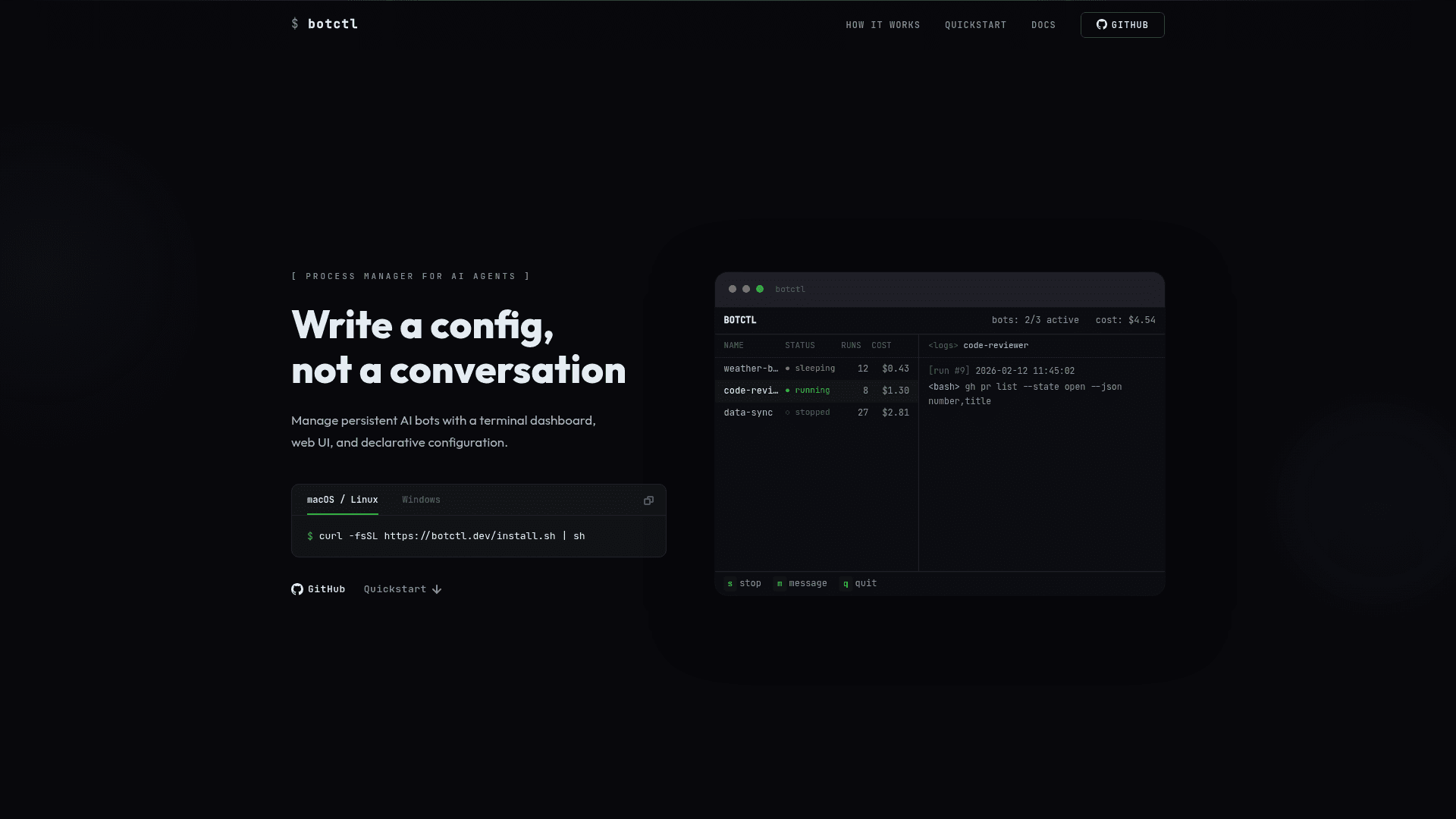
A process manager CLI for autonomous AI agent bots with a terminal dashboard, web UI, and declarative BOT.md configuration.
At a Glance
Fully free and open-source under MIT license. Install via curl or Go.
Engagement
Available On
Alternatives
Listed Apr 2026
About botctl
botctl is a process manager for autonomous AI agent bots, letting you run persistent agents from a single CLI with a terminal dashboard (TUI), web UI, and declarative configuration. Each bot is defined by a BOT.md file with YAML frontmatter and a markdown system prompt, making configuration version-controllable and human-readable. Bots cycle through running, sleeping, paused, and stopped states, with support for message queues, session preservation, and skill discovery. It is written in Go and ships pre-built binaries for macOS, Linux, and Windows.
- TUI Dashboard — launch
botctlwith no arguments to open an interactive terminal dashboard for managing all bots; navigate with vim-style keys. - Web UI — run
botctl --web-uito open a browser-based dashboard on port 4444 (or a custom port). - Declarative BOT.md Config — define each bot's name, interval, max turns, workspace, skills directory, and system prompt in a single markdown file with YAML frontmatter.
- Pause / Play / Stop — pause a running bot to preserve its Claude session context, then resume with
botctl play; stop kills the process entirely. - Skills System — install community or custom skills from GitHub repos via
botctl skills add; skills are discovered from global, botctl-wide, and per-bot directories. - Message Queue — send a message to a running or sleeping bot with
botctl start my-bot --message "..."to inject tasks mid-cycle. - Log Management — view and follow per-run log files with
botctl logs my-bot -f; configure retention count per bot. - Self-Update — run
botctl updateto fetch and replace the binary in-place with the latest release. - SQLite State Store — all bot state, stats (cost, turns, session), and metadata are persisted in a local SQLite database at
~/.botctl/botctl.db. - Easy Install — install via a one-liner curl script or
go install github.com/montanaflynn/botctl@latest.
Community Discussions
Be the first to start a conversation about botctl
Share your experience with botctl, ask questions, or help others learn from your insights.
Pricing
Open Source
Fully free and open-source under MIT license. Install via curl or Go.
- TUI terminal dashboard
- Web UI dashboard
- Unlimited bots
- Skills system
- Log management
Capabilities
Key Features
- TUI terminal dashboard
- Web UI dashboard
- Declarative BOT.md configuration
- Pause/play/stop bot lifecycle management
- Skills system with community skill discovery
- Message queue for mid-cycle task injection
- Per-run log management with follow mode
- Self-update command
- SQLite state persistence
- Shared and per-bot workspaces
- Detached background bot execution
- Single-run mode (--once)
- Environment variable support in config