
Canva Magic Design
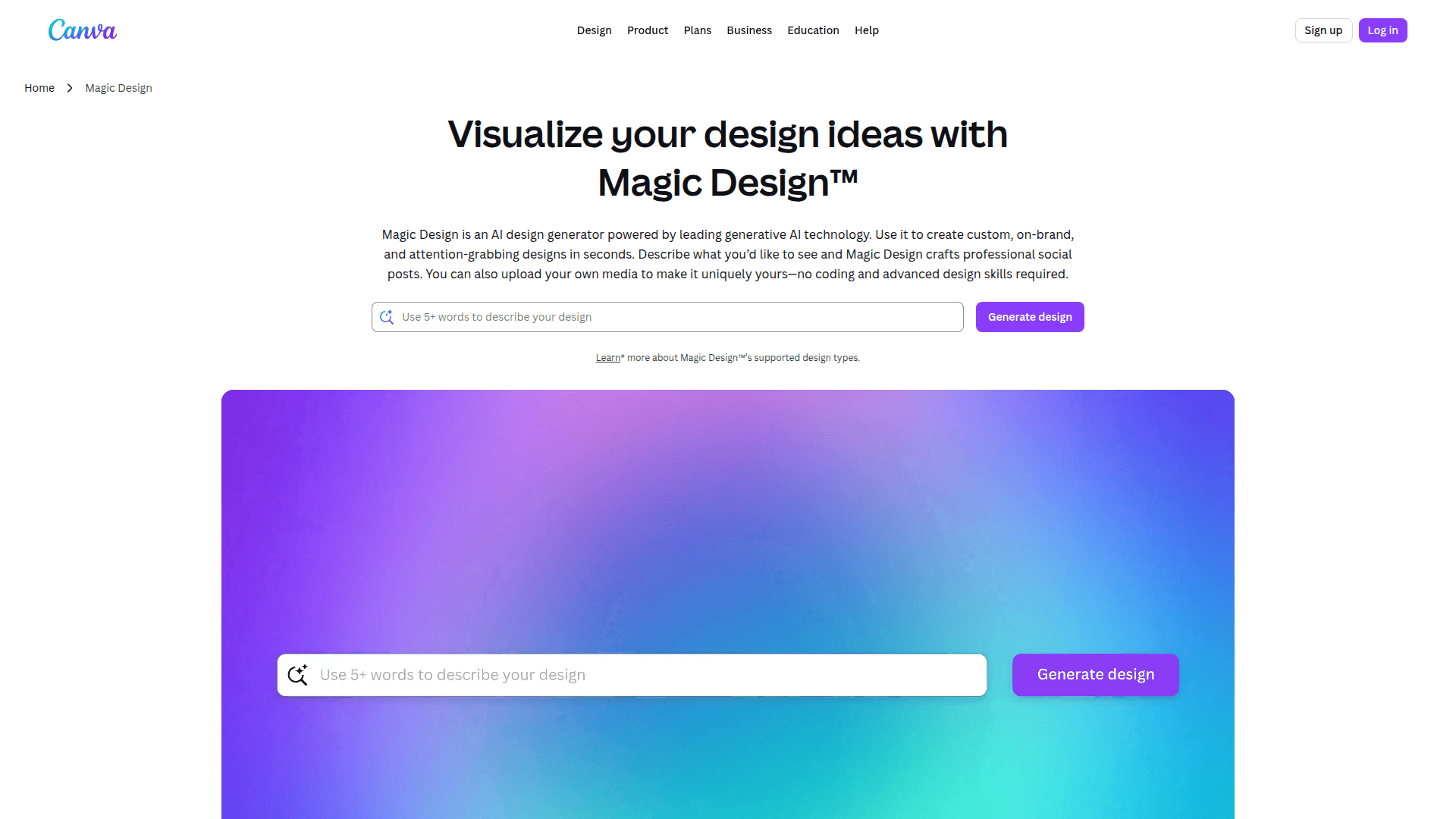
Canva Magic Design is an AI-powered tool that instantly generates personalized design templates from a prompt, image, or topic, inside the Canva platform.
At a Glance
Design anything and bring your ideas to life. No cost, just creativity.
Engagement
Available On
Updated May 2026
About Canva Magic Design
Canva Magic Design is an AI-powered feature within Canva's broader Magic Studio suite, launched by Canva — the online design and publishing platform founded in 2013 and headquartered in Sydney, Australia. Magic Design accelerates the creative process by generating fully customized, ready-to-edit design templates based on a user's text prompt, uploaded image, or selected topic. It is available directly inside the Canva web editor and mobile apps, requiring no separate installation.
What It Is
Magic Design is a generative AI design assistant embedded in Canva. Rather than browsing a static template library, users describe what they need — a social media post, a presentation, a flyer — and Magic Design produces a set of tailored, on-brand template options in seconds. Each result is fully editable within Canva's drag-and-drop editor, so users can swap colors, fonts, images, and copy without starting from scratch. It sits within Canva's Magic Studio, a collection of AI tools that also includes Magic Write (text generation), Magic Edit (image editing), and Magic Animate (animation).
How It Works in the Canva Workflow
Magic Design integrates directly into the Canva creation flow:
- Users open a new design or start from the Magic Design entry point on the Canva homepage.
- They enter a text description or upload a photo to use as a style reference.
- Magic Design returns multiple template options, each styled to match the prompt.
- Users select a template and continue editing in the standard Canva editor.
- The output can be published, downloaded, or shared directly from Canva.
This tight integration means Magic Design is not a standalone product but a capability layer on top of Canva's existing 220M+ monthly active user platform (as reported by Canva on its About page).
Audience and Use Cases
Magic Design targets the same broad audience as Canva itself — individuals, small businesses, educators, marketers, and enterprise teams — who need professional-looking visuals without deep design expertise. Common use cases include:
- Social media graphics and posts
- Presentation decks
- Marketing flyers and posters
- Event invitations and announcements
- Educational materials
Canva's About page notes the platform is used in 190 countries across 100+ languages, and Magic Design inherits that global reach.
Part of Magic Studio: Award-Winning AI Suite
Canva's Magic Studio — the umbrella brand for its AI features including Magic Design — was recognized by TIME as a 2024 Best Innovations winner in the Apps category, and by Fast Company as a 2024 Innovation by Design Awards winner in the AI category. These awards are vendor-reported on Canva's About page. Magic Design benefits from Canva's ongoing investment in generative AI, with the company continuously expanding Magic Studio capabilities across its product surface.
Why It Matters
Magic Design lowers the barrier to professional design by replacing the blank-canvas problem with AI-generated starting points. For teams and individuals who lack dedicated design resources, it compresses the time from idea to polished visual from hours to seconds. Because it lives inside Canva — with access to the platform's library of over 30 billion designs created (per Canva's About page) and its extensive asset library — the generated templates are immediately actionable rather than requiring export or re-import into a separate tool.
Community Discussions
Be the first to start a conversation about Canva Magic Design
Share your experience with Canva Magic Design, ask questions, or help others learn from your insights.
Pricing
Free
Design anything and bring your ideas to life. No cost, just creativity.
- Easy drag-and-drop editor and 1,000+ design types
- 1.6M+ templates to start fast
- 4.7M+ photos, videos, graphics, and audio
- 1 Brand Kit (3 colors only)
- Ad insights and AI ad creation
Pro
Unlock premium content, more powerful design tools, and AI features.
- For one person
- Premium tools (resize, translate, remove background)
- 3.6M+ templates (including premium)
- 141M+ premium photos, videos, graphics, and audio
- 5 Brand Kits
- Social content scheduling
- Ad insights and AI ad creation
- Access to Affinity with AI
- 100GB of cloud storage
- 10x more AI than Canva Free (Standard, Premium, or Ultra AI)
- AI Pass add-on available (extra-cost)
- Canva AI 2.0 (Soon)
- Canva AI connectors (Soon)
- Components
- Canva Offline
- Magic Layers
Business
Create content faster, market smarter, and grow your business with advanced tools.
- Per person, billed annually
- Collaboration and team admin tools
- 3.6M+ templates (including premium)
- 141M+ premium photos, videos, graphics, and audio
- 100 Brand Kits and approvals
- Ad insights and AI ad creation
- Access to Affinity with AI
- Access to Leonardo.Ai and Flourish
- 10% discount on print orders
- 500GB of cloud storage
- 20x more AI than Canva Free (Standard, Premium, or Ultra AI)
- AI Pass add-on available (extra-cost)
- Canva AI 2.0 (Soon)
- Canva AI connectors (Soon)
- Components
- Canva Offline
- Magic Layers
Enterprise
Empower your organization with end-to-end visual communication.
- Contact Sales / Book a demo
- Enterprise-level security and controls
- SSO and SCIM provisioning
- Custom apps
- 1000 Brand Kits with tiered approvals and multi-team management
- Ad insights and AI ad creation
- Access to Affinity with AI
- Access to Leonardo.Ai and Flourish
- Priority support and dedicated success manager (150+ contracted seats)
- 10% discount on print orders
- 1TB of cloud storage
- 20x more AI than Canva Free (Standard, Premium, or Ultra AI)
- Canva AI 2.0 (Soon)
- Canva AI connectors (Soon)
- Components
- Canva Offline
- Magic Layers
Capabilities
Key Features
- AI-generated design templates from text prompts
- Image-based style reference for template generation
- Multiple template options per prompt
- Fully editable results in Canva editor
- Supports presentations, social posts, flyers, and more
- Integrated into Canva Magic Studio AI suite
- Available on web and mobile
Integrations
Demo Video
