
ccc
Self-hosted Telegram assistant that orchestrates background coding-agent sessions across your Claude, Grok, Codex, and Antigravity subscriptions.
At a Glance
Self-hosted ccc core under the MIT license. Requires your own Claude, Grok, Codex, or Antigravity subscriptions, which are external costs.
Engagement
Available On
Alternatives
Listed Nov 2026
About ccc
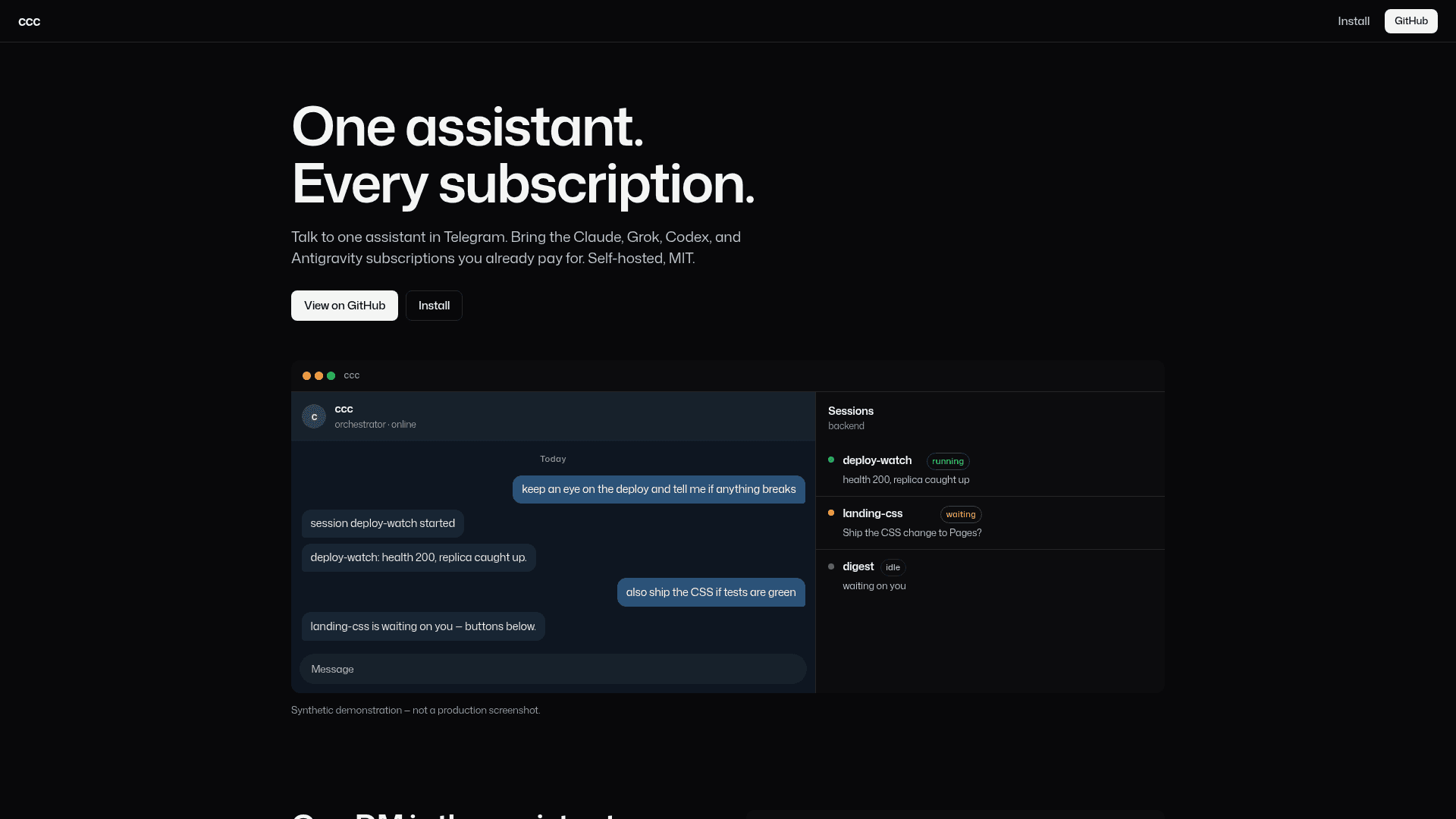
ccc is a self-hosted, MIT-licensed personal assistant written in Go that you talk to through a Telegram bot. The bot's 1:1 DM is an orchestrator that starts and coordinates backend worker sessions running on the Claude, Grok, Codex, and Antigravity accounts you already have. The latest listed release is v2.0.0 (Background Agents), published 2026-07-06.
What It Is
ccc is a Telegram-based orchestration layer for coding-agent CLIs. It runs as a local process (launchd on macOS, systemd --user on Linux) bound to one Telegram bot token. Each turn drives a CLI such as Claude Code (claude -p), Grok Build, Antigravity (agy), or Codex as a stateless runner, while ccc handles session lifecycle, memory, scheduling, account management, access control, and the Telegram interface.
How the Orchestrator and Sessions Work
Plain text in the bot's DM is a turn of the orchestrator, which has a 60-second cap on owner messages; longer work becomes a backend session. Workers are unattended and report only to the orchestrator, which posts a short summary in the DM rather than the transcript. When a worker needs a decision, it uses ask_owner to put a question in the DM, optionally with listed options. A pinned live status card shows working sessions, and /sessions lists them all.
Accounts, Memory, and Automation
One instance can hold several accounts per engine, and a session's turns pick a healthy account from that engine's pool. Failover stays inside the same engine. Sessions get tools for durable memory, watches that wake a session only when a command's output changes, scheduled wakeups, recurring routines, and background shell jobs. An owner vault captures secrets via /secret add and injects them through environment variables or stdin; there is no tool that reads a secret back.
Setup Path
Setup is headless: create a bot with BotFather, set bot_token and chat_id with ccc config set, then run ccc install. Account logins happen through URLs posted to Telegram, and ccc never opens a browser on the host. Access is default-deny by Telegram user id, with the owner's chat_id as the root of trust. Sessions run with bypassed permissions on your machine, so the chat is the trust boundary.
Community Discussions
Be the first to start a conversation about ccc
Share your experience with ccc, ask questions, or help others learn from your insights.
Pricing
Open Source (MIT)
Self-hosted ccc core under the MIT license. Requires your own Claude, Grok, Codex, or Antigravity subscriptions, which are external costs.
- Self-hosted, MIT licensed
- Telegram orchestrator with backend worker sessions
- Supports Claude Code, Grok Build, Antigravity, and Codex engines using your own accounts (external subscriptions)
- Owner vault for secrets
- Watches that wake a session only when output changes
Capabilities
Key Features
- Telegram DM orchestrator that spawns and messages backend worker sessions
- Multi-engine support: Claude Code, Grok Build, Antigravity, Codex
- Multiple accounts per engine with same-engine failover
- Owner vault for secrets injected via env or stdin
- Watches that wake sessions only when command output changes
- Scheduled wakeups, recurring routines, and background jobs
- Durable user and project memory with automatic compaction
- Silent in-place progress message and pinned live status card
- ask_owner decision prompts with optional choices
- Default-deny access control by Telegram user id
- Usage reporting via /usage
- Runs as launchd or systemd user service