
Cesium ion MCP Server
Hosted MCP server that lets AI assistants search and manage Cesium ion assets, upload data for tiling, import Bentley iModels, and query BIM elements.
At a Glance
Cesium ion individual plan that works with the MCP server. Intended for personal non-commercial projects, evaluation, and eligible unfunded education.
Engagement
Available On
Alternatives
Listed Oct 2026
About Cesium ion MCP Server
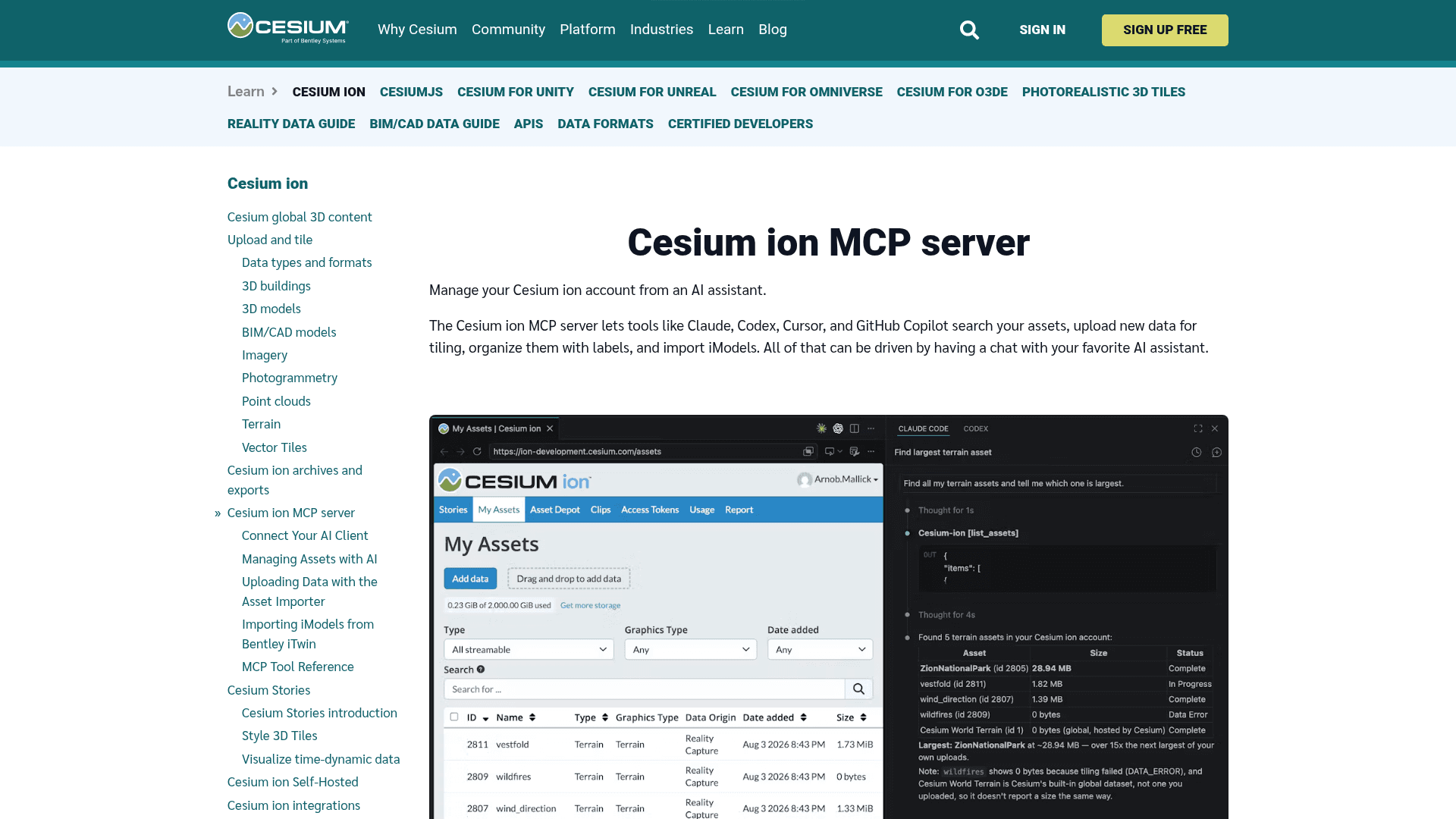
Cesium ion MCP Server connects coding agents and chat assistants to the assets and metadata in a Cesium ion account. Developers can use it to find datasets, check tiling progress, and retrieve the information needed to integrate 3D geospatial content into an application. Cesium hosts the server, so there is no server infrastructure to deploy.
What It Is
The server exposes a focused subset of Cesium ion operations as MCP tools. It supports asset discovery, metadata inspection, asset and label management, uploads, Bentley iModel imports, and queries on supported BIM assets. An assistant translates a request into tool calls and returns the results in the conversation.
Asset Discovery and Application Development
Agents can list assets, search names and descriptions, filter by asset type or tiling status, inspect metadata, and retrieve a 3D Tiles tileset's bounding volume. They can update asset names and descriptions and organize assets with labels.
For a development task, a coding agent can locate an asset, wait for tiling to finish, and use its ID and metadata when writing viewer code. Developers can also connect agents embedded in their own applications to the server, giving users conversational access to their ion data.
Uploads and Tiling
An upload tool opens an interactive importer inside the chat. Users select files in that panel, which uploads them directly to ion storage rather than passing file contents through the AI model. The assistant can then monitor the asset until tiling completes or reports an error. This workflow requires a client with MCP Apps support; other asset tools can work without interactive panels.
Bentley iModels and BIM Queries
The server can trigger a fresh mesh export of a Bentley iModel and import it into ion as 3D Tiles. The ion account must be linked to Bentley, and the user must satisfy the documented iTwin ownership and organization requirements. The caller supplies the iModel ID because the server does not provide an iModel discovery tool.
For assets created through import_imodel, agents can list and inspect BIM elements, filter their properties, search indexed properties, and compare tileset revisions of the same iModel. These tools do not apply to every uploaded BIM or 3D Tiles asset.
Connection and Permissions
Clients connect over Streamable HTTP and authenticate through Cesium ion OAuth. Supported clients include Claude Desktop, Claude Code, Codex, Cursor, VS Code with GitHub Copilot, and other compatible assistants. Access follows the signed-in account's permissions, including accessible team assets.
Read-only tools are identified separately from write operations, and destructive tools carry annotations that clients can use to request confirmation. Authorized access can be revoked from ion account settings.
Community Discussions
Be the first to start a conversation about Cesium ion MCP Server
Share your experience with Cesium ion MCP Server, ask questions, or help others learn from your insights.
Pricing
Community
Cesium ion individual plan that works with the MCP server. Intended for personal non-commercial projects, evaluation, and eligible unfunded education.
- 10 GB storage
- 15 GB monthly streaming
- Individual account
- Community forum support
Commercial Individual
Cesium ion commercial plan for an individual, with use within the organization.
- 100 GB storage
- 150 GB monthly streaming
- Cesium expert support
Commercial Team
Team account variant of Cesium ion Commercial.
- 5 team members
- 100 GB storage
- 150 GB monthly streaming
- Cesium expert support
Premium Individual
Cesium ion individual plan for established projects with higher quotas.
- 500 GB storage
- 500 GB monthly streaming
- Cesium expert support
Premium Team
Team account variant of Cesium ion Premium.
- 5 team members
- 500 GB storage
- 500 GB monthly streaming
- Cesium expert support
Custom
Custom Cesium ion quotas and commercial terms arranged with sales.
- Tailored storage and streaming quotas
- Tailored team size
- Cesium expert support
Capabilities
Key Features
- Natural-language asset search through connected AI assistants
- Asset filtering by data type and tiling status
- Asset metadata and 3D Tiles bounding-volume inspection
- Asset name and description updates
- Label creation editing and assignment
- Interactive in-chat uploads directly to ion storage
- Tiling progress monitoring
- Bentley iModel mesh export and import
- BIM element listing filtering and property search
- Tileset revision discovery and change detection
- Hosted Streamable HTTP MCP endpoint
- OAuth authorization with account-scoped permissions