Claude Squad
A terminal app that manages multiple AI coding agents (Claude Code, Codex, Gemini, Aider) in isolated git workspaces, enabling parallel task execution from a single terminal window.
At a Glance
Fully free and open-source under AGPL-3.0. No cost to use, modify, or distribute.
Engagement
Available On
Alternatives
Listed Apr 2026
About Claude Squad
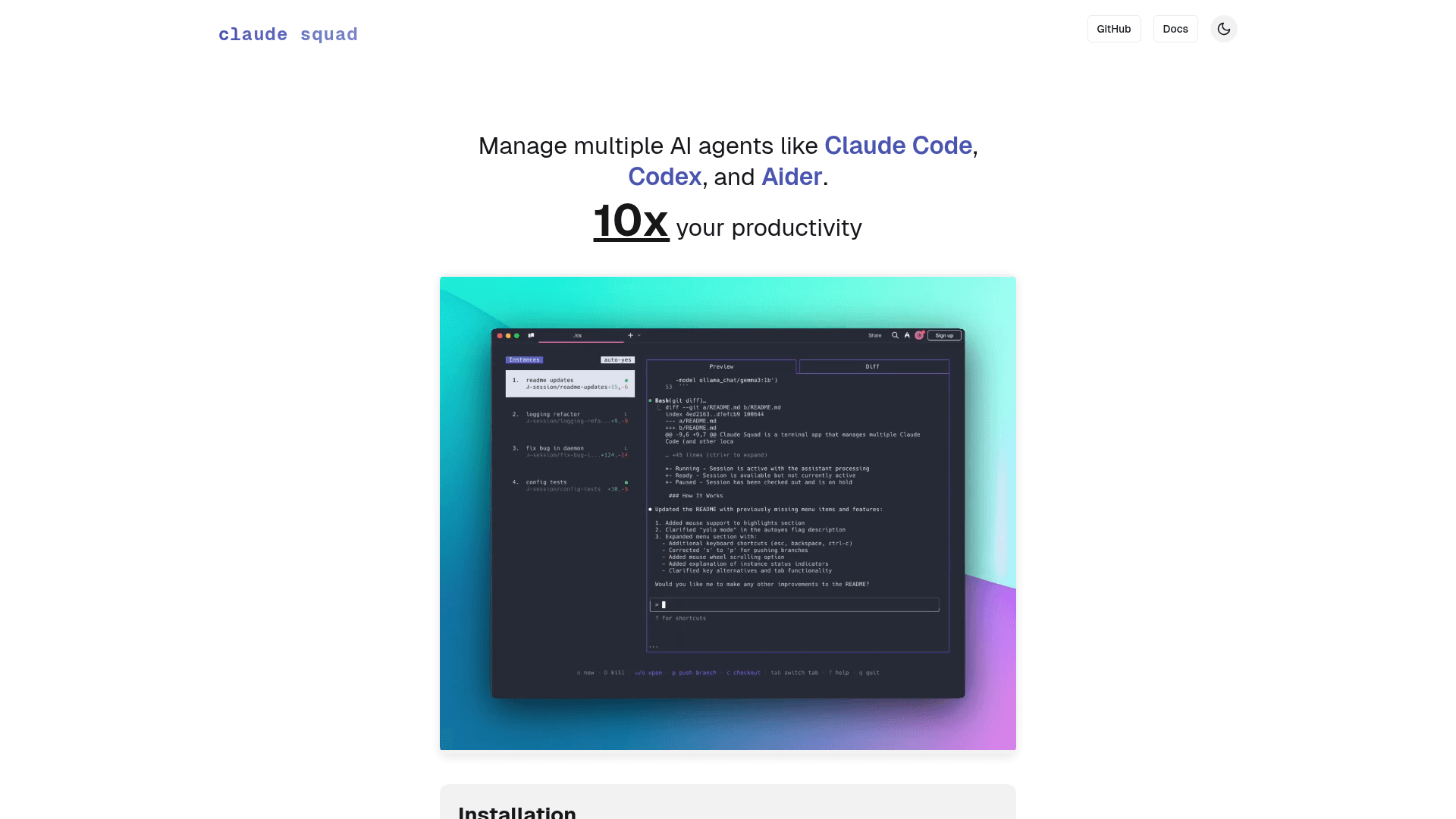
Claude Squad is an open-source terminal application written in Go that lets you run and manage multiple AI coding agents simultaneously in isolated environments. It uses tmux to create separate terminal sessions and git worktrees to give each agent its own branch, eliminating conflicts when working on multiple tasks at once. The tool supports Claude Code, OpenAI Codex, Google Gemini CLI, Aider, and other local agents, all controllable from a single TUI interface.
- Multi-agent management — run
csto launch the TUI and create multiple sessions, each running a different AI agent or task in parallel - Isolated git workspaces — each session gets its own git worktree and branch, so agents never conflict with each other's changes
- Auto-accept / yolo mode — use the
-yflag to have all instances automatically accept prompts without manual intervention, enabling fully background task completion - Diff and preview tabs — switch between a live preview tab and a diff tab with
tabto review changes before committing or pushing - Commit and push workflow — press
sto commit and push a branch to GitHub, orcto checkpoint changes and pause a session - Profile-based configuration — define named profiles in
~/.claude-squad/config.jsonto quickly switch between different agents (Claude, Codex, Aider) when creating sessions - Homebrew and curl installation — install via
brew install claude-squador a one-line curl script; the binary is available ascs - Flexible agent support — launch any agent with
-p "program", e.g.,cs -p "codex"orcs -p "aider --model ollama_chat/gemma3:1b", and set a default in config - Session lifecycle controls — create, attach, detach, pause, resume, and delete sessions from the keyboard-driven menu at the bottom of the screen
Community Discussions
Be the first to start a conversation about Claude Squad
Share your experience with Claude Squad, ask questions, or help others learn from your insights.
Pricing
Open Source
Fully free and open-source under AGPL-3.0. No cost to use, modify, or distribute.
- Multi-agent session management
- Isolated git worktrees
- tmux-based terminal sessions
- Auto-accept mode
- Profile-based configuration
Capabilities
Key Features
- Multi-agent parallel execution
- Isolated git worktrees per session
- tmux-based terminal session management
- Auto-accept / yolo mode
- Diff and preview tabs
- Commit and push to GitHub
- Profile-based agent configuration
- Homebrew and curl installation
- Support for Claude Code, Codex, Gemini, Aider
- Keyboard-driven TUI interface