Clipy
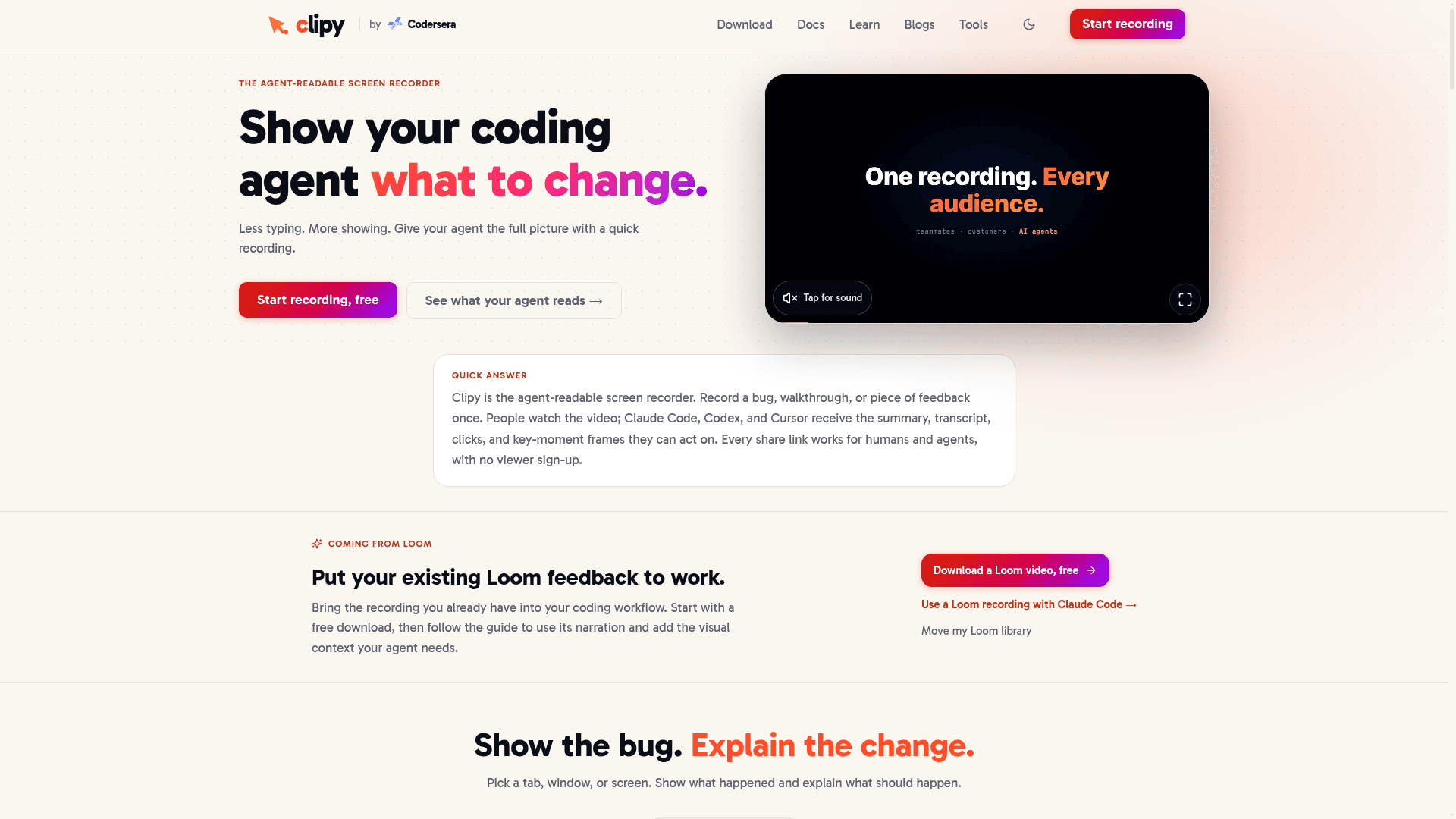
Agent-readable screen recorder that lets you record a bug or walkthrough once, then share one link that humans can watch and coding agents like Claude Code, Codex, and Cursor can read.
At a Glance
First 15 recordings or 2 hours of recording, one time, with no card and no expiry date. Includes AI summaries, transcripts, AREC agent context, MCP server, CLI, analytics, embeds, and instant share links.
Engagement
Available On
Alternatives
Listed Sep 2026
About Clipy
Clipy is a screen recorder built by Codersera that positions itself as the "agent-readable" alternative to Loom. It runs as a native Apple Silicon macOS app, a Chrome extension, and a browser-based recorder — all producing an instantly shareable link with no viewer sign-up required and no watermark on any plan.
What It Is
Clipy records your screen, narration, and pointer context, then processes each recording into a structured AREC (Agent Recording) document — a Markdown-formatted summary, timestamped transcript, and key-moment frames that coding agents can retrieve via a share link. The same link works for a human teammate watching the video and for a connected coding agent reading the structured context. The core pitch is "show it once, give your agent the context": instead of typing a long bug description, you record the broken state, narrate what you expected, and paste the Clipy link into Claude Code, Codex, or Cursor.
How the Agent Handoff Works
The workflow has three steps the homepage describes explicitly:
- Record — choose a screen, window, or browser tab; narrate the bug or change while you reproduce it.
- Process — Clipy generates a summary, timestamped transcript, key-moment frames, and pointer/click context from the recording.
- Hand off — paste the share link into a connected coding agent session. The agent retrieves the AREC document (approximately 1,240 tokens in the homepage example) and can act on the structured evidence without replaying the video.
The AREC format is an open specification documented at clipy.online/spec. Agents access public links via the Clipy skill (no API key), or private library recordings via a CLI or MCP server.
Platform and Deployment Model
Clipy ships across three surfaces:
- macOS native app — Apple Silicon menu-bar app, available for download; no Electron wrapper.
- Chrome extension — records screen, tab, window, or webcam from the browser; listed on the Chrome Web Store.
- Web recorder — browser-based at clipy.online, no install required.
Additional developer-facing surfaces include a CLI (documented at clipy.online/docs/cli) for terminal and CI workflows, and an MCP server (clipy.online/mcp) for authenticated tool calls and agent-side recording from MCP clients. A Slack app is also listed as a product.
Who It Is For
The homepage identifies five primary audiences: developers reproducing UI bugs for coding agents, designers walking through layout changes, QA teams, product managers, and support teams. The agent-integration angle is the primary differentiator — Clipy explicitly targets workflows with Claude Code, Codex, and Cursor. A published benchmark (clipy.online/research/arec-coding-benchmark) describes a controlled coding task where structured recording context outperformed transcript-only input in 20 primary trials with Codex on one synthetic UI task; the page notes this does not establish the same improvement for every task, model, or competing tool.
Free Video Tools Suite
Beyond the core recorder, Clipy ships a large suite of browser-based video utilities requiring no sign-up: format converters (WebM, MOV, AVI, FLV, WMV, MKV, GIF, and more to/from MP4), editing tools (trim, crop, blur, rotate, merge, speed control, background noise removal, subtitle burning), extraction tools (audio extraction, subtitle generation, video summarizer, meeting notes generator), and device tests (mic, webcam, speaker). A Loom video downloader and Loom-to-GIF converter are also included, positioning Clipy as a migration path for existing Loom users.
Update: v1.0.16 and Mid-2026 Pricing Launch
The homepage footer shows the current version as v1.0.16. According to the pricing history page referenced in the FAQ, Clipy was free-only from its 2024 launch until mid-2026, when it introduced a paid Pro plan. The FAQ states explicitly that nothing previously free was moved behind the paywall — the three gated Pro features (4K recording, whole-library Loom migration, and end-of-video CTAs) are additions rather than removals. AI summaries, transcripts, the AREC agent context, MCP server, CLI, and analytics remain free on every plan.
Community Discussions
Be the first to start a conversation about Clipy
Share your experience with Clipy, ask questions, or help others learn from your insights.
Pricing
Free
First 15 recordings or 2 hours of recording, one time, with no card and no expiry date. Includes AI summaries, transcripts, AREC agent context, MCP server, CLI, analytics, embeds, and instant share links.
- 15 recordings or 2 hours of recording (one-time allowance)
- No watermark
- No viewer sign-up required
- No cap on single recording length
- AI titles, summaries, transcripts, and key moments
Pro
Unlimited recordings, 4K, whole-library Loom migration, and end-of-video CTAs. All free features included.
- Unlimited recordings
- 4K recording
- Whole-library Loom migration
- Call-to-action button and end screen on videos
- Every new feature first
- Priority support
- 14-day refund
- All free plan features included
Enterprise
For larger teams with migration, rollout, and procurement needs.
- Everything in Pro
- Assisted Loom library migration
- Volume pricing
- Dedicated onboarding
- Priority support
- Security and procurement review
Capabilities
Key Features
- Agent-readable AREC document on every share link
- Screen, window, tab, and webcam recording
- Narration and system audio capture
- Instant shareable link on recording stop
- No watermark on any plan
- No viewer sign-up required
- AI titles, summaries, transcripts, and key moments
- MCP server for authenticated agent workflows
- CLI for terminal and CI recording
- Ask-the-video Q&A and search inside recordings
- Viewer analytics and embeds
- MP4 download
- Loom library migration
- 4K recording (Pro)
- End-of-video CTA button (Pro)
- Browser-based video converter and editor suite
- Subtitle generator
- Meeting notes generator
- Recording to PR description
- Bug report recorder
- Code walkthrough recorder
Integrations
Demo Video