
CodeConnect
Supervise Claude Code and Codex sessions running on your Mac or Linux computers from one iPhone screen, approving commands and answering questions.
At a Glance
Free Mac app, Linux installer and iPhone app. The core daemon and Mac/Linux tooling are MIT licensed; the iPhone app source is source-available under a separate license.
Engagement
Available On
Alternatives
Listed Nov 2026
About CodeConnect
CodeConnect brings Claude Code and Codex sessions from Mac and Linux computers to an iPhone, so you can approve commands, answer questions and review diffs while the agents keep working. It consists of an iPhone app (CodeConnect Remote), a Mac app, and a Linux installer, with a daemon on each computer. The project is published on GitHub under the MIT license, except the iPhone app, which is source-available.
What It Is
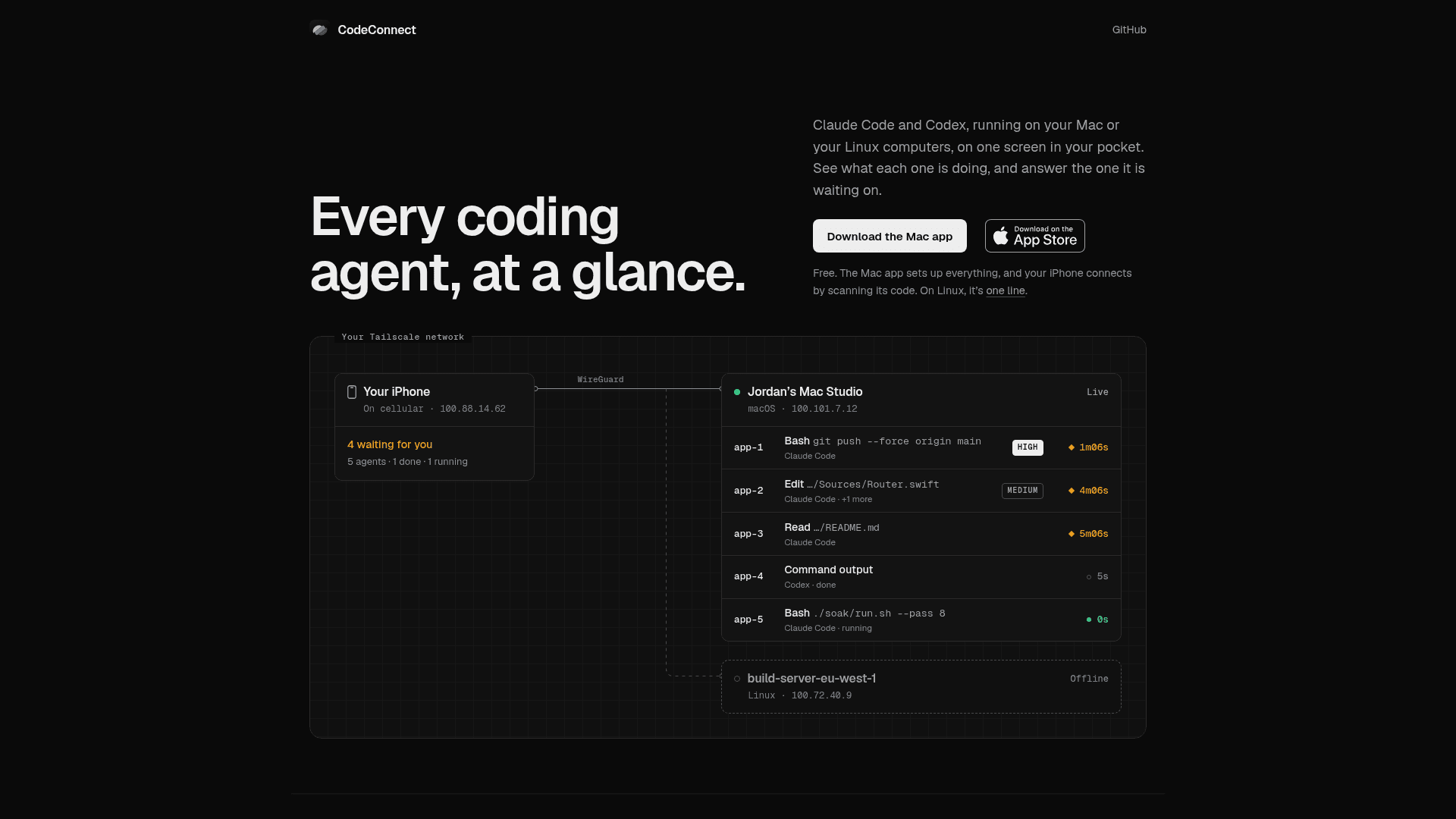
CodeConnect is a remote supervision tool for coding agents. A daemon (ccd) on each computer logs every session's events, and the iPhone connects to it over WebSocket, by default across your own Tailscale network. The phone lists every session from every paired computer and highlights those waiting on you.
How Approvals Work
When an agent needs a yes, the phone shows the full command with a risk rating. Low-risk requests take a tap, while high-risk ones such as a force push need a deliberate hold plus Face ID or passcode. Denying a request means the call does not run and Claude is told you said no. Claude's questions are answered on the phone, and the answer reaches Claude as if chosen at the keyboard. Sessions also show conversation timelines, diffs with word-level highlighting and per-hunk comments, and typed or dictated messages.
Multiple Computers and Agent Messaging
One iPhone can pair with several computers; others signed in to the same Tailscale account appear automatically, while computers on other accounts pair with a code. Agents can message each other across computers through a codeconnect tool, and sessions can be started from the Mac app or iPhone by choosing computer, project and agent.
Privacy and Setup
The README states sessions travel directly between computer and phone with no CodeConnect server seeing them, and there is no CodeConnect account. Notifications pass through Apple and a push relay that receives no session content. On Mac, download the app and add the iPhone via File > Add iPhone; on Linux, run the one-line installer, which verifies release signatures. It needs Tailscale, and Claude Code or Codex already working.
Community Discussions
Be the first to start a conversation about CodeConnect
Share your experience with CodeConnect, ask questions, or help others learn from your insights.
Pricing
Free
Free Mac app, Linux installer and iPhone app. The core daemon and Mac/Linux tooling are MIT licensed; the iPhone app source is source-available under a separate license.
- Supervise Claude Code and Codex sessions from iPhone
- Multiple computers (Mac and Linux) on one iPhone
- Risk-ranked approvals with Face ID/passcode for high-risk actions
- Runs over your own Tailscale network; no CodeConnect account or server
- MIT license (except iPhone app in ios/, which is source-available)
Capabilities
Key Features
- Unified list of sessions across multiple computers
- Risk-ranked approvals showing the full command
- Face ID or passcode for high-risk approvals
- Answer Claude's questions from the phone
- Readable diffs with per-hunk comments
- Typed or dictated messages to agents
- Start agents from the Mac app or iPhone
- Agent-to-agent messaging across computers
- Tailscale-based encrypted connectivity with no CodeConnect account
- Signed release installer and updates