Codeg
Multi-agent coding workspace that runs and aggregates AI coding agents like Claude Code and Codex in one desktop, server, Docker, or mobile interface.
At a Glance
Codeg core (desktop app, self-hosted server, Docker) released under the Apache-2.0 License.
Engagement
Available On
Listed Oct 2026
About Codeg
Codeg is an open-source, Apache-2.0 licensed multi-agent coding workspace from the spacering-net organization. It gives AI coding agents such as Claude Code, Codex, and Gemini CLI a single structured interface, available as a desktop app, a self-hosted server, a Docker container, and native iOS and Android clients. The latest release listed is v0.35.1.
What It Is
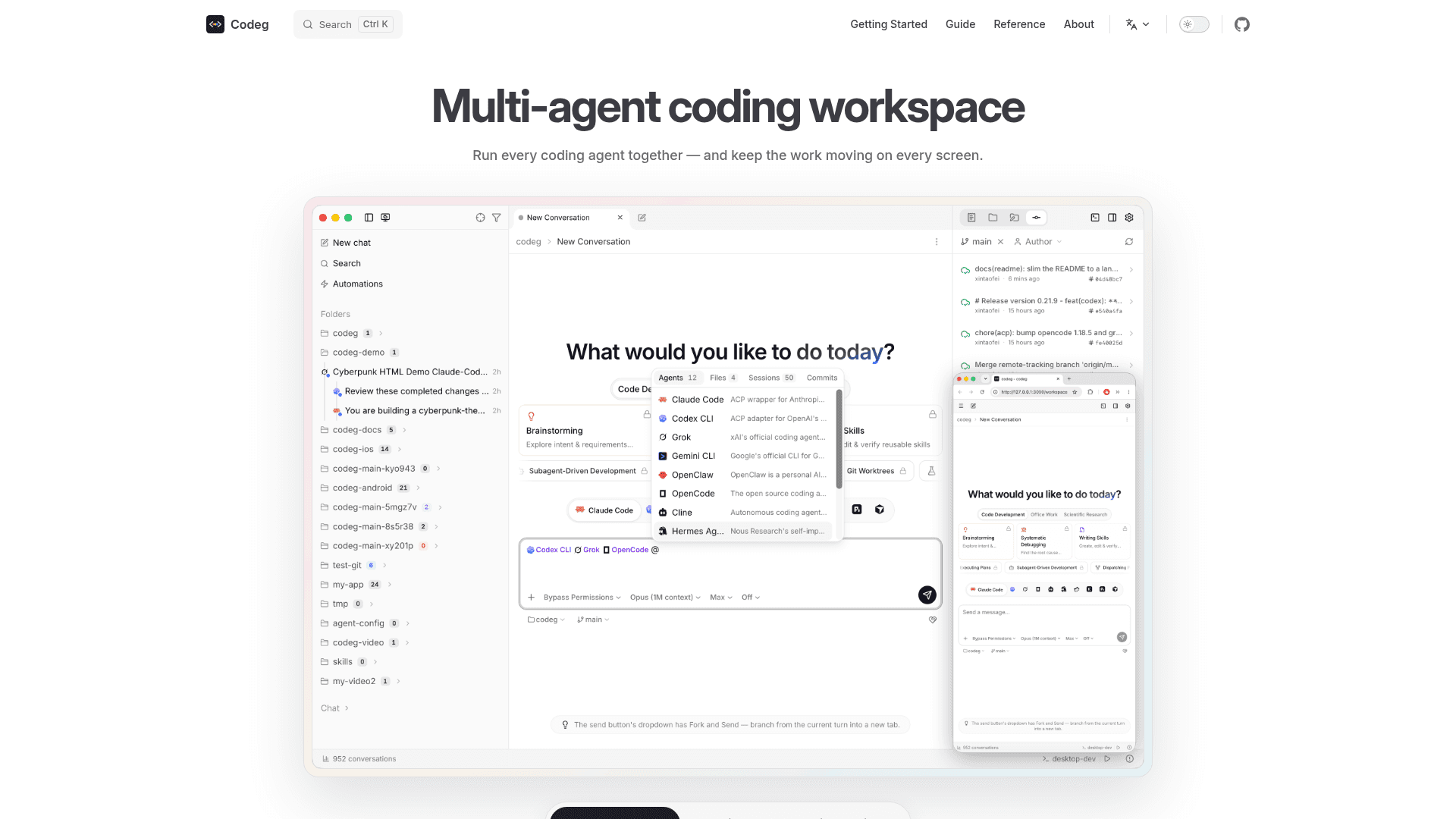
Codeg is an agent-agnostic workspace that talks to coding agents over the Agent Client Protocol (ACP). Fifteen agents are built in, and any other ACP-compatible agent can be added from the public registry or by pasting its distribution JSON. Every agent is rendered as the same structured conversation with tool cards, live diffs, plans, and permission prompts rather than a raw terminal.
Working with Sessions and Multiple Agents
Codeg reads the session history that each agent CLI keeps on disk, so users can import, search, and resume sessions in one place and hand them to a different agent. Typing @ delegates work to another agent, with each mentioned agent running as its own session and streaming back into the thread. To-dos can be queued to run unattended, each in its own git worktree and branch, and they wait in Review until the user accepts the diff.
The Engineering Loop
The workspace includes a file tree, editor, side-by-side diffs, a git client with a three-pane merge editor, worktrees, and an embedded terminal. Other documented pieces include:
- an infinite canvas for laying out conversations, files, and terminals
- a built-in browser
- a Computer Use preview for sharing windows with agents
- a repository panel for GitHub, GitLab, Gitea, and Forgejo issues and pull requests
- token usage reporting
Channels, Automation, and Extensions
Agents can be driven from Telegram, Lark (Feishu), and iLink (Weixin) to create tasks and approve permissions. Automations save a configured composer to run headlessly, on a cron schedule, or on demand. MCP servers and skill packs extend agents, and bundled workflows cover Office documents (.docx, .xlsx, .pptx via officecli), scientific research skills, and visual project scaffolding with Project Boot.
Deployment and Privacy
The project describes itself as local-first: parsing, storage, and project operations stay on the user's machine, and web and server modes are guarded by token authentication. The server can be installed with a script on Linux, macOS, or Windows, or run as a single Docker container. The mobile clients connect to the user's own desktop Web Service or codeg-server.
Community Discussions
Be the first to start a conversation about Codeg
Share your experience with Codeg, ask questions, or help others learn from your insights.
Pricing
Open Source
Codeg core (desktop app, self-hosted server, Docker) released under the Apache-2.0 License.
- Apache-2.0 licensed core
- Desktop app, self-hosted server, or Docker
- Fifteen built-in agents plus any ACP agent
- Native iOS and Android clients (separate open-source repos)
- Third-party agent/model provider costs are external
Capabilities
Key Features
- Unified interface for 15 built-in agents plus any ACP-compatible agent
- Import, search, and resume sessions from agent CLIs
- Multi-agent collaboration via @-mentions and sub-agents
- To-dos that run unattended in separate git worktrees
- Infinite canvas for conversations, files, and terminals
- Editor, diffs, git client with three-pane merge editor, and embedded terminal
- Built-in browser and Computer Use preview
- Chat channels for Telegram, Lark (Feishu), and iLink (Weixin)
- Automations on cron schedule or on demand
- MCP server and skill pack management
- Office document creation and editing with live preview
- Scientific research skills
- Project Boot visual scaffolding
- Token usage tracking
- Repository panel for issues and pull requests
- Encrypted backup and configuration sync
- Native iOS and Android clients