
Maxxwell
A desktop IDE that lets you run and supervise multiple coding agents simultaneously, surfacing only the blockers and questions that truly need your attention.
At a Glance
Free to use. Bring your own coding agent subscriptions or API keys.
Engagement
Available On
Listed Sep 2026
About Maxxwell
Maxxwell is a desktop application from Rindler (a YC-backed company) that lets developers run a fleet of coding agents — such as Claude Code and Codex — in parallel, with a managing agent coordinating the work and a unified dashboard showing what each session is doing. It is free to use and available for macOS, Linux, and Windows, with users bringing their own coding agent subscriptions or API keys.
What It Is
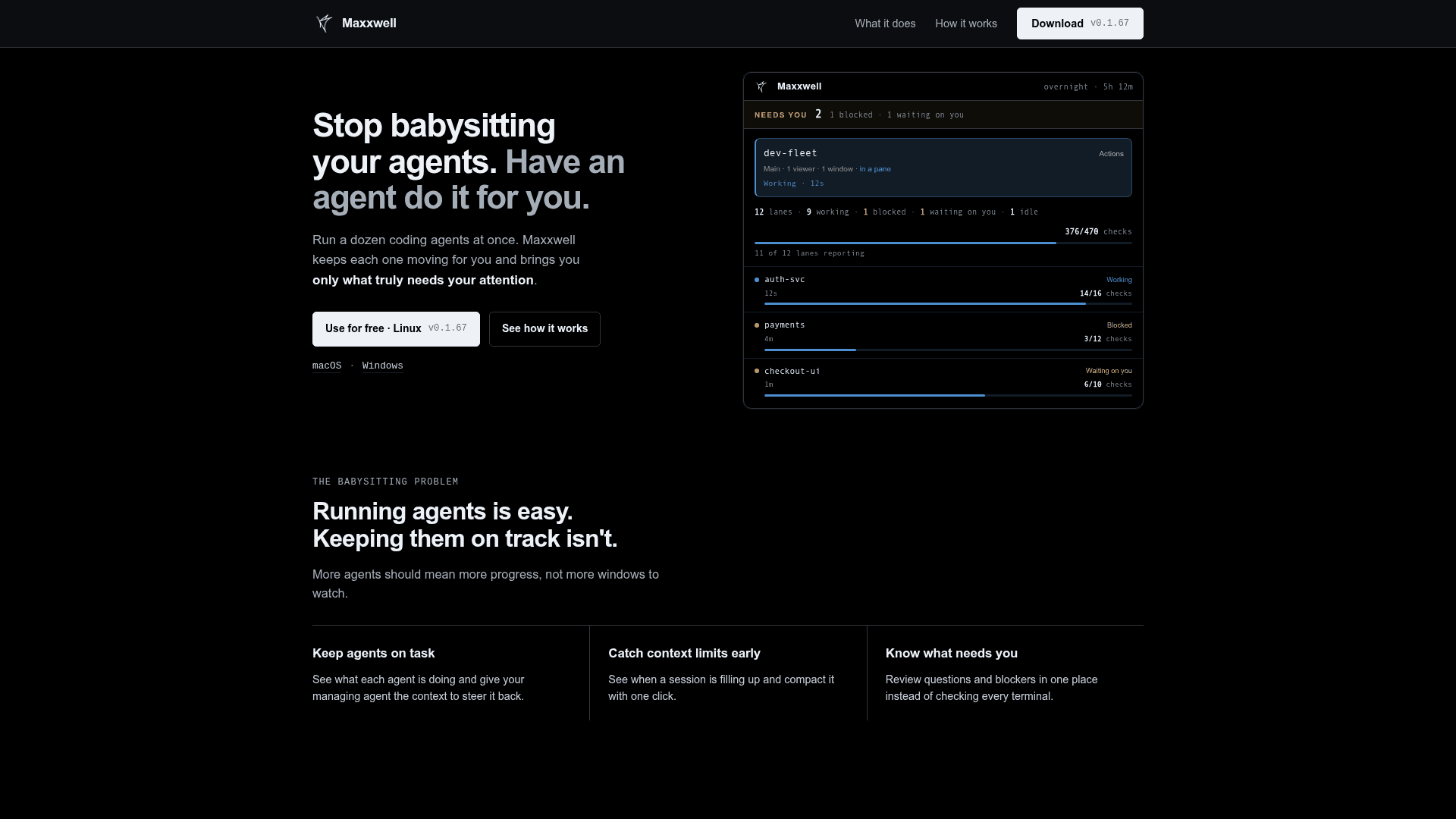
Maxxwell addresses what the homepage calls "the babysitting problem": running many coding agents in parallel is easy, but keeping them on track requires constant window-switching and manual intervention. Maxxwell acts as a supervisory layer — a "fleet" view — that aggregates all agent sessions into one workspace, flags blockers and questions, and lets a managing agent (powered by a model like Claude Opus) check progress and steer individual agents back on task.
How the Fleet Model Works
The core abstraction is a lane: each lane maps to one coding agent session working on a specific task (e.g., auth-svc, payments, checkout-ui). The fleet dashboard shows every lane's status — working, blocked, waiting on you, or idle — along with context usage and CI check counts. A managing agent reads a "fleet snapshot" and reports which lanes are on goal and which need human input, so developers only intervene when necessary.
Key capabilities surfaced in the UI:
- Context compaction: one-click compaction when a session's context window is nearly full
- Auto-approve mode: per-lane toggle to let agents proceed without prompting on routine decisions
- Unified question queue: all agent questions and blockers appear in one place instead of scattered terminals
- Session drill-down: open any lane to see its full conversation history and continue the work
Deployment and Setup
Maxxwell ships as a native desktop app for macOS (Apple silicon and x64), Linux (tar.gz and .deb), and Windows (x64, unsigned). A CLI installer is also available via a one-line curl script. The app self-updates from the rindler-ai/ide-releases GitHub repository. Users run maxxwell runtime to detect which coding agents are installed locally.
Update: v0.1.67
The current release is v0.1.67 (build global-112), staged on September 11, 2026. The GitHub releases page notes that the standalone CLI at v0.1.61 or earlier cannot self-update due to a repository change; users on those versions must reinstall manually. From v0.1.62 onward, maxxwell self-update pulls from the public ide-releases repository. macOS builds are signed and notarized; Windows builds are unsigned and will trigger a SmartScreen warning.
Why It Matters for Agentic Workflows
As coding agents become capable enough to run autonomously for hours, the bottleneck shifts from writing code to managing agent state. Maxxwell positions itself as the orchestration layer above individual agent tools — not replacing Claude Code or Codex, but wrapping them in a supervisory shell that scales human oversight across many parallel sessions. The product is free to use, with the cost of the underlying models borne by the user's own API keys or agent subscriptions.
Community Discussions
Be the first to start a conversation about Maxxwell
Share your experience with Maxxwell, ask questions, or help others learn from your insights.
Pricing
Free
Free to use. Bring your own coding agent subscriptions or API keys.
- Run multiple coding agents in parallel
- Fleet dashboard and managing agent
- Context compaction
- Unified blocker and question queue
- macOS, Linux, and Windows support
Capabilities
Key Features
- Run multiple coding agents in parallel from one workspace
- Fleet dashboard showing agent status (working, blocked, waiting, idle)
- Managing agent to coordinate and steer individual coding agents
- Context usage monitoring with one-click compaction
- Unified question and blocker queue across all sessions
- Per-lane auto-approve mode for routine agent decisions
- Session drill-down to view history and continue conversations
- CI check tracking per lane
- Self-updating desktop app and CLI
- Bring your own API keys or agent subscriptions