Cotypist
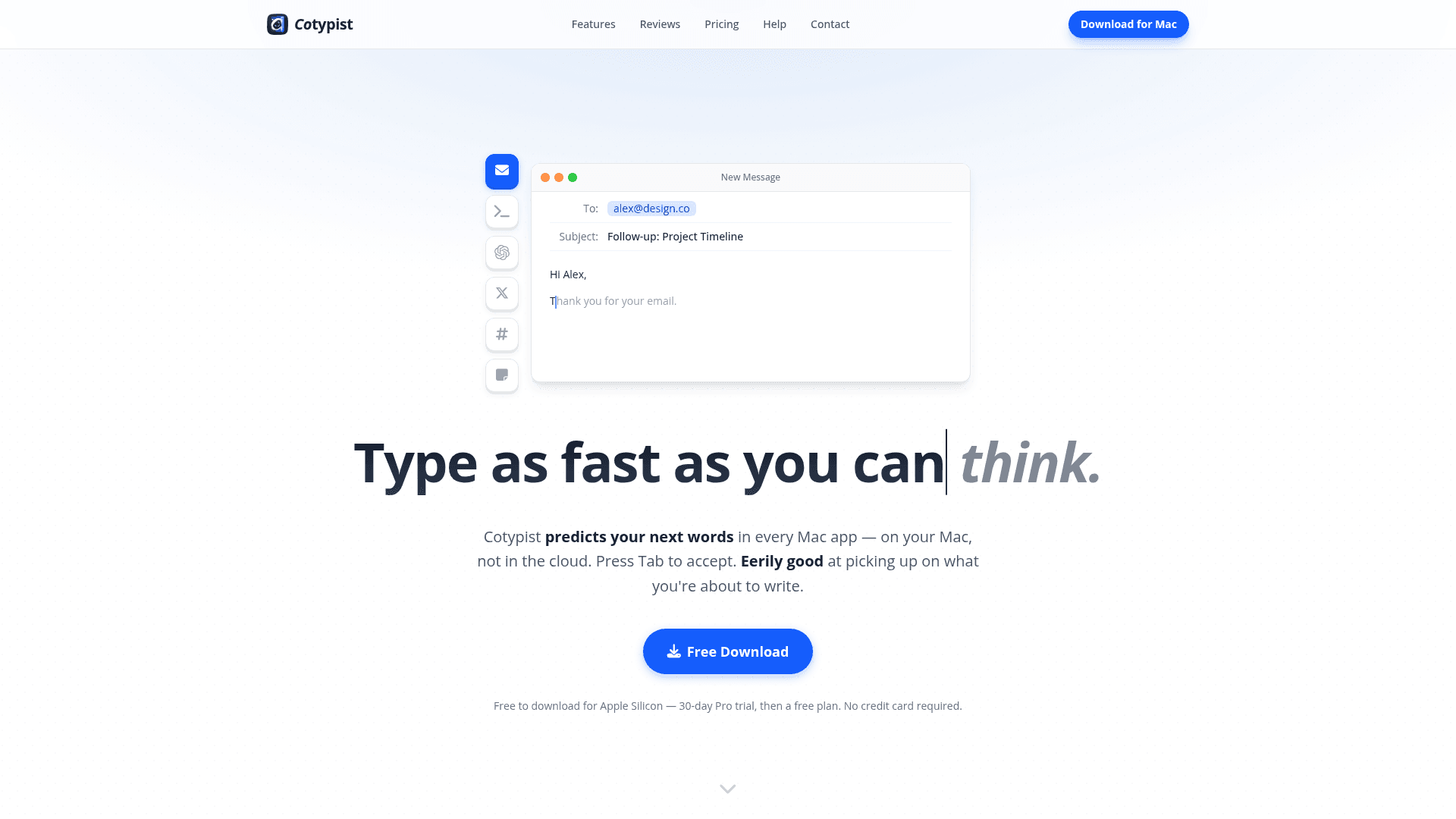
Cotypist is a Mac app that predicts your next words inline across every Mac app, running entirely on-device with Apple Silicon for private, real-time writing assistance.
At a Glance
About Cotypist
Cotypist is a macOS desktop app made by Accelerated Thought GmbH that brings inline word-by-word autocomplete to every text field on your Mac. It runs entirely on Apple Silicon using local language models — no cloud, no account required — and surfaces suggestions as you type, letting you press Tab to accept the next word or the whole line. The app is actively available for download, with a free tier and paid subscriptions for heavier writers.
What It Is
Cotypist is an on-device AI writing assistant that works as a system-level autocomplete layer across macOS. Unlike chatbot-style tools that require you to leave your current app, write a prompt, and edit the result, Cotypist inserts suggestions inline wherever you are typing — email, Slack, Notion, Obsidian, browsers, terminals, and most other Mac text fields. The core interaction is simple: suggestions appear as ghost text, Tab accepts the next word, and continuing to type dismisses or adjusts the suggestion within a letter or two.
How It Works on Apple Silicon
Cotypist requires macOS 14 or later on an Apple Silicon Mac (M1 or newer); Intel Macs are not supported. All language model inference runs locally using models from the Gemma and Qwen families. The free and Plus tiers include lighter models (Gemma 4 E2B, Qwen 3 1.7B, Gemma 3 1B) plus mid-size options (Gemma 4 E4B, Qwen 3 4B, Gemma 3 4B). The Pro tier adds the largest models in the catalog (Gemma 4 26B A4B, Qwen 3 30B-A3B, Qwen 3 8B). The app uses roughly 1–2.5 GB of system memory while active and is designed to run in the background without noticeably slowing down other apps. The site recommends an M1 Pro or M2 with 16 GB of RAM or better for the smoothest experience.
Privacy and Offline Operation
Because all processing happens on-device, no text ever leaves the user's Mac. The site states that prompts do not end up in anyone else's training data, and macOS automatically protects password fields from being read by the app. Cotypist works fully offline once installed. The privacy model is a deliberate design choice, positioned as both a security advantage and an environmental one compared to cloud-based inference.
Personalization and Customization
Cotypist learns writing style over time through a six-stop "Personalize Word Choice" slider. Free users can move it to the second tick (gentle nudge), Plus users to the fourth tick (the default level), and Pro users all the way to maximum. Plus unlocks a global custom AI instructions field where users can describe their role, audience, and tone. Pro adds per-app instruction overrides — a different voice for Slack versus Mail versus a code editor — as well as clipboard awareness so suggestions can factor in recently copied content. Completion length is also configurable on Plus and Pro.
Where It Fits in the App Ecosystem
Cotypist works out of the box in Safari, Chrome, Apple Mail, Word, Apple Notes, Notion, Obsidian, Messages, and most other Mac apps. Google Docs requires enabling Accessibility mode; Arc and Dia browsers need a browser setting toggled. In code editors like VS Code and Cursor, Cotypist works in sidebar AI chats but not in the main editor, where tools like GitHub Copilot are better suited. In terminals, it activates automatically when it detects an AI agent prompt. The site publishes a full compatibility list with per-app setup instructions.
Cotypist Labs and Recent Direction
The app ships a "Cotypist Labs" section in Settings, available to Pro subscribers, for experimental features before general release. The first Labs feature is mid-line completion — finishing a sentence from the middle rather than only at the end. The model lineup references Gemma 4 and Qwen 3 series models, indicating active model updates tracking recent open-weight releases. The site also notes ongoing optimization for performance and energy efficiency as a stated development priority.
Community Discussions
Be the first to start a conversation about Cotypist
Share your experience with Cotypist, ask questions, or help others learn from your insights.
Pricing
Free
For occasional writing. Full suggestions through your first 100 completed words a day.
- Works in every Mac app
- Private and on-device
- 30-day Pro free trial included
- 100 completed words per day
- Word-by-word acceptance
Plus
For people who write every day. Unlimited completions on one Mac, with full autocorrect and custom writing instructions.
- Works in every Mac app
- Private and on-device
- 30-day Pro free trial
- Unlimited completions
- 1 Mac
- Word-by-word acceptance
- Emoji suggestions
- Works across languages
- Full autocorrect
- Sharper suggestions
- Screen-aware suggestions
- Learns from your voice
- Balanced personalization (up to 4th slider tick)
- Curated set of models
- Clipboard awareness not included
- Configurable completion length
- Custom writing instructions (global)
- Early access to Labs features not included
Pro
For power users. Unlimited writing on up to three Macs, full model lineup, deepest customization, and Cotypist Labs access.
- Works in every Mac app
- Private and on-device
- 30-day Pro free trial
- Unlimited completions
- Up to 3 Macs
- Word-by-word acceptance
- Emoji suggestions
- Works across languages
- Full autocorrect
- Sharper suggestions
- Screen-aware suggestions
- Learns from your voice
- Strong personalization (up to Max slider)
- Full model catalog (including largest models)
- Clipboard awareness
- Configurable completion length
- Custom writing instructions (global)
- Per-app instructions
- Early access to Cotypist Labs features
- Mid-line completion (Labs)
Capabilities
Key Features
- Inline word-by-word autocomplete across all Mac apps
- Runs entirely on-device on Apple Silicon — no cloud, no account
- Tab to accept next word or full suggestion
- Typo detection and inline autocorrect
- Emoji shortcode suggestions
- Screen-aware context for suggestions
- Learns and personalizes to your writing voice
- Custom AI writing instructions (global and per-app)
- Clipboard awareness for context-aware suggestions
- Configurable completion length
- Multi-language support
- Works offline
- Mid-line completion (Cotypist Labs, Pro)
- 30-day Pro trial, no credit card required
Integrations
Demo Video