
Creed
A personal context profile in Markdown that every AI agent reads before answering, so you never have to re-explain yourself across tools.
At a Glance
About Creed
Creed is a personal context file — one Markdown document that captures who you are, what you're building, and how you like to work — so every AI agent you connect to starts already knowing you. Built by Connor Chepburn (hpbrn) and released under the MIT license, Creed is open source and self-hostable, with a managed hosted version available for those who want cross-device sync and a maintained backend.
What It Is
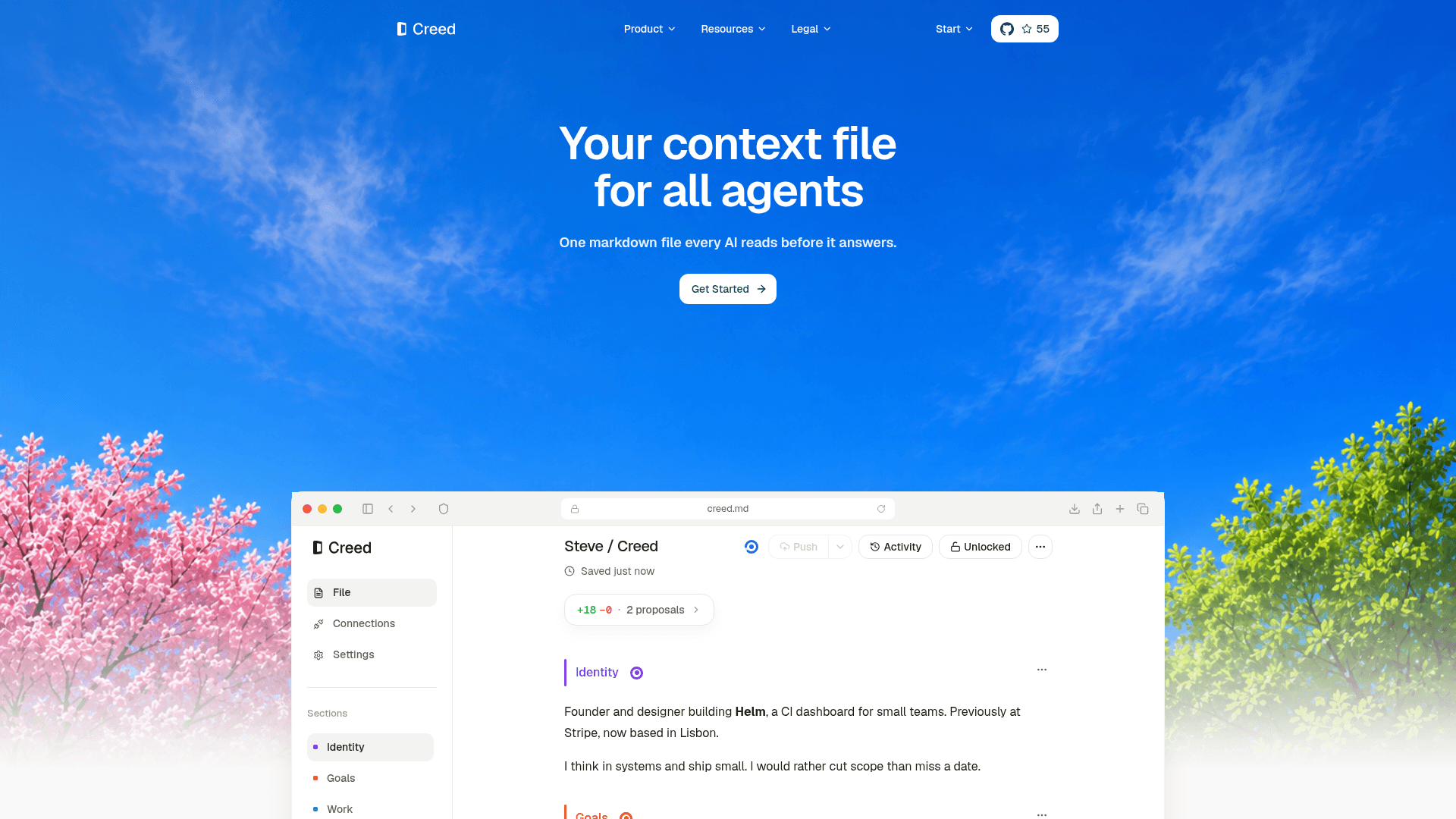
Creed sits in the category of agent memory and context management. Its core job is to eliminate the "cold start" tax that anyone using multiple AI tools faces: re-explaining your role, preferences, and goals every session, every tool, every chat. You write yourself down once in a structured Markdown file, connect your agents over MCP, and those agents read your Creed before they answer. As agents learn new things about you, they propose small, focused updates to the right section. You approve the good ones, and the profile sharpens over time without manual maintenance.
The file has ten sections — five always-on (Identity, Goals, Work, Preferences, Routines) and five optional (Beliefs, Constraints, People, Health, Context) — sized so the whole thing reads in under a minute.
How the Agent Loop Works
The workflow follows a four-step loop:
- Write once — Onboarding turns a few answers into a first draft.
- Agents read — Every connected agent reads your Creed before answering, planning, or scheduling anything.
- Agents propose — When an agent learns something durable, it proposes a narrow, diff-style update to the right section.
- You approve — You accept good proposals; the profile sharpens. You can also grant trusted agents direct-edit access per section.
Creed connects to agents via MCP using OAuth 2.1, so there are no tokens to copy. First-class integrations exist for Claude Code, Codex, Cursor, ChatGPT, Grok, OpenCode, OpenClaw, Hermes, Replit, v0, Devin, and custom agents. A fallback HTTP API (GET /api/creed, POST /api/creed/proposals) serves clients that don't speak MCP.
Quality Scoring and AI Inside the File
Creed includes a built-in quality analysis system that scores each section across five tests: Specific, Anchored, Steering, Current, and Tight. The scoring judges how context is written, not what it is about. The overall score is computed from sections rather than asked of the model, so the headline never drifts from what it summarizes. Three AI surfaces are built into the file editor:
- Analysis — Scores every section for signal, weak spots, and what to sharpen next.
- Panel — Search, ask, and let Creed draft reversible edits without leaving the file.
- Tab — Listed as in development, coming soon.
Quality analysis runs on a monthly AI allowance included with hosted plans, or on a user's own OpenRouter key (BYOK).
Open-Source Deployment Model
The core platform is MIT-licensed and publicly available on GitHub. Self-hosting requires Node.js 20+, a Supabase project, an OpenRouter API key for AI features, and optionally Stripe for paid plan gating. The repository includes full database migrations, row-level security policies, and an AGENTS.md written specifically for AI agents picking up the codebase. Hosted plans add cross-device sync, managed auth and storage, and a managed backend — the open build includes the full editor, all MCP connections, and quality scoring with no hosted sync.
Current Status
Creed is in active development. The GitHub repository was created in April 2026 and last pushed in July 2026, with 55 stars and 6 forks at time of writing. Personal Creed is the core one-user product; Creed Company extends the file model into a shared workspace with roles, per-section permissions, attribution, invitations, pooled AI credits, and seat billing. The public roadmap is pulled live from the team's task board and visible on the site. Tab auto-complete is listed as in progress; onboarding improvements have shipped.
Community Discussions
Be the first to start a conversation about Creed
Share your experience with Creed, ask questions, or help others learn from your insights.
Pricing
Open
Self-host the open source build for free. Full Creed editor, all MCP connections, and quality scoring. No hosted sync, backups, or storage.
- Full Creed editor with rich components
- All MCP connections and integrations
- Quality scoring and inline diff review
- Bring your own AI key
Personal
Hosted Creed for one person with cross-device sync, backups, and managed auth and storage.
- Full Creed editor with rich components
- All MCP connections and integrations
- Quality scoring and inline diff review
- $5/month of usage included
- Cross-device sync and backups
- Managed backend, auth and storage
- BYOK available
Personal Lifetime
Personal hosted Creed owned forever with a single payment.
- Full Creed editor with rich components
- All MCP connections and integrations
- Quality scoring and inline diff review
- $20 one-time usage credit
- Cross-device sync and backups
- Managed backend, auth and storage
- BYOK available
Company
Shared Company Creed for teams. 10 seats included, then $12/mo each.
- Everything in Personal
- Shared Company Creed
- See activity across every member
- $50/month of usage included
- Admin controls for members
- Priority support and updates
- BYOK available
Company Lifetime
Shared Company Creed owned forever with a single payment. 10 lifetime seats included.
- Everything in Company
- 10 lifetime seats included
- $200 one-time usage credit
- BYOK available
- Admin controls for members
Capabilities
Key Features
- Personal context profile in Markdown
- MCP integration with OAuth 2.1
- Agent-proposed diff-style updates
- Per-section approval or direct-edit permissions
- Quality scoring across five tests (Specific, Anchored, Steering, Current, Tight)
- Ten structured sections (Identity, Goals, Work, Preferences, Routines, Beliefs, Constraints, People, Health, Context)
- Graph Tags and Nexus graph view
- Company Creed for shared team context
- BYOK (bring your own OpenRouter key)
- GitHub sync for version control
- HTTP API fallback for non-MCP clients
- Cross-device sync and backups (hosted)
- AES-256-GCM encryption for secrets
- Activity view for team edits and proposals
- Self-hostable open-source build