
Cupertino
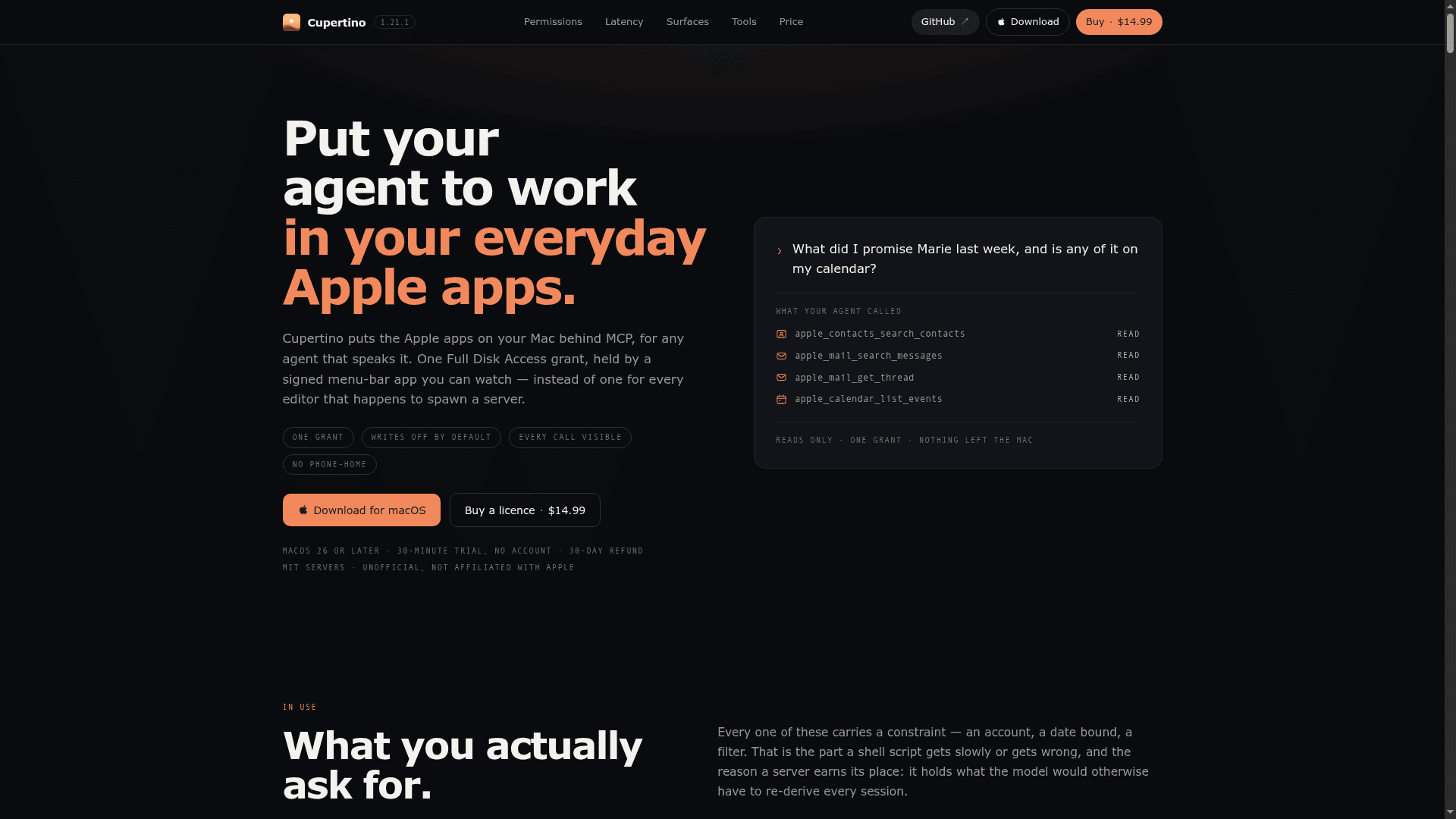
MCP servers for Apple apps on your Mac — Mail, Notes, Reminders, Calendar, Messages, and more — held under one Full Disk Access grant by a signed menu-bar app.
At a Glance
All MCP server packages (mail, notes, reminders, calendar, contacts, messages, safari, maps) are MIT-licensed and published on npm. Run via npx with no licence key required. Full Disk Access grant lands on the launching process rather than a signed app.
Full-function trial of the signed Cupertino.app with all 12 surfaces at full capability. Held in memory, never written to disk; quitting and reopening starts another trial. No account required.
Engagement
Available On
Alternatives
Listed Sep 2026
About Cupertino
Cupertino puts the Apple apps on your Mac behind the Model Context Protocol (MCP), letting any MCP-speaking agent — Claude, Cursor, VS Code, and others — read and write Mail, Notes, Reminders, Calendar, Contacts, Messages, Maps, and Safari through a single, signed, notarized menu-bar app. Instead of granting Full Disk Access to every editor that spawns a server, you grant it once to Cupertino.app, which holds the permission on behalf of all twelve surfaces. The MCP server packages are MIT-licensed and published on npm under @mgcrea; the signed app binary is source-available and sold as a one-time purchase covering all 1.x releases.
What It Is
Cupertino is a macOS-only MCP host and server bundle that bridges Apple's native apps to AI agents. It ships twelve surfaces — Mail, Notes, Reminders, Calendar, Contacts, Messages, Maps, Safari, Screen, Sound, Desktop, and Simulator — each as its own MCP server. The servers are plain Node.js packages that can be run directly via npx with no licence key; the signed app is what consolidates the macOS permission model into a single, auditable process. The project is unofficial and not affiliated with Apple.
Permission Architecture
Full Disk Access on macOS is indivisible: granting it to an editor grants it to every extension and subprocess that editor runs. Cupertino's core design decision is to hold that one grant in a single signed, notarized binary (io.mgcrea.cupertino) rather than distributing it across every host. The bundle identifier is the TCC identity, so the grant survives every app update. Automation grants (for Apple Events) are prompted separately, one per target app. Screen Recording, Microphone, and Accessibility are per-process grants that reach beyond any single surface, which is why Screen, Sound, Desktop, and Simulator arrive switched off by default.
Surfaces and Tool Design
Each surface exposes a fixed set of read tools (always registered) and write tools (invisible — not merely refused — unless *_ALLOW_WRITES is enabled for that surface). The tool list is a pure function of allowWrites and nothing else, because MCP clients cache it. Key surface details:
- Mail: 21 tools; uses the Envelope Index directly for millisecond-range searches vs. ~74 seconds over Apple Events; body search narrows via the index then reads survivors, refusing and explaining when the candidate set is too large.
- Notes: 13 tools; fully usable below ~5k notes without Full Disk Access; attachment bytes require the grant.
- Reminders: 11 tools; lists, due dates, subtasks, and search across every account.
- Calendar: 10 tools; expands repeating events properly; every result carries the window the expansion covers and sets
truncatedwhen a range runs past it. - Contacts: 7 tools; resolves phone numbers and email addresses to names, which makes the Messages surface readable.
- Messages: 9 tools; reads iMessage, SMS, and RCS from
chat.db, including messages stored only inNSArchiverblobs that SQL cannot reach (the dominant format since early 2026). - Maps: 13 tools; reads favourites, Guides, and recents from a Core Data store; writes go directly to the store without an Apple Event because Maps ships no scripting dictionary.
- Safari: 14 tools; history and bookmarks via Full Disk Access, live tabs via Automation, and page contents via a bundled Safari extension that Safari scopes per website.
- Desktop: 17 tools; drives any app's interface through
AXUIElementnatively (not viaosascript), measured at 1.24 ms per round trip vs. ~33.6 ms through System Events. - Simulator: 10 tools; reads and drives an iOS Simulator's accessibility tree in iOS points with no WebDriverAgent required.
Observability and Audit
Every tool call is visible in the Activity window, grouped by client, live. The menu bar shows which client is talking to which server and how many tools it has called. By default the log is a bounded ring in memory cleared on quit. An opt-in audit log writes append-only JSONL under Application Support, with each record hashed against the previous one so edited or missing records are detectable. Message contents are blanked unless explicitly enabled per surface; results are recorded only for surfaces that opt in. No data is sent off the Mac; the only network connection Cupertino can make is an opt-in update check that carries no identifier.
Client Wiring and Setup
Cupertino configures Claude Code, Claude Desktop, Cursor, LM Studio, Windsurf, VS Code, and Codex with one click per client — merging into existing config files, backing them up first, and leaving all other keys untouched. It can also be installed via Homebrew: brew install --cask mgcrea/tap/cupertino. The npm packages run standalone via npx with no app required, though without the app the Full Disk Access grant lands on whichever process launched the server. Requires macOS 26 or later for the signed app; the Node.js server packages carry no macOS version floor.
Update: Version 1.21.1
The latest release is Cupertino 1.21.1 (tagged app-v1.21.1), published on 2026-09-11. Releases are tagged per package (mail-v1.21.1, reminders-v1.21.1, etc.) and ship as a signed, notarized Cupertino.zip attached to the GitHub release alongside its SHA-256. The project was created in August 2026 and has seen active development through September 2026. The Desktop surface was notably updated to use native AXUIElement calls rather than routing through System Events, reducing per-attribute round-trip cost from ~33.6 ms to 1.24 ms.
Community Discussions
Be the first to start a conversation about Cupertino
Share your experience with Cupertino, ask questions, or help others learn from your insights.
Pricing
MIT Server Packages
All MCP server packages (mail, notes, reminders, calendar, contacts, messages, safari, maps) are MIT-licensed and published on npm. Run via npx with no licence key required. Full Disk Access grant lands on the launching process rather than a signed app.
- All 8 npm MCP server packages under @mgcrea
- MIT licence — vendor freely
- No licence key required
- Run via npx or from source
- Full tool functionality (Full Disk Access granted to launching process)
30-Minute Trial
Full-function trial of the signed Cupertino.app with all 12 surfaces at full capability. Held in memory, never written to disk; quitting and reopening starts another trial. No account required.
- All 12 surfaces at full function
- No account required
- Trial held in memory only
- Restarts on app relaunch
Cupertino Licence
One-time purchase for the signed, notarized Cupertino.app binary covering all 1.x releases on every Mac you own. No activation limit, no subscription, 30-day refund.
- Signed and notarized Cupertino.app
- All 12 surfaces: Mail, Notes, Reminders, Calendar, Contacts, Messages, Maps, Safari, Screen, Sound, Desktop, Simulator
- One Full Disk Access grant held by the app
- All 1.x releases included
- Every Mac you own or control — no activation limit
- 30-day refund for any reason
- No account, no login, no phone-home
- One-click client wiring for Claude Code, Claude Desktop, Cursor, LM Studio, Windsurf, VS Code, Codex
Capabilities
Key Features
- One Full Disk Access grant held by a signed, notarized menu-bar app
- 12 Apple app surfaces: Mail, Notes, Reminders, Calendar, Contacts, Messages, Maps, Safari, Screen, Sound, Desktop, Simulator
- Write tools invisible (not registered) unless explicitly enabled per surface
- Mail Envelope Index search: millisecond queries vs. ~74 seconds over Apple Events
- Body search narrows via index then reads survivors, refusing with explanation when candidate set is too large
- Live Activity window showing every tool call grouped by client
- Opt-in append-only audit log with per-record hash chain for tamper detection
- One-click wiring for Claude Code, Claude Desktop, Cursor, LM Studio, Windsurf, VS Code, and Codex
- Safari extension for per-website page content access without skeleton-key Apple Events toggle
- Desktop surface drives app interfaces via native AXUIElement (1.24 ms/round-trip)
- Simulator surface reads and drives iOS Simulator accessibility tree in iOS points, no WebDriverAgent
- Messages decodes NSArchiver blobs SQL cannot reach (dominant format since early 2026)
- Maps writes to Core Data store directly without Apple Events (no scripting dictionary)
- MCP server packages MIT-licensed and published on npm under @mgcrea
- No analytics, no licence server, no phone-home; update check is opt-in and identifier-free
- Homebrew cask installation supported
- 30-minute in-app trial using Apple's on-device model, no account required
- Audit log export with optional signing; append-only JSONL with retention by age and size
- Per-surface account allowlist (*_ACCOUNTS) to bound read blast radius
- Lazy tools mode (*_LAZY_TOOLS) reduces token cost ~4.4x by serving a dispatcher instead of full tool list