
Cursor MCP Directory
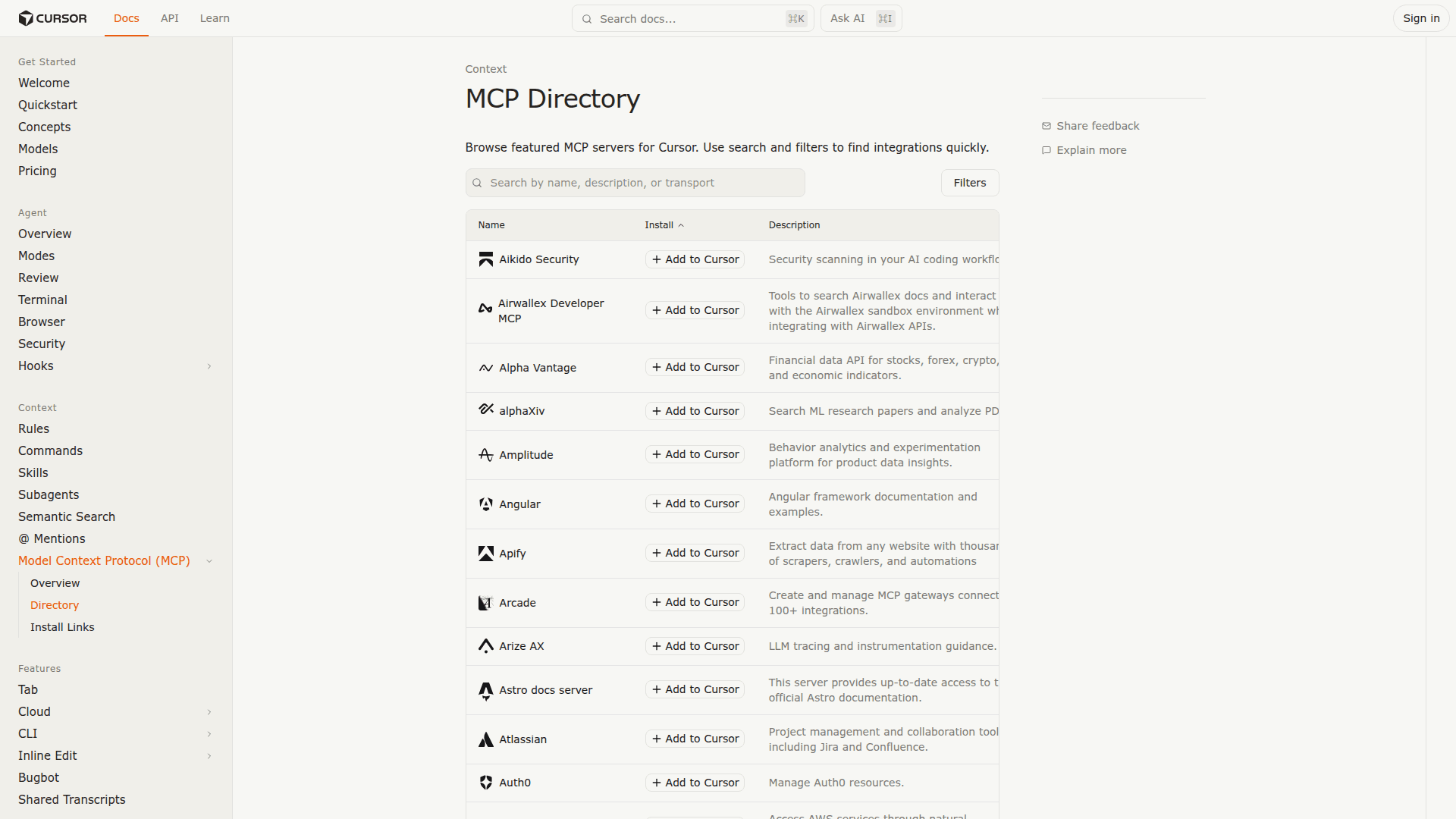
Curated directory of MCP servers with one-click installation and OAuth authentication built into Cursor.
At a Glance
About Cursor MCP Directory
Cursor MCP Directory is a built-in feature within the Cursor code editor that provides a curated collection of Model Context Protocol servers for extending AI agent capabilities. It enables developers to browse, install, and authenticate MCP servers directly from Cursor's settings without manual JSON configuration or terminal commands.
- One-Click Installation allows developers to add MCP servers instantly from the directory with pre-filled configuration including name, transport type, and URL.
- OAuth Authentication provides secure connection to external services like Linear, Notion, and GitHub without manually managing API tokens or storing credentials in config files.
- Add to Cursor Button lets MCP server developers create installation links for their documentation that trigger automatic setup when clicked by users.
- Environment Variable Support enables secure storage of API keys and authentication tokens separate from code or MCP server configuration.
- Tool Management Interface provides granular control to enable, disable, or configure individual MCP tools from the settings page.
- Auto-Run Option allows the Composer Agent to automatically execute MCP tools without requiring manual approval for each action.
- Global and Project Scope supports MCP server configuration at user level for all projects or project-specific configuration for targeted workflows.
- Transport Type Support handles stdio for local servers and SSE/Streamable HTTP for remote servers with automatic protocol detection.
To access the MCP Directory, open Cursor Settings and navigate to Tools & MCP. Browse available servers, click Install on any server, and complete OAuth authorization if required. The directory is available to all Cursor users regardless of subscription tier.
Community Discussions
Be the first to start a conversation about Cursor MCP Directory
Share your experience with Cursor MCP Directory, ask questions, or help others learn from your insights.
Pricing
Free
MCP Directory access included with all Cursor plans
- Browse curated MCP servers
- One-click installation
- OAuth authentication
- Up to 40 active tools
- Global and project configuration
Capabilities
Key Features
- One-click MCP server installation
- OAuth authentication for remote servers
- Add to Cursor button for MCP developers
- Environment variable support for API keys
- Tool enabling and disabling controls
- Auto-run option for MCP tools
- Global and project-scoped configuration
- Stdio and SSE transport support
- Curated collection of popular servers
- Secure credential storage