
Main Menu
  • Tools
  • Developers
  • Topics
  • Discussions
  • Communities
  • News
  • Blogs
  • Builds
  • Contests
  • Compare
  • Arena
Create
    EveryDev.ai
    Sign inSubscribe
    Home
    Tools

    2,077+ AI tools

    • New
    • Trending
    • Featured
    • Compare
    • Arena
    Categories
    • Agents1181
    • Coding1018
    • Infrastructure446
    • Marketing412
    • Design362
    • Projects332
    • Analytics318
    • Research303
    • Testing197
    • Data169
    • Integration166
    • Security166
    • MCP158
    • Learning145
    • Communication129
    • Extensions119
    • Commerce115
    • Prompts114
    • Voice106
    • DevOps91
    • Web73
    • Finance19
    1. Home
    2. Tools
    3. DESIGN.md
    DESIGN.md icon

    DESIGN.md

    AI Coding Assistants
    Featured

    A format specification and CLI tool for describing visual identity design systems to AI coding agents using YAML tokens and Markdown prose.

    Visit Website

    At a Glance

    Pricing
    Open Source

    Fully free and open-source under the Apache License 2.0. Use, modify, and distribute freely.

    Engagement

    Available On

    CLI
    API
    SDK

    Resources

    WebsiteDocsGitHubllms.txt

    Topics

    AI Coding AssistantsDesign ResourcesPrompt Engineering

    Alternatives

    Design Extractorgetdesign.mdSnap Dock
    Developer
    Google LabsMountain View, CAEst. 2002$4 raised

    Listed Apr 2026

    About DESIGN.md

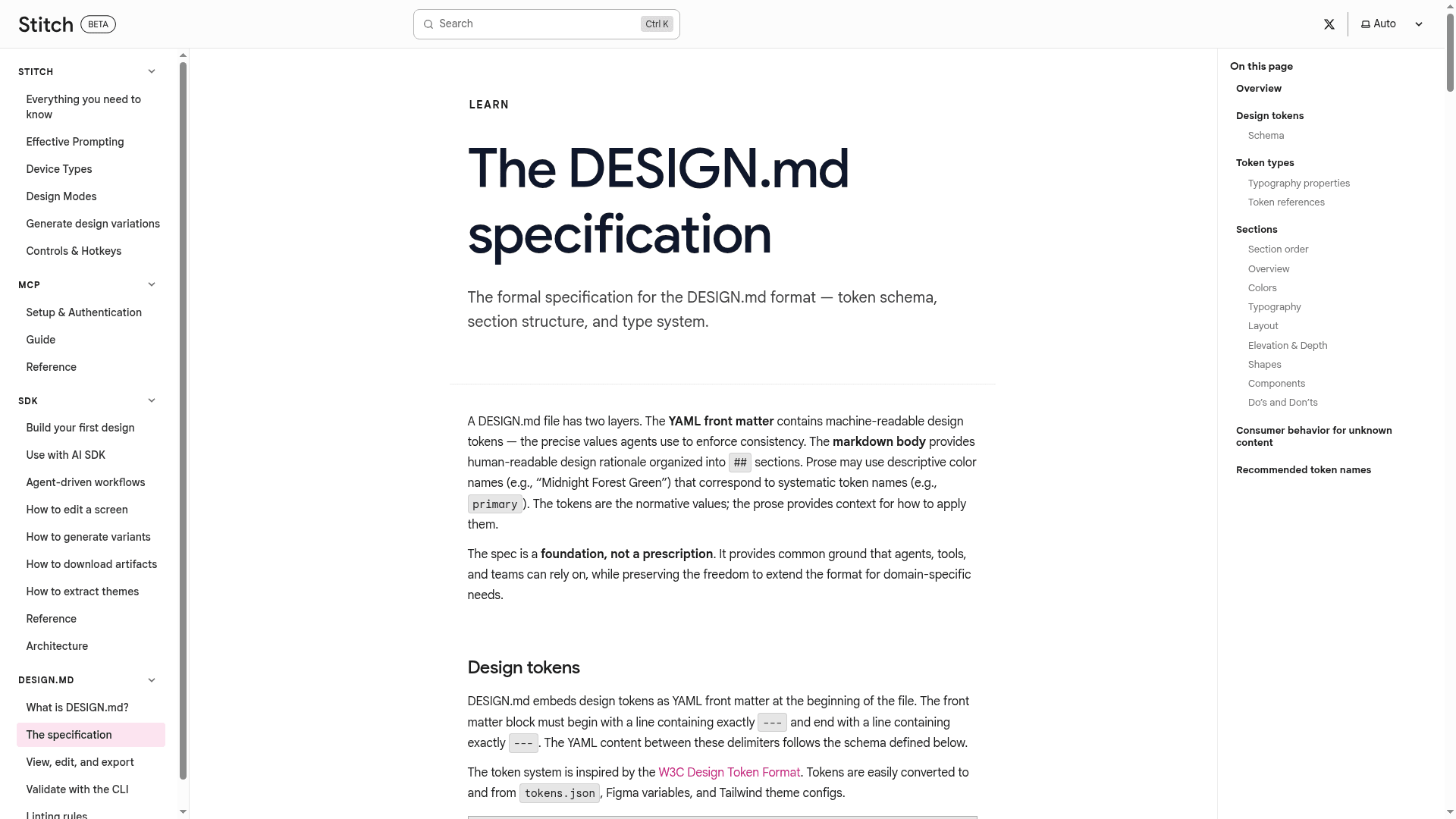
    DESIGN.md is an open-source format specification that gives AI coding agents a persistent, structured understanding of a design system. It combines machine-readable YAML front matter (design tokens) with human-readable Markdown prose (design rationale), enabling agents to produce consistent UIs with exact color, typography, spacing, and component values. The project ships a CLI (@google/design.md) for linting, diffing, exporting, and inspecting DESIGN.md files, as well as a programmatic TypeScript API. It is published under the Apache License 2.0 by Google Labs.

    • YAML + Markdown format — Define design tokens (colors, typography, spacing, rounded, components) in YAML front matter and explain their intent in Markdown sections.
    • lint command — Validate a DESIGN.md file for structural correctness, broken token references, WCAG contrast ratios, and orphaned tokens; outputs structured JSON findings.
    • diff command — Compare two DESIGN.md versions to detect token-level changes and prose regressions, with a regression flag for CI pipelines.
    • export command — Convert DESIGN.md tokens to Tailwind theme config or W3C DTCG tokens.json format for interoperability with other toolchains.
    • spec command — Output the full format specification as Markdown or JSON, useful for injecting spec context directly into agent prompts.
    • Programmatic API — Import the lint function from @google/design.md/linter in TypeScript/JavaScript projects to integrate validation into custom workflows.
    • Token references — Use {path.to.token} syntax to reference tokens within component definitions, keeping the design system DRY and consistent.
    • Component tokens — Map named components (e.g., button-primary) to sub-token properties like backgroundColor, textColor, rounded, and padding, including hover/active variants.
    • WCAG contrast checking — The linter automatically checks backgroundColor/textColor pairs in components against the WCAG AA minimum contrast ratio of 4.5:1.
    • W3C Design Token interoperability — Token schema is inspired by the W3C Design Token Format Module, with direct export support for DTCG-compliant tokens.json.
    DESIGN.md - 1

    Community Discussions

    Be the first to start a conversation about DESIGN.md

    Share your experience with DESIGN.md, ask questions, or help others learn from your insights.

    Pricing

    OPEN SOURCE

    Open Source

    Fully free and open-source under the Apache License 2.0. Use, modify, and distribute freely.

    • Full CLI (lint, diff, export, spec commands)
    • Programmatic TypeScript/JavaScript API
    • YAML + Markdown design system format
    • WCAG contrast ratio checking
    • Tailwind and DTCG export

    Capabilities

    Key Features

    • YAML front matter design tokens
    • Markdown prose design rationale
    • CLI lint command with WCAG contrast checking
    • CLI diff command for token-level regression detection
    • CLI export to Tailwind and DTCG formats
    • CLI spec command for agent prompt injection
    • Programmatic TypeScript/JavaScript API
    • Token reference syntax ({path.to.token})
    • Component token definitions with variants
    • Seven built-in linting rules
    • Structured JSON output for all commands
    • Apache License 2.0 open-source

    Integrations

    Tailwind CSS
    W3C Design Tokens (DTCG)
    npm / npx
    AI coding agents
    API Available
    View Docs

    Reviews & Ratings

    No ratings yet

    Be the first to rate DESIGN.md and help others make informed decisions.

    Developer

    Google Labs

    Google Labs develops experimental AI-powered tools and products that explore the cutting edge of technology. The team creates innovative applications that showcase new capabilities in artificial intelligence, machine learning, and creative tools. Google Labs serves as an incubator for ideas that may eventually become full Google products or inform future development directions.

    Founded 2002
    Mountain View, CA
    $4 raised

    Used by

    Individual users across 200+ countries
    Students and educators (NotebookLM…
    Enterprise customers through Google…
    Developers building on Google Cloud/Ver…
    +2 more
    Read more about Google Labs
    WebsiteX / Twitter
    9 tools in directory

    Similar Tools

    Design Extractor icon

    Design Extractor

    Extract any website's design system into a structured DESIGN.md with colors, typography, spacing, and tokens for use by AI coding agents.

    getdesign.md icon

    getdesign.md

    A browsable directory of DESIGN.md files inspired by popular websites, letting developers drop design system references into projects for AI coding agents to build matching UIs.

    Snap Dock icon

    Snap Dock

    A floating dock for developers with screenshot, prompt optimization, voice input, and automation tools for AI-assisted coding workflows.

    Browse all tools

    Related Topics

    AI Coding Assistants

    AI tools that help write, edit, and understand code with intelligent suggestions.

    395 tools

    Design Resources

    AI-curated collections of stock photos, icons, templates, and other design assets with intelligent search, style matching, and personalized recommendations.

    30 tools

    Prompt Engineering

    Tools for creating and refining effective AI prompts.

    38 tools
    Browse all topics
    Back to all tools
    Explore AI Tools
    • AI Coding Assistants
    • Agent Frameworks
    • MCP Servers
    • AI Prompt Tools
    • Vibe Coding Tools
    • AI Design Tools
    • AI Database Tools
    • AI Website Builders
    • AI Testing Tools
    • LLM Evaluations
    Follow Us
    • X / Twitter
    • LinkedIn
    • Reddit
    • Discord
    • Threads
    • Bluesky
    • Mastodon
    • YouTube
    • GitHub
    • Instagram
    Get Started
    • About
    • Editorial Standards
    • Corrections & Disclosures
    • Community Guidelines
    • Advertise
    • Contact Us
    • Newsletter
    • Submit a Tool
    • Start a Discussion
    • Write A Blog
    • Share A Build
    • Terms of Service
    • Privacy Policy
    Explore with AI
    • ChatGPT
    • Gemini
    • Claude
    • Grok
    • Perplexity
    Agent Experience
    • llms.txt
    Theme
    With AI, Everyone is a Dev. EveryDev.ai © 2026
    Discussions