
LLM Documentation Scraper (doc-scraper)
A configurable, concurrent, and resumable Go CLI tool that crawls documentation websites and converts content to clean Markdown for LLM ingestion, RAG pipelines, and training data.
At a Glance
Fully free and open source under Apache License 2.0. Self-hosted CLI tool with no usage limits.
Engagement
Available On
Alternatives
Listed Sep 2026
About LLM Documentation Scraper (doc-scraper)
doc-scraper is an open-source command-line tool written in Go by Sriram Periannan (GitHub: Sriram-PR), licensed under Apache 2.0. It crawls technical documentation websites, extracts main content using CSS selectors or automatic framework detection, and converts the result to clean GitHub-Flavored Markdown optimized for ingestion by Large Language Models. The project is actively maintained, with its latest release (v2.9.2) published in September 2026.
What It Is
doc-scraper is a web crawler purpose-built for the LLM data-preparation workflow. Rather than producing raw HTML dumps, it targets the content region of documentation pages — stripping navigation, analytics, and page chrome — and outputs structured Markdown files that preserve the original site hierarchy. It also emits JSONL records (one per page) and llms.txt/llms-full.txt manifests following the llmstxt.org convention, making the output directly consumable by RAG pipelines and downstream indexers. The tool runs entirely locally: no telemetry, no accounts, and no network requests beyond the crawls you explicitly configure.
Core Crawling Architecture
doc-scraper uses Go's concurrency model with configurable worker pools, a global semaphore, and per-host semaphores to parallelize crawls without overwhelming target servers. Key architectural choices include:
- State persistence via BadgerDB — supports resuming interrupted crawls with
--resume - Incremental crawling — hashes the extracted content region (not the raw page) so navigation churn and analytics tokens don't trigger unnecessary reprocessing
- Exponential backoff with jitter for HTTP retries
- robots.txt and sitemap processing built in
- Graceful shutdown on SIGINT/SIGTERM with state flush
Configuration is YAML-driven, with global defaults overridable per site. A single config can define dozens of sites, each with its own start URLs, allowed domain/path prefix, content selector, depth limit, and rate-limiting settings.
Auto Content Detection and Framework Support
When content_selector: "auto" is set, the crawler detects the documentation framework and applies a validated selector automatically. Detection covers 30+ generators and hosted platforms across three tiers of trust: <meta name="generator"> tags, structural DOM signatures, and asset path patterns. Covered families include Docusaurus, VitePress, VuePress, Starlight/Astro, Nextra, Fumadocs, Mintlify, GitBook, MkDocs (Material, ReadTheDocs, and plain), Sphinx (multiple themes), Antora, Docsy, mdBook, rustdoc, pkg.go.dev, Javadoc, Doxygen, TypeDoc, Writerside, ReadMe.com, and more. Every detected selector is validated against the live page before being trusted; if it matches nothing or captures too little text, the crawler falls back to Mozilla's Readability algorithm rather than silently producing an empty crawl.
MCP Server Mode and AI Tool Integration
doc-scraper can run as a Model Context Protocol (MCP) server over stdio, enabling direct integration with Claude Code and Cursor. The MCP interface exposes eleven tools:
describe_server— orientation manifest combining server identity, sites, and recent jobscrawl_site/get_job_status/cancel_crawl— background crawl lifecycle managementlist_pages/read_page— paginated enumeration and retrieval of stored Markdown without network accesssearch_docs— offline BM25 full-text search with stemming and section anchors over the crawled corpus (backed by SQLite FTS5)get_freshness/diff_crawl— staleness reporting and change diffing from the crawl-history indexget_page— live single-URL fetch returning Markdownlist_sites— enumerate configured sites
The add command probes a docs URL, detects its framework, proposes a crawl scope from the sitemap, previews extracted content with code-block fidelity metrics, and appends a config entry only after confirmation — preserving existing YAML comments byte-for-byte.
Update: v2.9.2
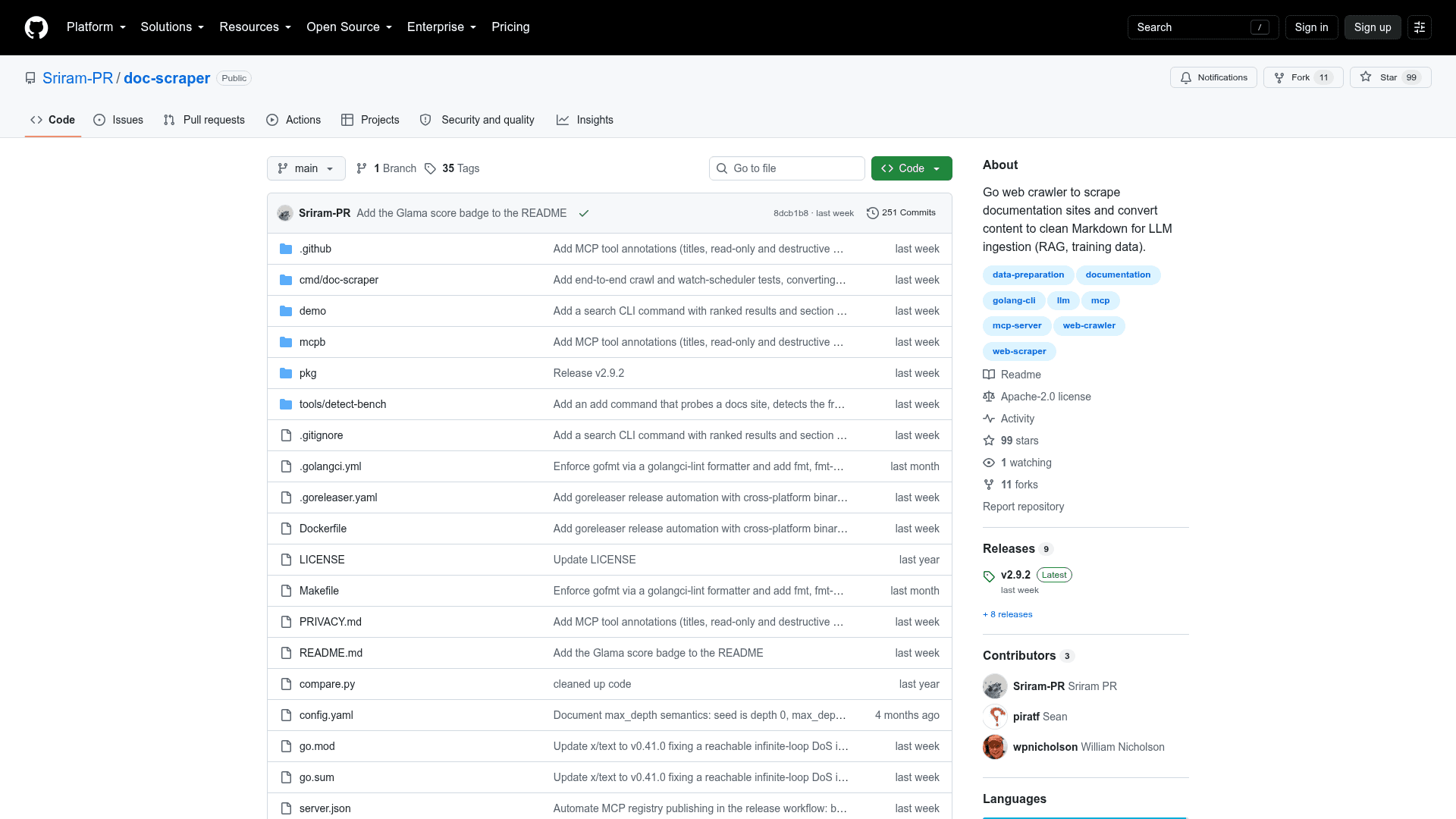
The latest release is v2.9.2, published 2026-09-06. The v2.x line removed the SSE MCP transport (stdio only remains), added the run command for JSON-driven orchestration, introduced the add command for interactive site onboarding, expanded auto-detection to 30+ frameworks, added diff_crawl and get_freshness MCP tools, and brought incremental crawling with content-scoped change detection. The repository shows active development with the last push on 2026-09-06 and 99 stars at the time of indexing.
Community Discussions
Be the first to start a conversation about LLM Documentation Scraper (doc-scraper)
Share your experience with LLM Documentation Scraper (doc-scraper), ask questions, or help others learn from your insights.
Pricing
Open Source
Fully free and open source under Apache License 2.0. Self-hosted CLI tool with no usage limits.
- Full crawling functionality
- MCP server mode
- JSONL and Markdown output
- Incremental and watch modes
- BM25 full-text search
Capabilities
Key Features
- Configurable YAML-driven crawling with global and per-site settings
- CSS selector-based content extraction
- Auto content detection for 30+ documentation frameworks
- HTML to GitHub-Flavored Markdown conversion
- JSONL output for RAG pipeline ingestion
- llms.txt and llms-full.txt manifest generation
- Resumable crawls via BadgerDB state persistence
- Incremental crawling with content-scoped change detection
- Parallel multi-site crawling with shared resource management
- Configurable worker pools and per-host rate limiting
- robots.txt and sitemap processing
- MCP server mode for Claude Code and Cursor integration
- Offline BM25 full-text search over crawled corpus (SQLite FTS5)
- Watch mode for scheduled periodic re-crawling
- Graceful shutdown with SIGINT/SIGTERM handling
- HTTP retries with exponential backoff and jitter
- Image downloading and local link rewriting (opt-in)
- Structured logging with optional JSON output
- Config validate and config list CLI utilities
- add command for interactive site onboarding
- run command for JSON-driven orchestration
- Readability fallback for unknown frameworks
- SSRF guard for private network protection