
Dockspace
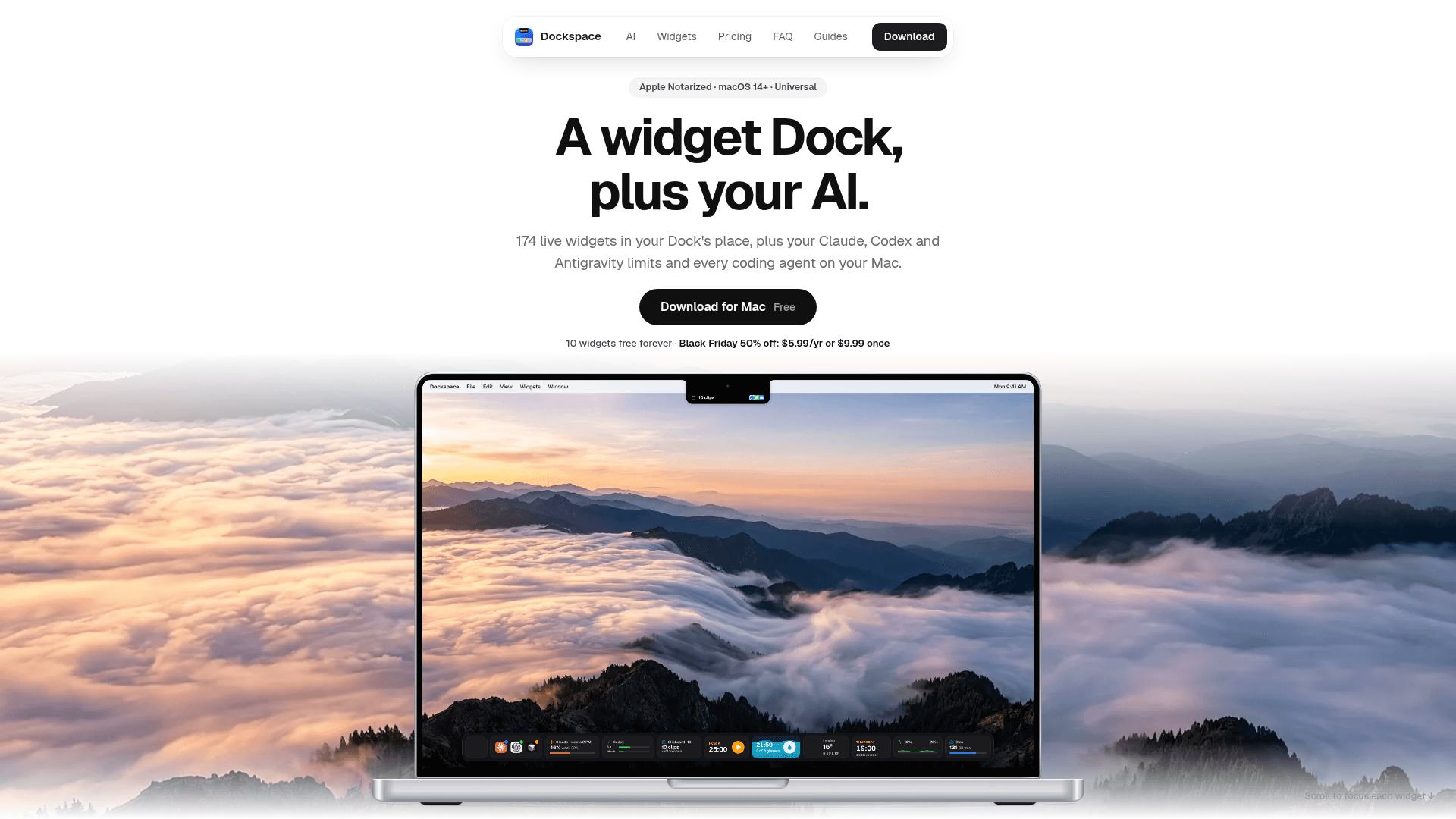
A native macOS app that replaces or augments the Dock with live widgets, coding agent session tracking, and Claude, Codex and Antigravity quota monitoring.
At a Glance
10 widgets free forever, no trial timer; includes Dock replacement, Tilo, Disk Doctor and clipboard shelf.
Engagement
Available On
Alternatives
Listed Nov 2026
About Dockspace
Dockspace is a native Mac app, built in Swift and made by JBer, that puts live widgets in the row where you look for your apps. It tracks coding agent sessions and shows usage limits for Claude, Codex and Antigravity, alongside clipboard history, disk cleanup and a library of 174 widgets. It is signed with an Apple Developer ID and notarized by Apple, and runs on macOS 14 Sonoma or later.
What It Is
Dockspace is a widget bar for macOS that can replace the system Dock, sit beside it, or sit above it. Pinned apps, running apps and the Trash appear next to live widgets in compact tiles. The Dock replacement setting is still marked beta, and quitting Dockspace brings the standard Dock back. Separate display profiles let a laptop screen and an external monitor use different bars.
AI Limits and Coding Agent Tracking
The AI features read what the agents already write locally on your Mac, with no login or API key. The site states that only session status, tool name, project folder, timestamps and token percentages are read, never prompts or generated code.
- Session and weekly limit bars with reset countdowns for Claude, Codex and Antigravity.
- A coding agent board covering Claude Code, Cursor, Codex and Antigravity, showing whether each session is working, waiting for you, or done.
- Tilo, a Dock buddy that peeks up when an agent finishes or needs approval.
- Antigravity limits come from the app itself while it is open.
Clipboard, Disk and Everyday Widgets
A clipboard shelf opens under the MacBook notch with Option-Command-V and keeps text, links, colors, images and files. Copies that password managers mark private are skipped. Disk Doctor finds developer and system caches such as Xcode DerivedData and simulator caches, and moves them to the Trash rather than deleting them. Other widgets cover weather, timers, system telemetry, developer tools, Screen Notes, Quick Translate and live wallpapers.
Privacy and Distribution
Dockspace works locally and has no account. It contacts Polar to verify licenses and checks for signed updates, and only web-data widgets call public services. It is distributed as a disk image from its website rather than the Mac App Store, because some widgets need access the App Store sandbox does not allow.
Community Discussions
Be the first to start a conversation about Dockspace
Share your experience with Dockspace, ask questions, or help others learn from your insights.
Pricing
Free
10 widgets free forever, no trial timer; includes Dock replacement, Tilo, Disk Doctor and clipboard shelf.
- Replace the Dock
- Tilo (Dock Buddy)
- Disk Doctor
- Clock
- Date
Pro One Year
Pro for 1 Mac, all 174 widgets, Claude/Codex/Antigravity limits and coding agent tracking. Black Friday price $5.99 first year, then renews at $11.99/yr.
- 1 Mac
- All 174 widgets
- Claude, Codex and Antigravity limits
- Coding agent tracking
- Proactive Tilo
- Screen Notes
- Quick Translate
- Display profiles
- Black Friday 2026: $5.99 first year (regular $11.99), auto-applied through Dec 1, 2026
Pro Lifetime
One-time Pro license for 1, 2 or 3 Macs; keeps Pro forever in every version from its first year. Black Friday price $9.99 (regular $19.99).
- 1, 2 or 3 Macs
- Pro in every version from its first year
- Black Friday 2026: $9.99 (regular $19.99)
Forever Edition
One-time Pro license for up to 5 Macs including every new version. Black Friday price $24.99 (regular $49.99).
- Up to 5 Macs
- Every new version
- Black Friday 2026: $24.99 (regular $49.99)
Capabilities
Key Features
- Replace the macOS Dock or place the bar beside or above it
- 174 live widgets in four tile sizes
- Claude, Codex and Antigravity session and weekly limit tracking with reset countdowns
- Coding agent board for Claude Code, Cursor, Codex and Antigravity
- Tilo proactive alerts when an agent finishes or needs approval
- Notch clipboard shelf with password-manager filtering
- Disk Doctor safe cache cleanup via the Trash
- Screen Notes and Quick Translate
- Per-display bar profiles
- Live video and shader wallpapers
- Local-only operation with no login or API key