
dtxWiki
A self-hosted, open-source knowledge base where humans and MCP-connected AI tools read and edit the same connected Markdown knowledge.
At a Glance
Self-hosted core, available under your choice of AGPL-3.0-only or Elastic License 2.0; you install and run it yourself. Hosting and external AI services may have separate costs.
Engagement
Available On
Listed Oct 2026
About dtxWiki
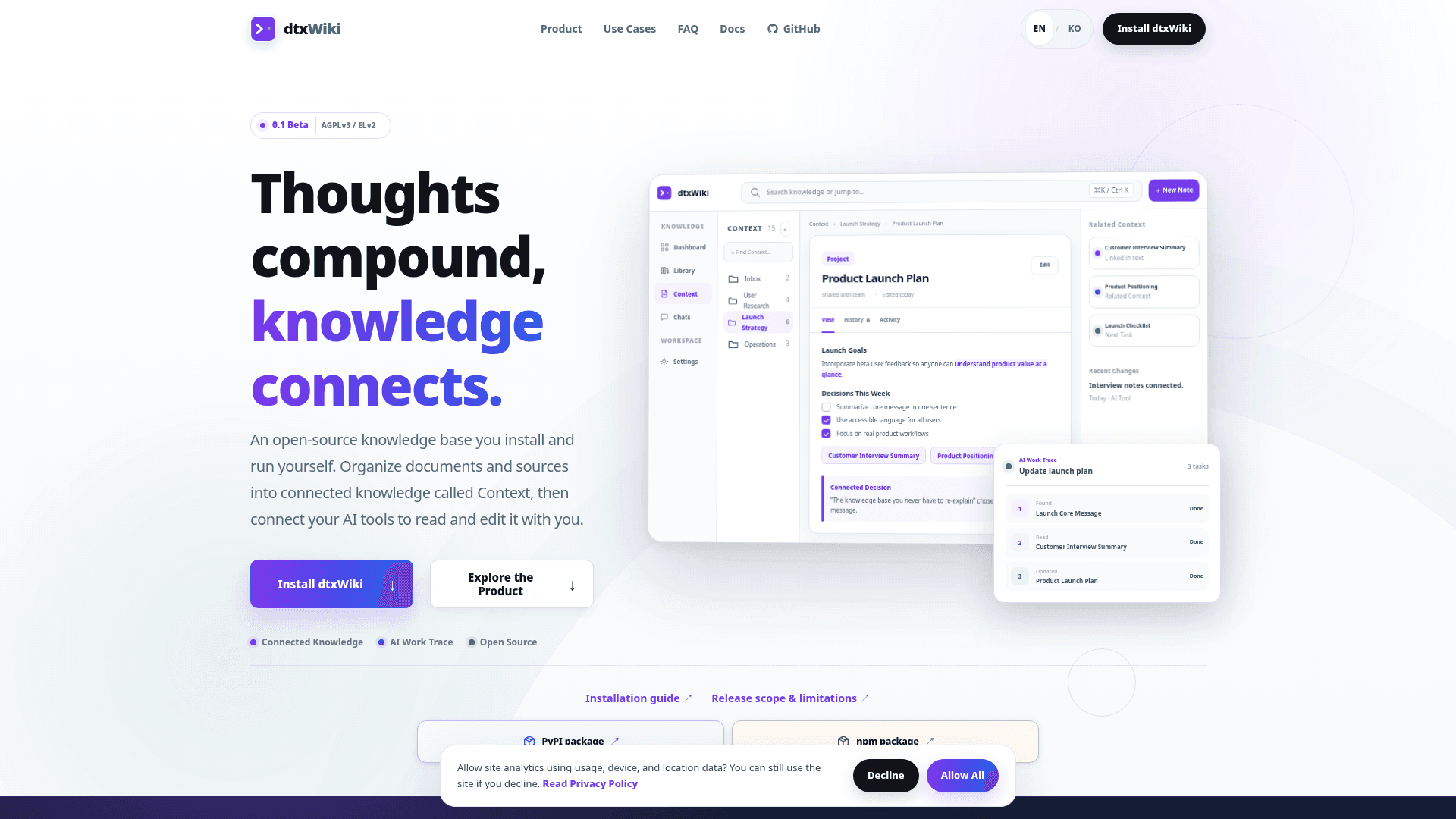
dtxWiki is an open-source knowledge base from dtxSuite that you install and run yourself. It organizes notes, source materials, and decisions into connected knowledge called Context, and lets MCP-compatible AI tools find, read, and update that knowledge within the access you grant. The current release listed on GitHub is 0.1.3, and the homepage labels the product as 0.1 Beta.
What It Is
dtxWiki is a self-hosted wiki-style knowledge base. You write and link Markdown pages in Context, keep reference files such as PDFs, documents, images, and datasets in Library, and can convert imported files to AI-ready Markdown. Links, citations, and related notes connect pages, and a Graph View is shown as a preview. Writing, organizing, and searching work without an AI account or API key.
How AI Collaboration Works
AI tools connect through MCP (Model Context Protocol) using a personal access key created in Settings. Keys have Read, Write, and Run AI permissions, and are scoped to selected workspaces. The README documents registration for Claude Code and Codex CLI, and the homepage names Claude Desktop and Cursor as examples of MCP-capable tools. Context changes made by AI are prepared as drafts for review.
The Chats view records tool actions such as find, read, and update, with inputs, results, and linked materials. It does not store full conversation transcripts. Document history keeps revisions.
Setup Path
dtxWiki installs from PyPI (Python 3.12 or newer) or through an npm launcher (Node.js 22 or newer plus pipx or uv), then opens in the browser at a local address. One command starts the web server and its worker. Data is stored in a .dtxwiki folder in the home directory by default. For shared use, the README documents LAN access and an Ubuntu HTTPS installer with systemd services, and workspace owners can add team members with roles. Version 0.1 does not include desktop installers.
Licensing and Status
The source is available under your choice of AGPL-3.0-only or Elastic License 2.0, with a commercial license available from dtxSuite for uses neither license permits. The roadmap lists graph view and agent preview as upcoming preview features.
Community Discussions
Be the first to start a conversation about dtxWiki
Share your experience with dtxWiki, ask questions, or help others learn from your insights.
Pricing
Self-Hosted (AGPL-3.0-only or Elastic License 2.0)
Self-hosted core, available under your choice of AGPL-3.0-only or Elastic License 2.0; you install and run it yourself. Hosting and external AI services may have separate costs.
- Dual license: AGPL-3.0-only OR Elastic-2.0 at your election (AGPL is OSI-approved; ELv2 is not)
- Install via pip or npm
- Self-hosted on your own computer or server
- Write, organize and search without an AI account or API key
- Connect AI tools via MCP
Capabilities
Key Features
- Connected Markdown pages in Context with links, citations, and related notes
- Library for importing PDFs, documents, images, and datasets with conversion to AI-ready Markdown
- MCP server for AI tools to find, read, and edit knowledge within permitted scopes
- Chats view recording AI tool actions (search, read, update) rather than full conversations
- Document change history and review states
- Access keys with Read, Write, and Run AI permissions scoped to workspaces
- Team workspaces with member roles
- Quick search across knowledge
- Self-hosted via pip or npm, with HTTPS systemd server installer
- Graph View preview