
Excellent
A Mac app that reads your AI coding agents' logs to show what they did, flag risky actions, and with Pro block or pause them before they run.
At a Glance
Scan your agents' activity for free on your Mac, with no account needed.
Engagement
Available On
Alternatives
Listed Nov 2026
About Excellent
Excellent is a macOS app from Excellent Software, LLC that reads the logs AI coding agents already keep on your Mac and shows what they did. It surfaces findings such as your email in request commands, API keys in plain-text logs, secrets files read, overwritten git history and skipped commit checks. Scanning is free and needs no account; a paid Pro tier adds live protection.
What It Is
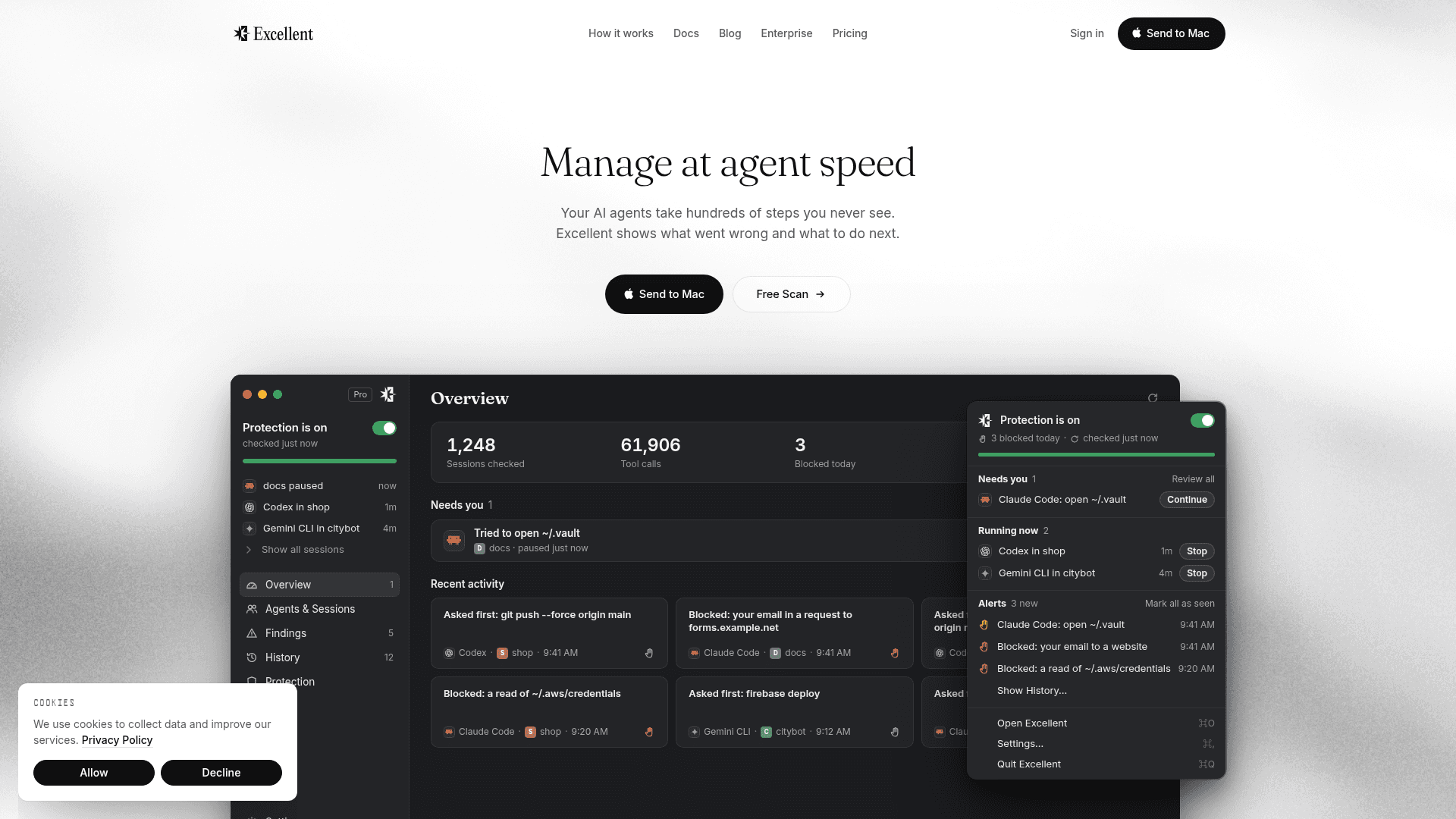
Excellent is an oversight tool for people who run coding agents such as Claude Code, Codex, Cursor, Gemini CLI and GitHub Copilot CLI. A scan runs locally, lists which agents and sessions ran, and ranks findings by severity, each tied to the agent and location involved. The report is saved on the Mac, and the free app does not send logs to Excellent.
Fixes and Rules
Some findings can be fixed from the app: clearing keys from logs (which cannot be undone), removing an email from scripts through your own agent, and repairing broken hooks. Excellent also finds rules written in CLAUDE.md and AGENTS.md, shows which reach only one agent, and shares them with another on your approval. Settings files are backed up before changes.
How Protection Works
With Pro, Excellent adds a live check to supported agents' settings that can block or ask before risky actions, such as a force push to main, a read of credentials files, or sending an email to a website. It can hold an agent paused until you choose to continue or end the session. For file and folder rules, Pro can write them into the macOS sandbox of agents that support it. The docs note that a determined agent may sometimes get around the live check, which is why the sandbox option exists.
Teams and Platform Status
The app needs a Mac with Apple silicon and macOS 14 or later. The vendor says a Linux server version comes next, then Windows. For companies, Excellent offers hands-on setup, installing on each machine and writing shared rules with the team; the enterprise page states there is no admin console or single sign-on yet.
Community Discussions
Be the first to start a conversation about Excellent
Share your experience with Excellent, ask questions, or help others learn from your insights.
Pricing
Free
Scan your agents' activity for free on your Mac, with no account needed.
- Scan Now: read your agents' logs any time
- Every finding, with Explain
- The history of what you scanned
- The key finder's results
- Every app update
Pro
Watches for new findings and can block selected actions or ask you first in supported agents. Sold in the US for now.
- Everything in Free
- Blocks risky actions or asks you first
- Pauses an agent until you decide
- Puts your rules into the Mac's own sandbox, for the agents that support it
- Scans in the background and alerts you
- Your other Macs and servers in one view, in January (planned)
Enterprise
For teams whose people run AI agents on their Macs. Priced by scope, with no minimum term; Pro included, hands-on setup by the team.
- Pro included
- We install it on your team's Macs, one at a time
- We write your rules with you, once
- We turn on the protections with you
- A regular look at what agents did, on your schedule
- A free thirty-minute call first
Capabilities
Key Features
- Free local scan of AI agent logs
- Findings for emails in requests, API keys in logs, secrets reads, history overwrites and skipped git checks
- One-click fixes such as clearing keys from logs and repairing hooks
- Shared rules across CLAUDE.md and AGENTS.md
- Pro live check to block or ask before risky actions
- Pause and continue controls for running agents
- macOS sandbox rules for protected folders
- Git protection for GitHub and GitLab
- Live watch and ranked alerts with Pro
- Team setup service