
Executor
Open-source MCP gateway that lets any MCP-compatible agent use one shared catalog of MCP, OpenAPI, and GraphQL integrations with per-tool policies.
At a Glance
About Executor
Executor is an open-source integration layer and MCP gateway for AI agents, developed by UsefulSoftwareCo and founded by Rhys Sullivan. You configure integrations such as MCP servers, OpenAPI specs, and GraphQL APIs once, with authentication and per-tool policies, and any MCP-compatible agent can then use the same catalog. It can run on Executor Cloud, as a desktop app, as a CLI background service, or self-hosted via Docker or Cloudflare.
What It Is
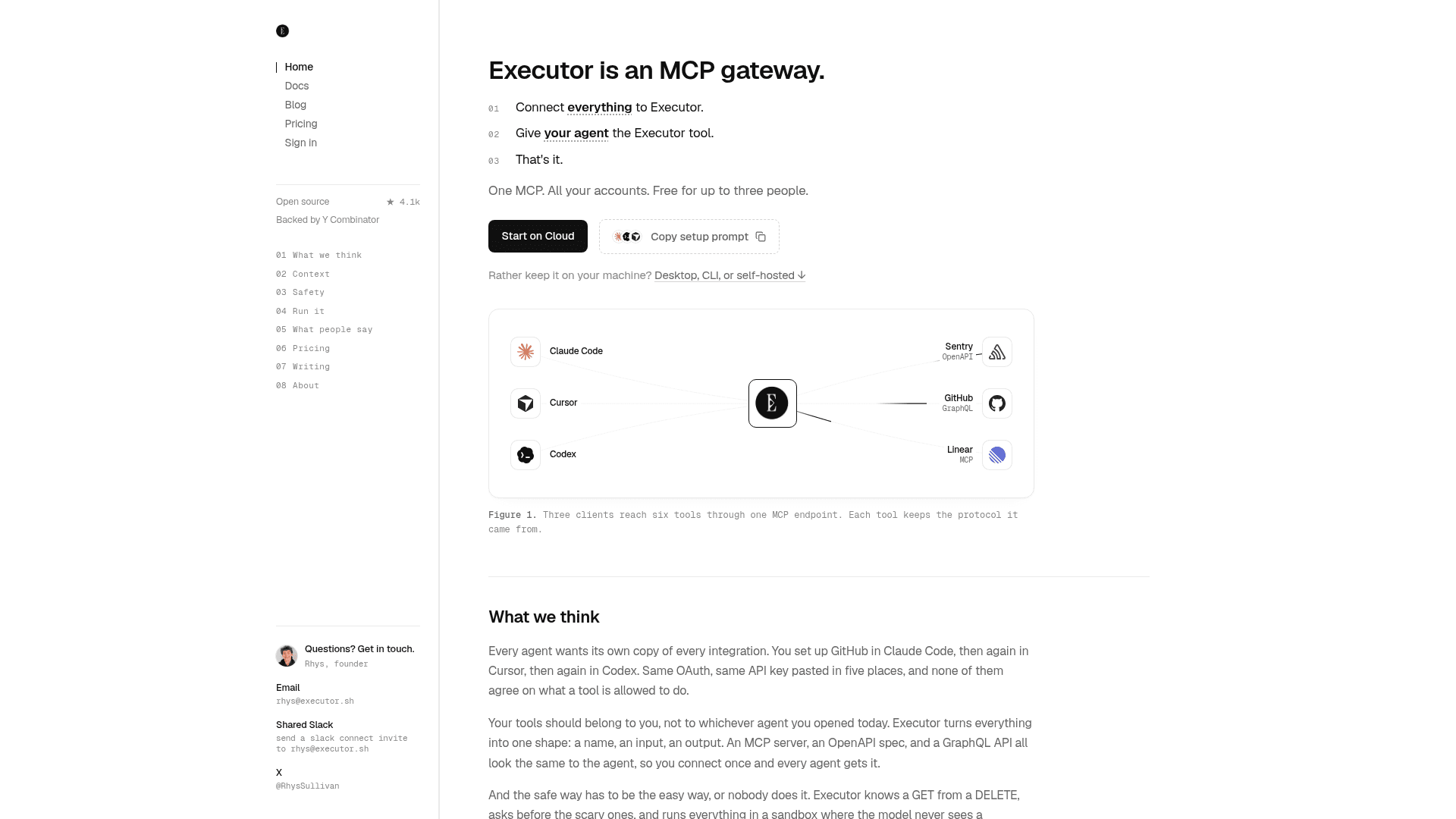
Executor sits between agents (Claude Code, Cursor, Codex and others) and the services they need to call. Instead of pasting the same API keys and OAuth setups into each client, you add an integration, create one or more connections (for example personal and work accounts), and point your agents at Executor over MCP. First-party support covers MCP servers, OpenAPI, GraphQL, and Google Discovery, and the plugin system is open to other integration types.
How the Workflow Works
In the web UI you paste an OpenAPI, GraphQL, or MCP URL and Executor detects the type, indexes the tools, and handles auth. Integrations can also be added from the CLI. Agents see a single execute tool: they search for tools, describe them, and call them by writing TypeScript in a sandboxed runtime. The homepage illustrates that this keeps the prompt small, for example one tool of about 1,044 tokens versus 1,640 tools of about 278,800 tokens in its example.
Policies and Safety
Each tool can be always allowed, require approval, or be blocked. Defaults derive from the source, such as GET versus DELETE for OpenAPI, destructiveHint for MCP, and mutations for GraphQL, and any tool can be overridden. The site states that calls run in an isolated JavaScript sandbox and credentials are attached host-side so the model never sees raw tokens. Cloud stores credentials in WorkOS Vault, while local and self-hosted setups keep them on your machine or in 1Password.
Ways to Run It
Options are Executor Cloud, a desktop app for Mac, Windows, and Linux, an npm-installed CLI (Node.js 20+), and self-hosting through Docker or Cloudflare. A TypeScript SDK allows embedding Executor in your own code, and Cloud also offers an HTTP API. The code is MIT licensed.
Community Discussions
Be the first to start a conversation about Executor
Share your experience with Executor, ask questions, or help others learn from your insights.
Pricing
Open Source (Self-hosted/Local)
MIT-licensed core: run locally via CLI, desktop app, or self-host via Docker or Cloudflare.
- MIT License
- Local CLI
- Desktop app
- Self-host (Docker)
- Self-host (Cloudflare)
Free
Executor Cloud free tier for small teams getting started
- Up to 3 members
- 100,000 executions per month
- Unlimited integrations
Team Free trial
14-day free trial of the Team plan
Team
For growing organizations
- Unlimited executions
- Verified domains & join by team domain
- 14-day free trial, then $15 / member / month
Enterprise
For orgs with custom needs
- Everything in Team
- Self-hosted or dedicated cloud deployment support
- SSO / SAML & SCIM provisioning
- Audit logs for every tool call
- Dedicated support & onboarding
- Security reviews, DPA & SOC 2 on request
Capabilities
Key Features
- One MCP endpoint for all agents
- Supports MCP servers, OpenAPI, GraphQL, and Google Discovery integrations
- Multiple connections per integration
- Per-tool policies: allow, require approval, or block
- Sandboxed JavaScript execution with host-side credential handling
- Tool search and describe workflow keeps prompt size small
- Shared workspace connections for teams
- Credential storage via WorkOS Vault, 1Password, or local keychain
- TypeScript SDK and plugin system
- CLI with tool search, call, and resume commands
- Cloud, desktop, CLI, and self-hosted deployment options