
FenceTheCode
Windows app that connects Codex in ChatGPT Desktop to approved local project folders through a local MCP server, with protection rules and an activity log.
At a Glance
Engagement
Available On
Listed Oct 2026
About FenceTheCode
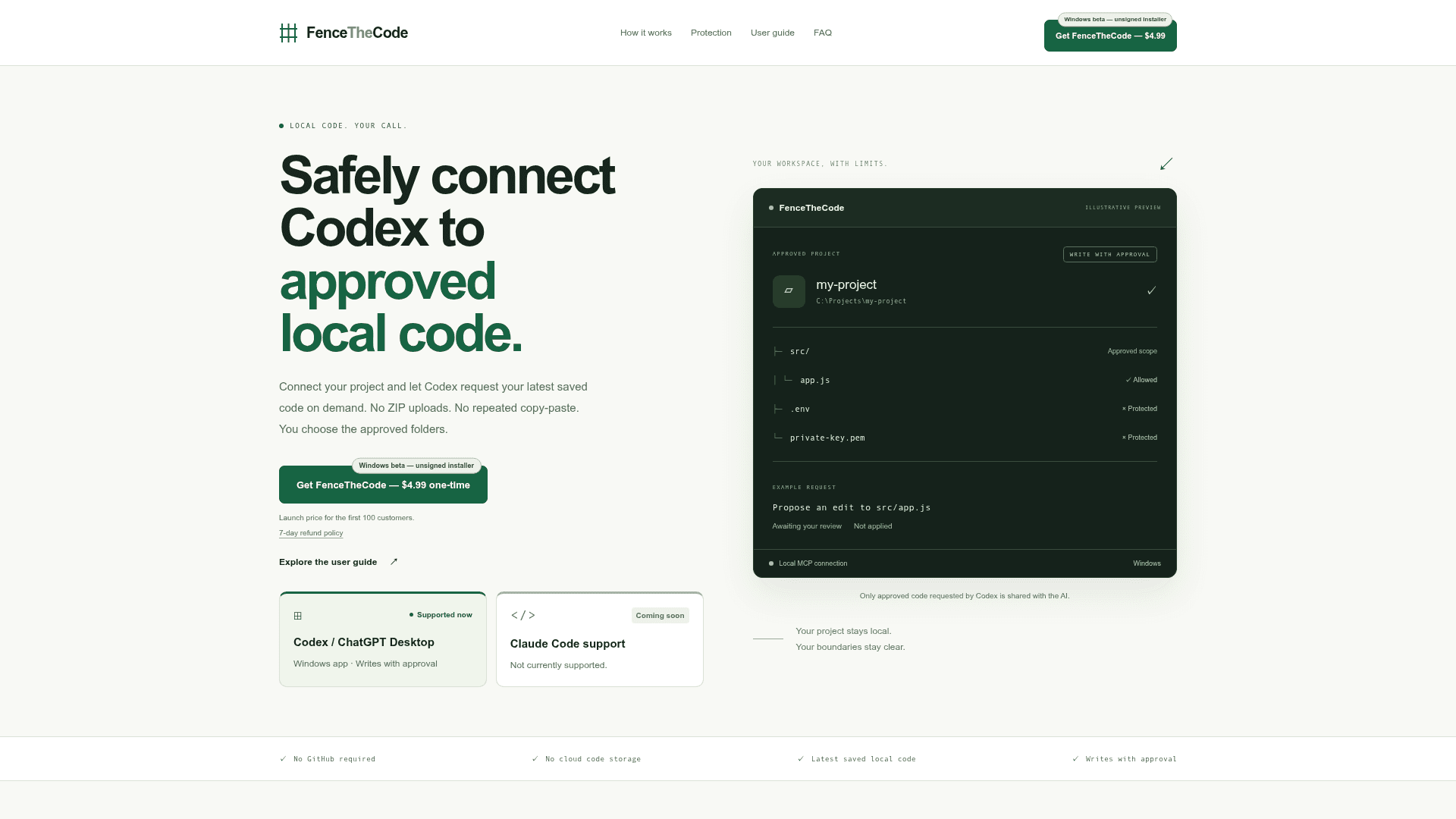
FenceTheCode is a Windows application, currently in beta with an unsigned installer, that lets Codex in ChatGPT Desktop request the latest saved code from folders you approve. Projects stay on your computer, with no ZIP uploads, repeated copy-paste, or GitHub repository required.
What It Is
FenceTheCode runs a local MCP server that connects Codex / ChatGPT Desktop to local project folders. You select a folder, review its access settings, and connect it to Codex. Codex can then request relevant saved files on demand, and FenceTheCode reads the latest saved contents of allowed files. Only approved code that Codex requests is shared with the AI. The site states there is no cloud code storage.
How the boundary works
Folder restrictions and protection rules check each request. Requests outside approved folders are blocked. Protection rules restrict .env files, API keys, private keys, detected secrets, and ignored folders. An activity log shows which requests were allowed or blocked.
Editing with approval
Read-only mode is available. In Write with approval mode, Codex can propose changes that you inspect and apply from within FenceTheCode, so nothing is applied without your review.
Current Status
The product is a Windows beta. Codex / ChatGPT Desktop is the supported client; Claude Code support is listed as coming soon and is not currently supported. A user guide covers the path from selecting a project to reading a file and checking the activity log.
Community Discussions
Be the first to start a conversation about FenceTheCode
Share your experience with FenceTheCode, ask questions, or help others learn from your insights.
Pricing
FenceTheCode
One-time purchase for Windows (beta, unsigned installer); launch price for the first 100 customers. 7-day refund policy.
- Windows beta — unsigned installer
- Codex / ChatGPT Desktop supported
- Approved local folders only
- Protection rules block sensitive files, detected secrets, and outside-folder access
- Activity log of allowed and blocked requests
- Write with approval mode and read-only mode
- No GitHub required, no cloud code storage
- 7-day refund policy
Capabilities
Key Features
- Approved local folder access for Codex
- Latest saved code read on demand
- No ZIP uploads or copy-paste
- No GitHub required
- No cloud code storage
- Blocks .env files, API keys, private keys, and ignored folders
- Blocks requests outside approved folders
- Activity log of allowed and blocked requests
- Read-only mode
- Write with approval mode with reviewable proposed changes
- Local MCP server connection