Flox is an open-source, Nix-powered CLI environment manager that creates reproducible, cross-platform developer environments without requiring Nix knowledge.
At a Glance
For developers who want to build and share portable, reproducible dev environments using a large catalog of open source software.
Engagement
Available On
Updated Jun 2026
About Flox
Flox is a next-generation, language-agnostic package and environment manager built on top of Nix, designed to make reproducible developer environments accessible to any team. The CLI is open source under GPLv2 and available at github.com/flox/flox, while FloxHub provides a cloud registry for sharing and managing environments. According to the About page, Flox originated from one of the largest enterprise Nix deployments in the world, at the D.E. Shaw group, before being spun out as a standalone product.
What It Is
Flox lets developers define everything an environment needs—packages, tools, environment variables, and services—in a single manifest.toml file that lives alongside source code. Environments activate via a sub-shell (not containers), so they work seamlessly with existing shells and dotfiles. Under the hood, Flox uses Nix for reproducibility, but users never need to learn Nix syntax. The package catalog is powered by Nixpkgs, which the GitHub README describes as containing 120,000+ packages updated continuously.
How the Environment Model Works
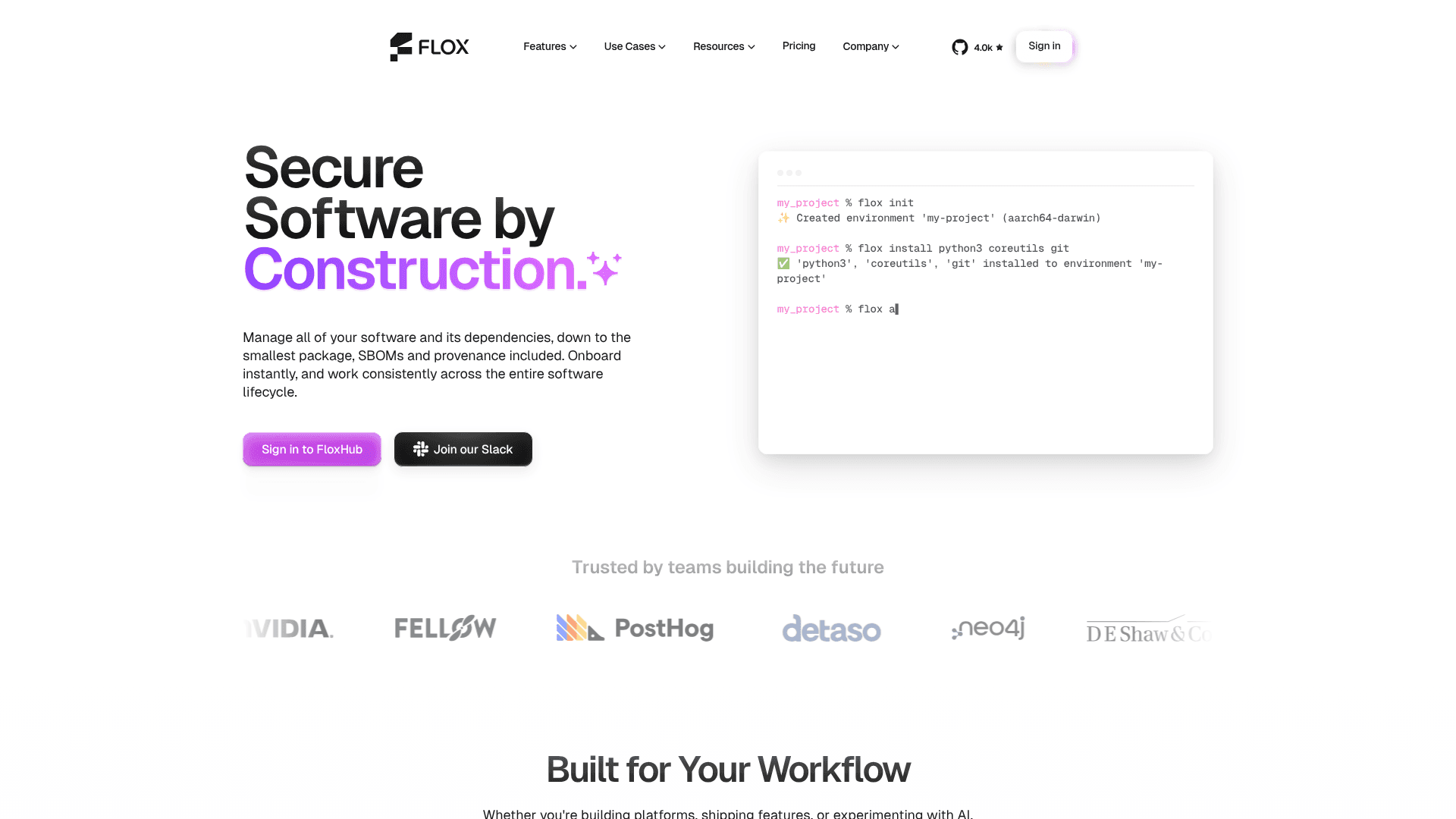
The core workflow is three commands: flox init creates an environment in a project directory, flox install adds packages, and flox activate enters the environment. Tools appear when activated and disappear on exit, keeping the global system clean. Key capabilities include:
- Virtual environments: Multiple isolated environments per project, each with its own packages, variables, and shell hooks
- Layering: Environments can layer on top of a home/default environment, preserving local customizations
- Cross-platform: The same environment definition runs on macOS and Linux, on both x86 and Arm (including WSL2)
- Containerize:
flox containerizegenerates OCI-compatible images directly from a Flox environment—no Dockerfile required - Services:
flox services startruns databases, queues, and background processes as part of the environment
FloxHub: Sharing and Collaboration
FloxHub is the cloud registry component where environments can be pushed and pulled across machines and teams. A flox push publishes an environment; teammates run flox pull or flox activate -r org/env-name to get an identical setup. The platform provides a web UI to view environment package lists, explore previous versions, and review a detailed change log. Teams can create private registries for internal package catalogs and shared environments.
Where It Fits in the Stack
Flox targets three distinct audiences, each with a different workflow angle:
- Developers: Eliminate onboarding friction—the PostHog team, as quoted on the homepage, reduced a 16-step local dev guide with 14 caveats to a single
flox activate - Platform engineers: Centralized visibility and control, CI/CD integration via pre-built connectors for GitHub Actions, CircleCI, and GitLab, and fast security patching with full traceability
- AI agents: The homepage states that AI assistants work with Flox environments natively using MCP, and the GitHub README notes compatibility with Claude Code, Cursor, Copilot, and Codex via the
flox-agenticproject
A VS Code extension is available on the Visual Studio Marketplace for managing environments without leaving the IDE.
Update: v1.12.1
The latest release as of the GitHub repository data is v1.12.1, published on May 19, 2026. The repository was last pushed to on May 20, 2026, indicating active development. The project has accumulated approximately 4,000 GitHub stars and is written primarily in Rust. The GPL v2 license applies to the CLI; FloxHub's hosted services operate under separate commercial terms.
Community Discussions
Be the first to start a conversation about Flox
Share your experience with Flox, ask questions, or help others learn from your insights.
Pricing
Personal
For developers who want to build and share portable, reproducible dev environments using a large catalog of open source software.
- Flox virtual environment manager CLI
- Access to the Flox Catalog
- Unlimited public FloxHub envs
- 3 private FloxHub envs
- 5 private packages
Team
For teams who need a single way to build, publish, and manage all of the software they use across local dev, CI, and production.
- Everything from Personal
- Access to your team catalog
- Unlimited publishing of packages
- Unlimited team FloxHub envs
- Platform support
- Access to paid consulting with Flox packaging experts
Enterprise
For orgs who need to curate their software supply chain, work within firm compliance requirements, or manage complex builds.
- Everything from Team
- Custom deployment options so your software never leaves the building
- Custom base catalog to curate the open source software you use
- Software policy engine
- Comprehensive packaging support
- Access to paid consulting with Nix packaging experts
Capabilities
Key Features
- Reproducible developer environments powered by Nix
- 120,000+ packages from Nixpkgs catalog
- Cross-platform support: macOS, Linux, WSL2 (x86 and Arm)
- Virtual environment isolation via sub-shells (no containers)
- Environment sharing via FloxHub push/pull
- OCI container image generation with flox containerize
- Services management (databases, queues, background processes)
- Declarative manifest.toml for packages, variables, and shell hooks
- Version-controlled environments alongside source code
- CI/CD integrations for GitHub Actions, CircleCI, and GitLab
- VS Code extension for IDE-based environment management
- MCP support for AI coding agents (Claude Code, Cursor, Copilot, Codex)
- Private team registry for packages and environments
- SBOM and provenance tracking
- GPU-accelerated development with CUDA and PyTorch support
- Environment layering on top of home/default environments
- Homebrew migration support
Integrations
Demo Video