EveryDev.ai
Subscribe
Home
Tools

5,901+ AI tools

  • Featured
  • Gems
  • Trending
  • New
  • Rate tools
  • Compare
  • Arena
Categories
  • Agents2972
  • Coding2248
  • Infrastructure1067
  • Projects818
  • MCP794
  • Research744
  • Analytics565
  • Marketing527
  • Design488
  • Testing476
  • Data442
  • Security412
  • Integration288
  • Communication284
  • Prompts283
  • Extensions238
  • Voice213
  • DevOps190
  • Commerce183
  • Web128
  • Learning123
  • Finance44
AI Tools by Topic
  • AI Coding Assistants
  • Agent Frameworks
  • MCP Servers
  • AI Prompt Tools
  • Vibe Coding Tools
  • AI Design Tools
  • AI Database Tools
  • AI Website Builders
  • AI Testing Tools
  • LLM Evaluations
Follow Us
  • X / Twitter
  • LinkedIn
  • Reddit
  • Discord
  • Threads
  • Bluesky
  • Mastodon
  • YouTube
  • GitHub
  • Instagram
Get Started
  • Users
  • Rate Tools
  • About
  • Editorial Standards
  • Corrections & Disclosures
  • Community Guidelines
  • Advertise
  • Contact Us
  • Newsletter
  • Submit a Tool
  • Start a Discussion
  • Write A Blog
  • Share A Build
  • Terms of Service
  • Privacy Policy
Explore with AI
  • ChatGPT
  • Gemini
  • Claude
  • Grok
  • Perplexity
Agent Experience
  • llms.txt
Theme
With AI, Everyone is a Dev. EveryDev.ai ©
    1. Home
    2. Tools
    3. Frowse
    Frowse icon

    Frowse

    Command Line Assistants
    Featured

    A drop-in agent-browser replacement CLI that returns compact DOM summaries and resolves natural-language element queries locally with Folate.

    Visit Website

    At a Glance

    Pricing
    Open Source

    Frowse CLI is released under the Apache 2.0 license; free to use, modify and distribute.

    Engagement

    Available On

    macOS
    Linux
    Web
    API
    CLI

    Resources

    WebsiteDocsGitHubllms.txt

    Topics

    Command Line AssistantsBrowser AutomationAgent Skill Registries

    Alternatives

    agent-browserterminal-browserBrowserAct Skills
    Developer
    FigraniumNew York, United StatesEst. 2026

    Listed Nov 2026

    About Frowse

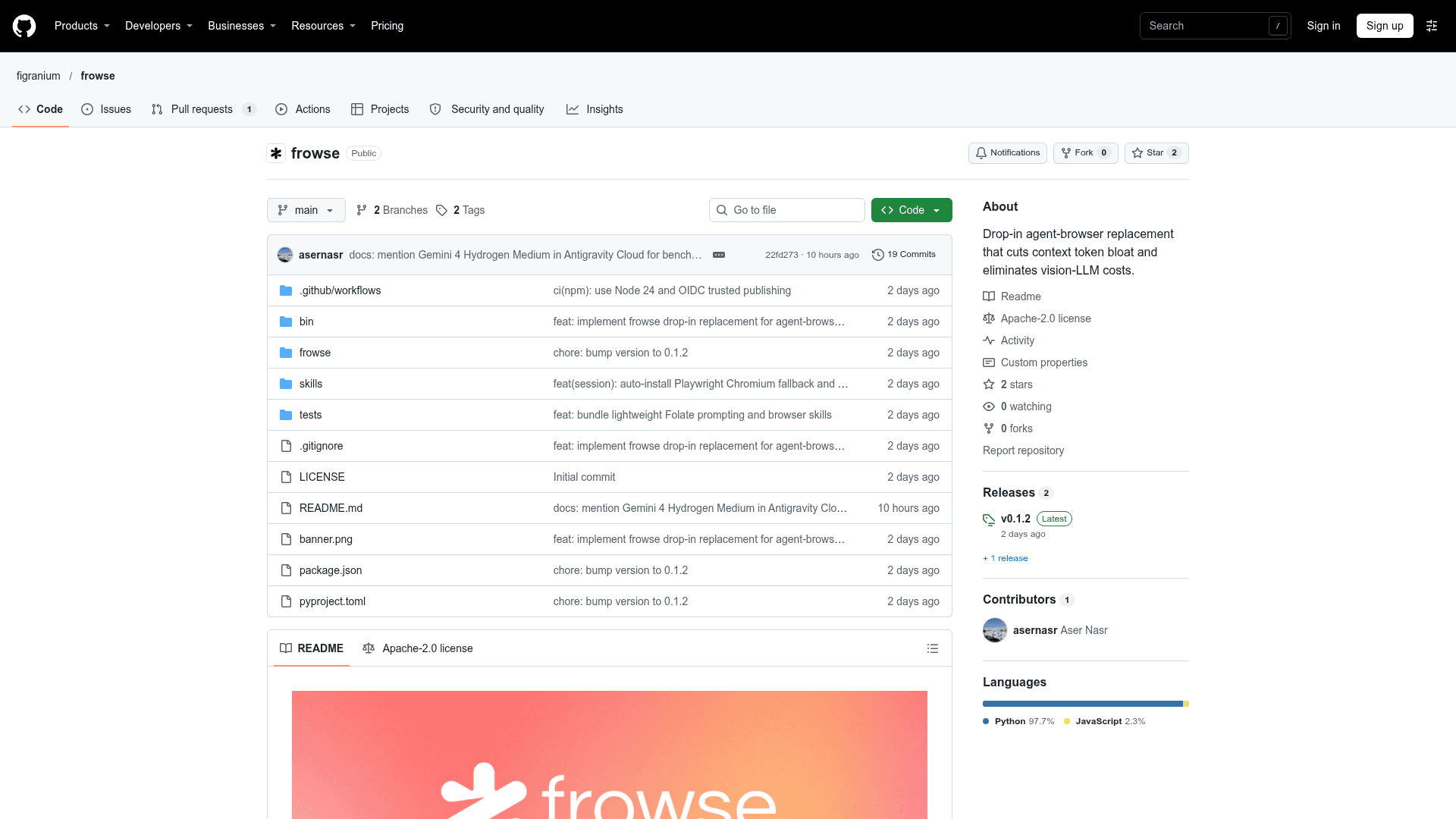
    Frowse is an open-source browser automation CLI from the figranium organization, released under the Apache 2.0 license. It replaces agent-browser by returning compact page summaries instead of full accessibility trees, and it resolves natural-language element descriptions to CSS/XPath selectors locally through Folate. The latest release listed in the repository is v0.1.2.

    What It Is

    Frowse is a command-line browser automation tool for AI agents. A snapshot returns a deduplicated, region-grouped summary of the page, grouped by landmarks such as dialog, header, nav, form, main, aside and footer. It preserves input types, labels, placeholders and select options, and collapses repeated items (for example "Add to cart" (x100)). The agent then writes a plain-language prompt such as frowse click "Run Search button", and Folate traverses the live DOM on local CPU to find the matching selector.

    How the workflow runs

    A typical session opens a page with frowse open, takes a snapshot, and acts with commands like fill, type, select, click, hover, check, get and wait. Each accepts a natural-language prompt, CSS, XPath or @eN reference. frowse query returns ranked selector matches without acting. A persistent session daemon keeps headless Chromium and the quantized folate-int8 ONNX model warm across calls via per-session Unix sockets. The README states Folate resolves in 10-25 ms using under 250 MB of RAM with no API cost.

    Compatibility and agent skills

    Frowse ships both frowse and agent-browser binaries and supports --json, --headed, --cdp, --refs, tabs, iframes, cookies, storage, dialogs, screenshots and PDF output. It bundles four SKILL.md guides (frowse, frowse-extract, frowse-auth, frowse-debug) that can be installed for Claude, Codex, Cursor or generic agents.

    Setup path

    Install with npm install -g frowse or pip install frowse, or from source. Python 3.10+ is required, and the npm launcher provisions an isolated environment in ~/.frowse/venv on first run.

    Benchmark claims

    The README reports its own benchmarks using Gemini on three workflows, claiming 54-91% fewer CLI output tokens than agent-browser 0.43.0 (74.5% overall), at the cost of more, smaller steps.
    Frowse - 1

    Community Discussions

    Be the first to start a conversation about Frowse

    Share your experience with Frowse, ask questions, or help others learn from your insights.

    Pricing

    OPEN SOURCE

    Open Source (Apache 2.0)

    Frowse CLI is released under the Apache 2.0 license; free to use, modify and distribute.

    • Apache License 2.0 core CLI
    • Ultra-lightweight DOM summary snapshots
    • Natural-language Folate grounding running locally on CPU at $0 API cost
    • Persistent session daemon
    • Drop-in agent-browser compatibility

    Capabilities

    Key Features

    • Compact region-grouped DOM snapshots with deduplicated repeated items
    • Natural-language element targeting via local Folate grounding
    • Ranked selector lookup with frowse query
    • Persistent session daemon keeping Chromium and ONNX model warm
    • Drop-in agent-browser compatible binaries and flags
    • Legacy @eN refs via --refs
    • Tabs, iframes, cookies, storage, dialogs, screenshots and PDF
    • JavaScript evaluation in active page or frame
    • Bundled agent skills installable for Claude, Codex, Cursor and agents
    • JSON output and CDP connection support

    Integrations

    Folate
    agent-browser
    Claude Code
    Codex
    Cursor
    Chromium
    ONNX
    API Available
    View Docs

    Ratings & Reviews

    No ratings yet

    Be the first to rate Frowse and help others make informed decisions.

    Rate other tools you’ve used

    Developer

    Figranium

    An open-source ecosystem for browser automation: visual workflow orchestration, specialized AI models, and developer SDKs.

    Founded 2026
    New York
    1 employees
    Read more about Figranium
    WebsiteGitHubX / Twitter
    1 tool in directory

    Similar Tools

    agent-browser icon

    agent-browser

    Browser automation CLI designed for AI agents, with compact text output to minimize context usage, built on a fast Rust CLI with Node.js fallback.

    terminal-browser icon

    terminal-browser

    A real Chromium-based browser that runs directly inside your terminal, with agent-browser integration and SSH support.

    BrowserAct Skills icon

    BrowserAct Skills

    An open-source collection of browser automation skills for AI agents, featuring anti-detection stealth, captcha solving, and parallel execution via the browser-act CLI.

    Browse all tools

    Related Topics

    Command Line Assistants

    AI-powered command-line assistants that help developers navigate, search, and execute terminal commands with intelligent suggestions and context awareness.

    471 tools

    Browser Automation

    AI-powered agents that autonomously navigate and interact with web applications to automate repetitive tasks, extract data, fill forms, and perform web-based workflows using intelligent understanding of page structure and content.

    218 tools

    Agent Skill Registries

    Registries and directories that catalog agent capabilities, skills, and competencies, enabling discovery and composition of agent abilities across platforms.

    232 tools
    Browse all topics
    Back to all toolsSuggest an edit
    ratings
    discussions