
EveryDev.ai
Subscribe
Home
Tools

3,355+ AI tools

  • New
  • Trending
  • Featured
  • Compare
  • Arena
Categories
  • Agents2189
  • Coding1574
  • Infrastructure698
  • Marketing534
  • Projects498
  • Research456
  • Design416
  • Analytics389
  • Testing296
  • MCP290
  • Security286
  • Data262
  • Integration197
  • Prompts189
  • Communication183
  • Extensions173
  • Learning170
  • Voice151
  • Commerce135
  • DevOps123
  • Web86
  • Finance26
AI Tools by Topic
  • AI Coding Assistants
  • Agent Frameworks
  • MCP Servers
  • AI Prompt Tools
  • Vibe Coding Tools
  • AI Design Tools
  • AI Database Tools
  • AI Website Builders
  • AI Testing Tools
  • LLM Evaluations
Follow Us
  • X / Twitter
  • LinkedIn
  • Reddit
  • Discord
  • Threads
  • Bluesky
  • Mastodon
  • YouTube
  • GitHub
  • Instagram
Get Started
  • About
  • Editorial Standards
  • Corrections & Disclosures
  • Community Guidelines
  • Advertise
  • Contact Us
  • Newsletter
  • Submit a Tool
  • Start a Discussion
  • Write A Blog
  • Share A Build
  • Terms of Service
  • Privacy Policy
Explore with AI
  • ChatGPT
  • Gemini
  • Claude
  • Grok
  • Perplexity
Agent Experience
  • llms.txt
Theme
With AI, Everyone is a Dev. EveryDev.ai © 2026
    1. Home
    2. Tools
    3. terminal-browser
    terminal-browser icon

    terminal-browser

    AI Browsers

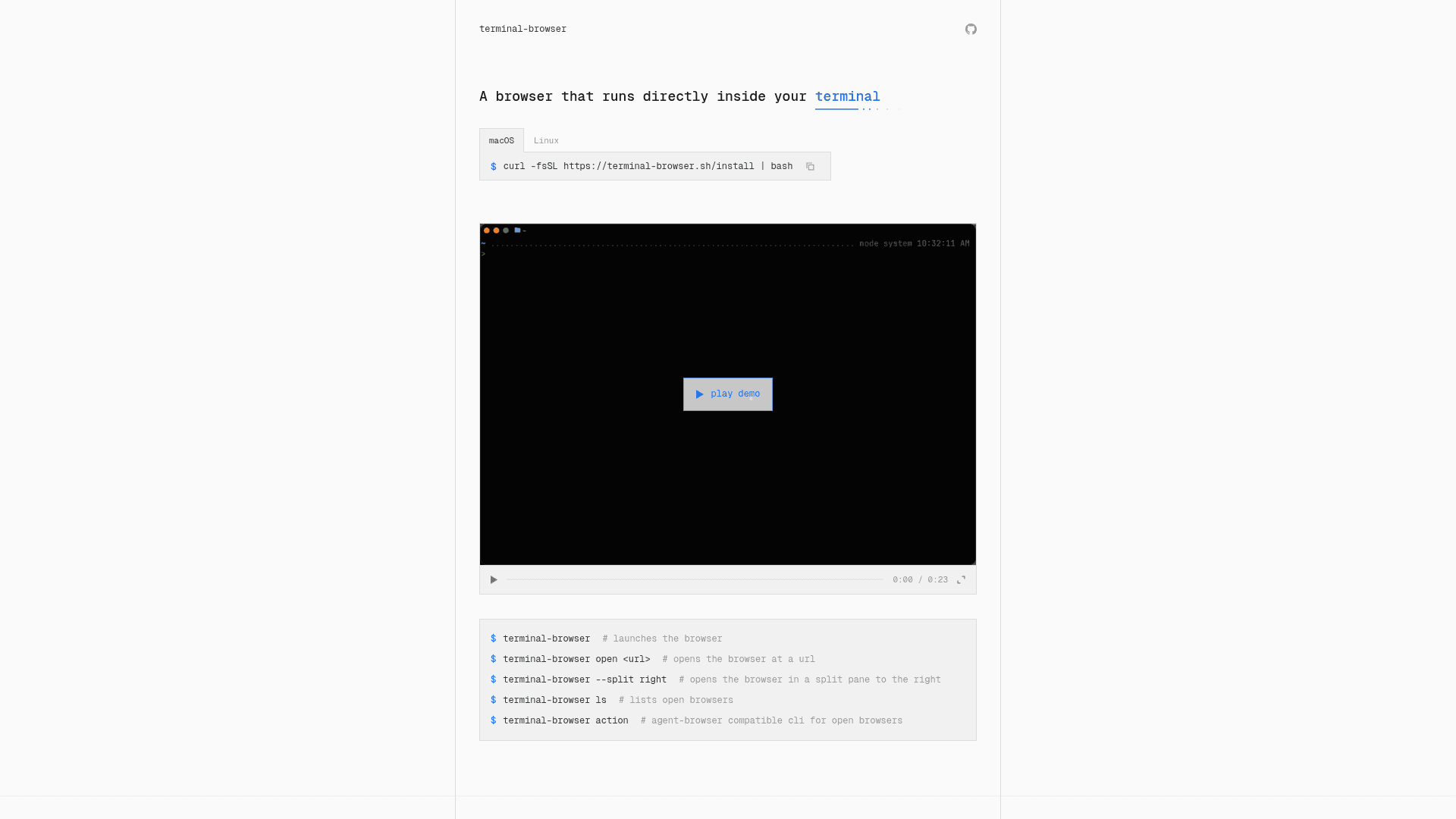
    A real Chromium-based browser that runs directly inside your terminal, with agent-browser integration and SSH support.

    Visit Website

    At a Glance

    Pricing
    Open Source

    Free and open-source, install via curl. No license specified.

    Engagement

    Available On

    macOS
    Linux
    API
    VS Code
    CLI

    Resources

    WebsiteDocsGitHubllms.txt

    Topics

    AI BrowsersBrowser AutomationCommand Line Assistants

    Alternatives

    Lightpanda BrowserAeraFellou
    Developer
    zenbu-labsSan Francisco, CAEst. 2026$500000 raised

    Listed Aug 2026

    About terminal-browser

    terminal-browser is an open-source project by zenbu-labs that embeds a full Chromium-based browser directly inside your terminal using the kitty graphics protocol. It supports macOS and Linux, installs via a single curl command, and is built primarily in Rust with a React-based UI renderer. The project reached v0.3.2 as of July 2026 and has attracted notable GitHub interest since its July 2026 launch.

    What It Is

    terminal-browser is a CLI tool that renders a real browser — powered by Electron's offscreen rendering API — inside any terminal that supports the kitty graphics protocol (Ghostty, Kitty, cmux, WezTerm, and 50+ others). It is not a text-mode browser like Lynx; it renders actual pixels from Chromium directly into the terminal canvas, enabling full web interactivity without leaving the terminal environment.

    How It Works

    The tool uses Electron's offscreen rendering API to read GPU-generated pixels from Chromium and display them via the kitty graphics protocol. User input — mouse clicks, position, keyboard events — is captured from the terminal and forwarded as synthetic events to Chromium. For input events not retrievable from the terminal (e.g., trackpad gestures, smooth scrolling), a background Swift app reads directly from the OS non-intrusively. The outer browser UI is built on a Rust graphics engine with a custom React renderer, and both the UI layer and browser content are drawn to the same shared canvas.

    Agent-Browser Integration

    A standout feature is the built-in agent compatibility. The terminal-browser action CLI command exposes an agent-browser-compatible interface, allowing coding agents (such as Claude Code or similar) to view and control any open browser instance. This enables workflows like:

    • Running a dev server and having an agent interact with it in a split pane
    • Asking an agent to generate an HTML plan and automatically open it side-by-side
    • Letting an agent test checkout flows or other UI interactions autonomously

    SSH and Remote Preview

    terminal-browser works over SSH, allowing developers to preview websites running on remote machines without port forwarding. A remote session can launch terminal-browser open localhost:8080 and the browser renders inline in the SSH terminal session.

    Update: v0.3.2

    The project was created on July 6, 2026 and reached v0.3.2 by July 30, 2026, indicating rapid early iteration. The roadmap lists Linux support (with an open PR), Chrome extensions, and a design mode as upcoming features. Contributing guidelines require human-authored PR descriptions with clearly defined motivation, and the recommended local dev setup path is to ask a coding agent.

    Tradeoffs to Know

    • Requires a terminal with kitty graphics protocol support — standard terminals like Terminal.app or basic SSH clients will not work
    • No OSI license is specified on the repository, which may affect enterprise or redistribution use cases
    • macOS is the primary supported platform; Linux support is in progress via a community PR
    • The project is early-stage (sub-v1.0) with active development and an open issues count of 5
    terminal-browser - 1

    Community Discussions

    Be the first to start a conversation about terminal-browser

    Share your experience with terminal-browser, ask questions, or help others learn from your insights.

    Pricing

    OPEN SOURCE

    Open Source

    Free and open-source, install via curl. No license specified.

    • Full Chromium browser in terminal
    • Agent-browser CLI
    • SSH remote preview
    • Split-pane mode
    • macOS and Linux support

    Capabilities

    Key Features

    • Full Chromium browser rendered inside the terminal
    • Kitty graphics protocol support (Ghostty, Kitty, cmux, WezTerm, 50+ terminals)
    • Agent-browser compatible CLI for coding agent integration
    • Split-pane mode for side-by-side agent and browser view
    • SSH support for remote machine browser preview (no port forwarding needed)
    • Smooth scrolling and trackpad event support via background OS input listener
    • Rust graphics engine with React-based custom UI renderer
    • HTML file preview directly in terminal
    • Open/list/control multiple browser instances via CLI

    Integrations

    Ghostty
    Kitty
    cmux
    WezTerm
    VS Code terminal
    Electron (offscreen rendering)
    Chromium
    SSH
    API Available
    View Docs

    Ratings & Reviews

    No ratings yet

    Be the first to rate terminal-browser and help others make informed decisions.

    Developer

    zenbu-labs

    zenbu-labs builds developer tooling focused on terminal-native workflows. The team created terminal-browser, a Chromium-based browser that runs inside the terminal using the kitty graphics protocol, with deep integration for AI coding agents. The project is written primarily in Rust with a custom React renderer and is actively developed on GitHub.

    Founded 2026
    San Francisco, CA
    $500000 raised
    1 employees
    Read more about zenbu-labs
    WebsiteGitHub
    2 tools in directory

    Similar Tools

    Lightpanda Browser icon

    Lightpanda Browser

    Lightpanda is an open-source headless browser built in Zig, designed for AI agents and browser automation with ultra-low memory usage and fast execution.

    Aera icon

    Aera

    Aera is a desktop browser built for automation that lets you schedule tasks, manage long-running workflows, and connect your tools via MCP without writing code.

    Fellou icon

    Fellou

    An agentic AI browser that automates complex web and desktop workflows, conducts deep multi-source research, and generates traceable reports.

    Browse all tools

    Related Topics

    AI Browsers

    Next-generation web browsers with native AI integration that provide intelligent browsing assistance, context-aware search, automated task completion, and enhanced web interaction through built-in AI agents and capabilities.

    15 tools

    Browser Automation

    AI-powered agents that autonomously navigate and interact with web applications to automate repetitive tasks, extract data, fill forms, and perform web-based workflows using intelligent understanding of page structure and content.

    116 tools

    Command Line Assistants

    AI-powered command-line assistants that help developers navigate, search, and execute terminal commands with intelligent suggestions and context awareness.

    196 tools
    Browse all topics
    Back to all toolsSuggest an edit
    ratings
    discussions