
Geiger
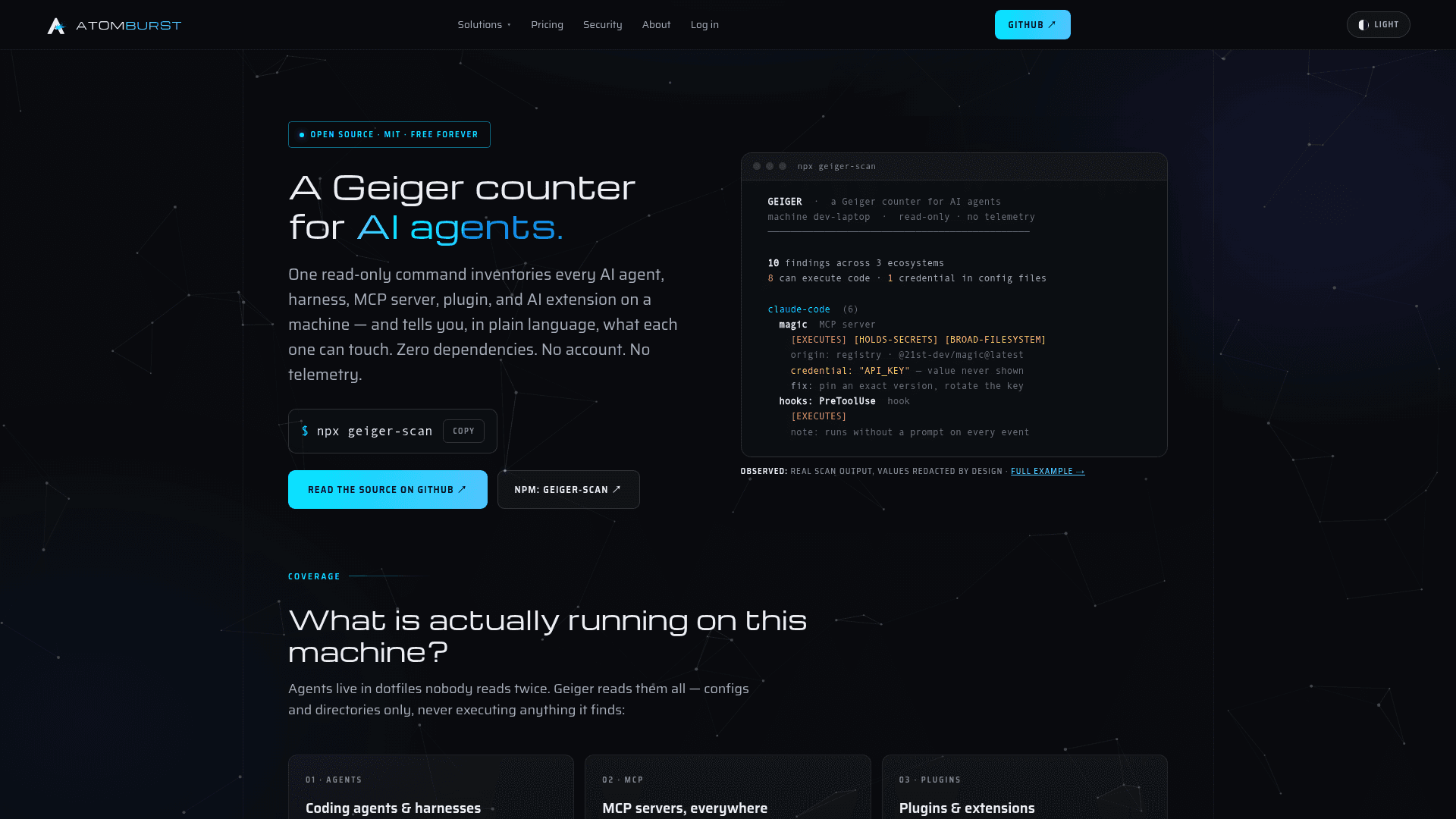
A read-only CLI tool that inventories every AI agent, MCP server, plugin, and browser extension on a machine and reports what each one can access.
At a Glance
Free, open-source AI agent inventory scanner. MIT licensed, zero dependencies, no account required.
Engagement
Available On
Alternatives
Listed Sep 2026
About Geiger
Geiger is an open-source, zero-dependency CLI scanner built by Atomburst that answers one question: what AI agents are running on this machine, and what can they reach? It runs as a single npx geiger-scan command with no install, no account, and no telemetry required. The tool was released under the MIT license and is published on npm with provenance — meaning each release carries a signed link to the exact public commit it was built from.
What It Is
Geiger is an AI agent inventory tool, not a security audit. It reads known configuration files and directories across a machine's installed agents, MCP servers, IDE plugins, and browser extensions, then produces a plain-language report of what it found and what each item can reach. It never executes anything it discovers, and the only write operation it performs is the optional report file you explicitly name. The project describes itself as "the thing you need before any audit means anything."
What It Detects
Geiger covers a wide surface of modern AI tooling across several ecosystems:
- Coding agents & harnesses: Claude Code, Codex CLI, Gemini CLI, Kilo CLI, Grok Build, GitHub Copilot CLI, Aider, Goose, DeepSeek Harness, OpenCode, Qwen Code, Open Interpreter, LM Studio, Ollama, and more — including their hooks, skills, and subagents
- MCP hosts: Claude Desktop, Cursor, Windsurf, VS Code (user and project), Cline, Roo Code, Continue, Zed — global and per-project configs, including wrapped and remote servers
- Editor extensions: AI extensions in VS Code, Cursor, and JetBrains IDEs
- Browser extensions: AI extensions in Chrome, Edge, Brave, and Firefox profiles, with their actual granted permissions
- Global CLIs: Agent packages in global npm roots, read directly without executing npm
Each finding includes origin classification (registry, store, git, local script, remote server, or UNKNOWN-ORIGIN), exposure labels, and the evidence path for manual verification.
Exposure Labels and Reporting
Rather than CVSS scores, Geiger assigns plain-language exposure labels to each finding based on what its configuration position allows:
- EXECUTES — can run commands on the machine
- HOLDS-SECRETS — a credential sits in its config
- BROAD-FILESYSTEM — can read far beyond one project
- BROAD-WEB — sees every site visited
- NETWORK — talks to remote services
- UNKNOWN-ORIGIN — installed from no recognizable source
Credentials found in config files are reported by key name, file, and shape only — the value itself is never printed. A redaction pass runs on all output, and the test suite enforces this behavior. The tool also recognizes policy wrappers (agents that put an enforcement layer in front of MCP servers) and reports both layers.
Output Formats and Fleet Use
Geiger supports three output modes: terminal (default), --html for a self-contained HTML report with per-finding remediation guidance, and --json for a machine-readable output with a versioned, stable schema. The --diff flag compares against an earlier JSON snapshot to surface what appeared, disappeared, or escalated since the baseline. The --strict flag exits with code 2 if anything can execute code or holds secrets, making it suitable for CI integration. For fleet use, the project recommends running --json per machine on a schedule via an RMM task or login script, then using --diff to report per-machine drift.
Update: v0.2.1 — Coverage Expansion
The latest release is v0.2.1, published on September 9, 2026, titled "coverage expansion." The repository was created on September 6, 2026, and last pushed on September 10, 2026, indicating active early development. The project's GitHub topics include ai-agents, mcp, mcp-server, ai-security, ai-governance, and scanner. Atomburst positions Geiger as a permanently free and standalone tool, with policy enforcement across fleets handled by their commercial DomainGuard product.
Requirements and Setup
The only requirement is Node.js 18 or newer. Because Geiger has zero runtime dependencies and no build step, nothing additional is installed when running via npx. It works on Windows, macOS, and Linux. The source code is a few hundred lines of dependency-free JavaScript, and the project states explicitly that what is published is what runs.
Community Discussions
Be the first to start a conversation about Geiger
Share your experience with Geiger, ask questions, or help others learn from your insights.
Pricing
Geiger
Free, open-source AI agent inventory scanner. MIT licensed, zero dependencies, no account required.
- Read-only machine scan
- Inventories AI agents, MCP servers, plugins, and browser extensions
- Plain-language exposure labels
- Credential detection by shape only
- HTML, JSON, and terminal output
Capabilities
Key Features
- Read-only machine scan — never executes discovered agents
- Inventories AI agents, MCP servers, IDE plugins, and browser extensions
- Plain-language exposure labels (EXECUTES, HOLDS-SECRETS, BROAD-FILESYSTEM, BROAD-WEB, NETWORK, UNKNOWN-ORIGIN)
- Credential detection by shape only — values never printed
- Origin classification (registry, store, git, local, remote, UNKNOWN-ORIGIN)
- HTML report with per-finding remediation guidance
- JSON output with versioned, stable schema
- Diff mode (--diff) to compare against a baseline snapshot
- Strict mode (--exit 2) for CI integration
- Fleet-friendly: run per machine, collect JSON, diff over time
- Zero runtime dependencies, no build step
- No telemetry — nothing leaves the machine
- Policy wrapper detection (reports both wrapper and underlying server)
- npm provenance — signed link from npm to exact public commit