
GitHub MCP Server
GitHub's official Model Context Protocol server that connects AI tools directly to GitHub's platform for repository management, issue tracking, PR automation, and CI/CD workflows.
At a Glance
Free to use under the MIT License. Self-host via Docker or build from source.
Engagement
Available On
Alternatives
Listed Aug 2026
About GitHub MCP Server
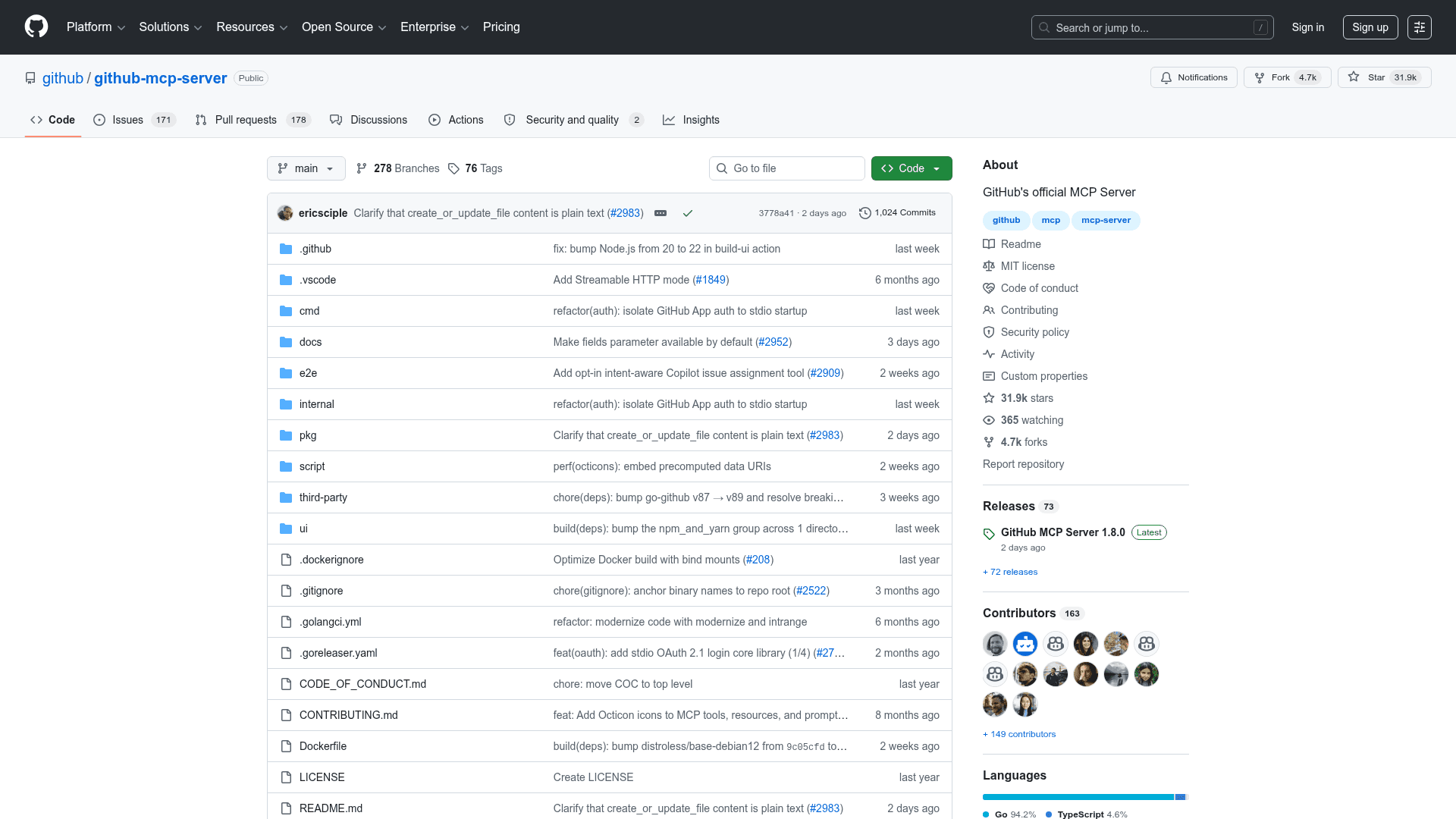
GitHub MCP Server is GitHub's official open-source implementation of the Model Context Protocol (MCP), written in Go and released under the MIT License. It connects AI agents, assistants, and chatbots directly to GitHub's platform, enabling natural language interactions with repositories, issues, pull requests, Actions workflows, and security tooling. The project was created in March 2025 and has accumulated over 31,000 stars on GitHub as of mid-2026.
What It Is
GitHub MCP Server is an MCP server — a standardized bridge that lets AI tools call GitHub APIs through structured tool definitions rather than raw HTTP requests. It exposes GitHub's capabilities as discrete, permission-scoped tools that any MCP-compatible host (VS Code, Claude Desktop, Cursor, Windsurf, JetBrains IDEs, Zed, and others) can invoke. The server is available in two deployment modes: a remote version hosted by GitHub at api.githubcopilot.com/mcp/ (the easiest path for most users), and a local version that runs via Docker or a compiled Go binary for environments that need self-hosted or GitHub Enterprise support.
Toolset Architecture
The server organizes its capabilities into named toolsets that can be selectively enabled or disabled via the --toolsets flag or the GITHUB_TOOLSETS environment variable. This lets users expose only the GitHub surface area their AI tools need, reducing context size and improving tool-choice accuracy for the LLM.
Default toolsets include:
- context — current user profile and GitHub context (strongly recommended)
- repos — repository browsing, file contents, commits, branches, releases
- issues — issue read/write, comments, labels, sub-issues, search
- pull_requests — PR creation, review, merge, diff, check runs
- users — user search
Optional toolsets add: actions, code_security, code_quality, dependabot, discussions, gists, git, labels, notifications, orgs, projects, secret_protection, security_advisories, stargazers, copilot, and more. The remote server additionally exposes copilot_spaces and github_support_docs_search.
Authentication and Deployment
The server supports two authentication methods: OAuth (browser-based, token kept in memory only) and GitHub Personal Access Tokens (PAT) via the GITHUB_PERSONAL_ACCESS_TOKEN environment variable. For the remote server, VS Code 1.101+ supports one-click OAuth installation. For the local Docker image (ghcr.io/github/github-mcp-server), OAuth requires publishing a fixed callback port (127.0.0.1:8085) so the container's login callback is reachable.
GitHub Enterprise Server and GitHub Enterprise Cloud with data residency (ghe.com) are supported via the --gh-host flag or GITHUB_HOST environment variable. Enterprise Server requires the local deployment path; the remote server supports Enterprise Cloud with data residency.
Safety and Control Features
The server includes two notable safety modes:
- Read-only mode (
--read-only/GITHUB_READ_ONLY=1): exposes only read tools, preventing any writes to repositories, issues, or PRs. - Lockdown mode (
--lockdown-mode/GITHUB_LOCKDOWN_MODE=1): limits content surfaced from public repositories to items authored by users with push access, reducing prompt-injection risk from untrusted public content.
Individual tools can also be specified directly via --tools or GITHUB_TOOLS, and an Insiders mode (--insiders) provides early access to experimental features before general availability.
Update: v1.8.0
The latest release is GitHub MCP Server v1.8.0, published July 30, 2026. The repository shows active development with frequent pushes and a growing toolset — recent additions include Copilot issue assignment tools with intent metadata (copilot_issue_intents), Copilot Spaces support, GitHub Projects write operations, discussion management, Gists, and a tool-search CLI subcommand for exploring available tools. The project direction is clearly toward broader GitHub API coverage and tighter integration with GitHub Copilot's agentic capabilities.
Community Discussions
Be the first to start a conversation about GitHub MCP Server
Share your experience with GitHub MCP Server, ask questions, or help others learn from your insights.
Pricing
Open Source
Free to use under the MIT License. Self-host via Docker or build from source.
- Full source code access under MIT License
- Remote server hosted by GitHub at no cost
- Local Docker deployment
- All toolsets and tools included
- OAuth and PAT authentication
Capabilities
Key Features
- Remote and local deployment modes
- OAuth and Personal Access Token authentication
- Modular toolset configuration via --toolsets flag
- Read-only mode for safe AI interactions
- Lockdown mode to restrict public repository content
- Insiders mode for early access to experimental features
- GitHub Enterprise Server and Enterprise Cloud support
- Repository management: browse code, commits, branches, releases
- Issue and pull request creation, update, and management
- GitHub Actions workflow monitoring and triggering
- Code scanning and Dependabot alert access
- Secret scanning alert management
- GitHub Discussions read and write
- GitHub Projects management
- Gists creation and management
- Notification management
- Copilot issue assignment and PR review request
- Tool-search CLI subcommand for exploring available tools
- Individual tool selection via --tools flag
- Docker image available at ghcr.io/github/github-mcp-server