
Glassmail
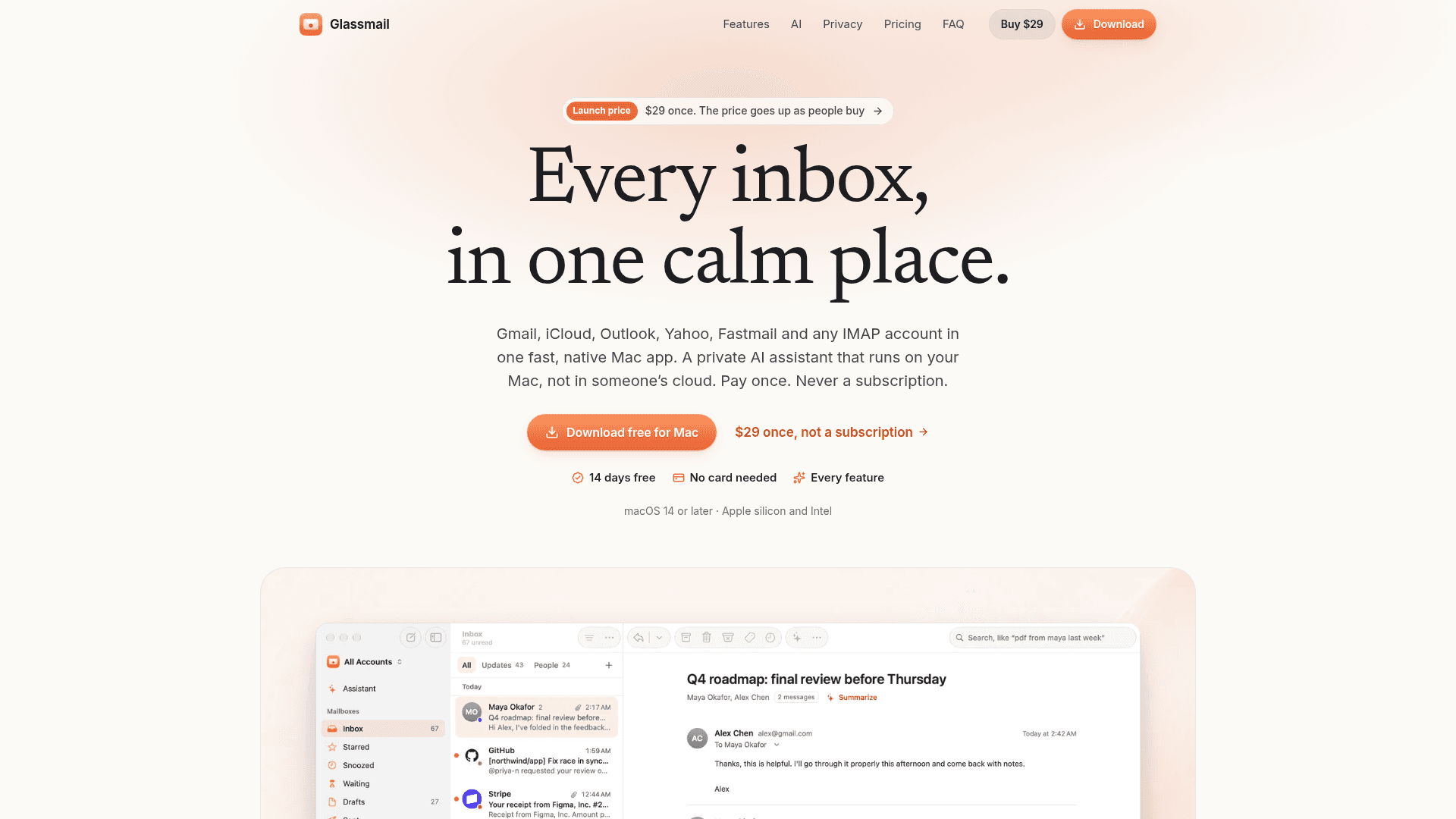
A native Mac email app that combines multiple accounts in one inbox with private on-device AI for summaries, search, and drafting.
At a Glance
Try every feature free for 14 days on your own accounts; after that a licence key is required.
Engagement
Available On
Alternatives
Listed Nov 2026
About Glassmail
Glassmail is a native Mac email client made by independent developer Junaid Shaukat. It brings Gmail, iCloud, Outlook, Yahoo, Fastmail and any IMAP account into one inbox, with an AI assistant that runs on the Mac rather than in a cloud service. It requires macOS 14 or later and runs on Apple silicon and Intel.
What It Is
Glassmail is a desktop email app built in Swift and SwiftUI, with AppKit for the message list. It connects over IMAP and SMTP straight to each provider and keeps a local database with full-text search on the Mac. The site states there is no Glassmail mail server between the user and their provider. Passwords are kept in the macOS Keychain.
On-device AI
The built-in assistant can answer questions about the inbox, summarize threads, and draft replies that follow the user's greeting, length and sign-off learned from sent mail. It uses Apple Intelligence on macOS 26 with Apple silicon, or a downloadable small model (Gemma and Qwen, run with llama.cpp) on other Macs, and works offline. The AI is optional.
Inbox workflow
The inbox is split into People and Updates, and a Today view shows who is waiting on the user. Triage mode presents one conversation at a time with single-key actions. Other features include undo send, send later, snooze, follow-up nudges, one-click unsubscribe, tracking pixel removal, scam warnings, Markdown composing, and workspaces to separate work and personal accounts. Search understands people, files and dates across accounts.
Connecting AI apps
Claude, Claude Code, Codex CLI and Cursor can be connected so they search and read mail on the Mac. Changes require user approval, and these tools can never send or delete mail.
Setup path
Users download a DMG, drag the app to Applications, and add accounts by typing an address; Glassmail detects the provider's servers. Gmail, iCloud, Yahoo and Fastmail need app passwords, while Microsoft accounts sign in with Microsoft. An iPhone app is described as on the way, and the app is in English today.
Community Discussions
Be the first to start a conversation about Glassmail
Share your experience with Glassmail, ask questions, or help others learn from your insights.
Pricing
Free trial
Try every feature free for 14 days on your own accounts; after that a licence key is required.
- Every feature
- 14 days
- No card needed
Glassmail
One-time purchase licence, no subscription. Early price for the next 100 buyers; standard price $49 afterwards.
- Every feature, every account
- All 1.x updates
- Use it on up to 3 Macs
- AI on your Mac, no extra cost
- Founding price $14 for first 15 buyers
- Early price $29 for next 100 buyers
- Standard price $49 after that
Capabilities
Key Features
- Unified inbox for Gmail, iCloud, Outlook, Yahoo, Fastmail and any IMAP account
- On-device AI assistant for inbox questions, thread summaries and drafting
- Replies written in the user's own voice
- Today view of who is waiting on you
- One-key Triage mode
- People and Updates split
- Undo send, send later and snooze
- Follow-up reminders
- One-click unsubscribe
- Tracking pixel removal
- Scam warnings
- Natural-language search across accounts
- Offline use
- Workspaces for work and personal accounts
- Five themes
- New-mail panel under the notch
- Markdown composing
- Save as PDF and print
- Encrypted backup to move to a new Mac
- Claude, Codex and Cursor access to mail with approval prompts