
gtree
A native macOS app that shows which Claude Code and Codex agents are working or waiting, and doubles as a Git client.
At a Glance
Free for individuals; everything that runs on your Mac is free forever with no feature limits.
Engagement
Available On
Listed Nov 2026
About gtree
gtree is a native macOS desktop app from DobbyLab for people who code with AI agents. It monitors Claude Code and Codex sessions across projects and worktrees, shows which agents are working or waiting, and which files they touched. The site lists version 0.4.2 for Apple Silicon Macs, and states that gtree never uploads your code.
What It Is
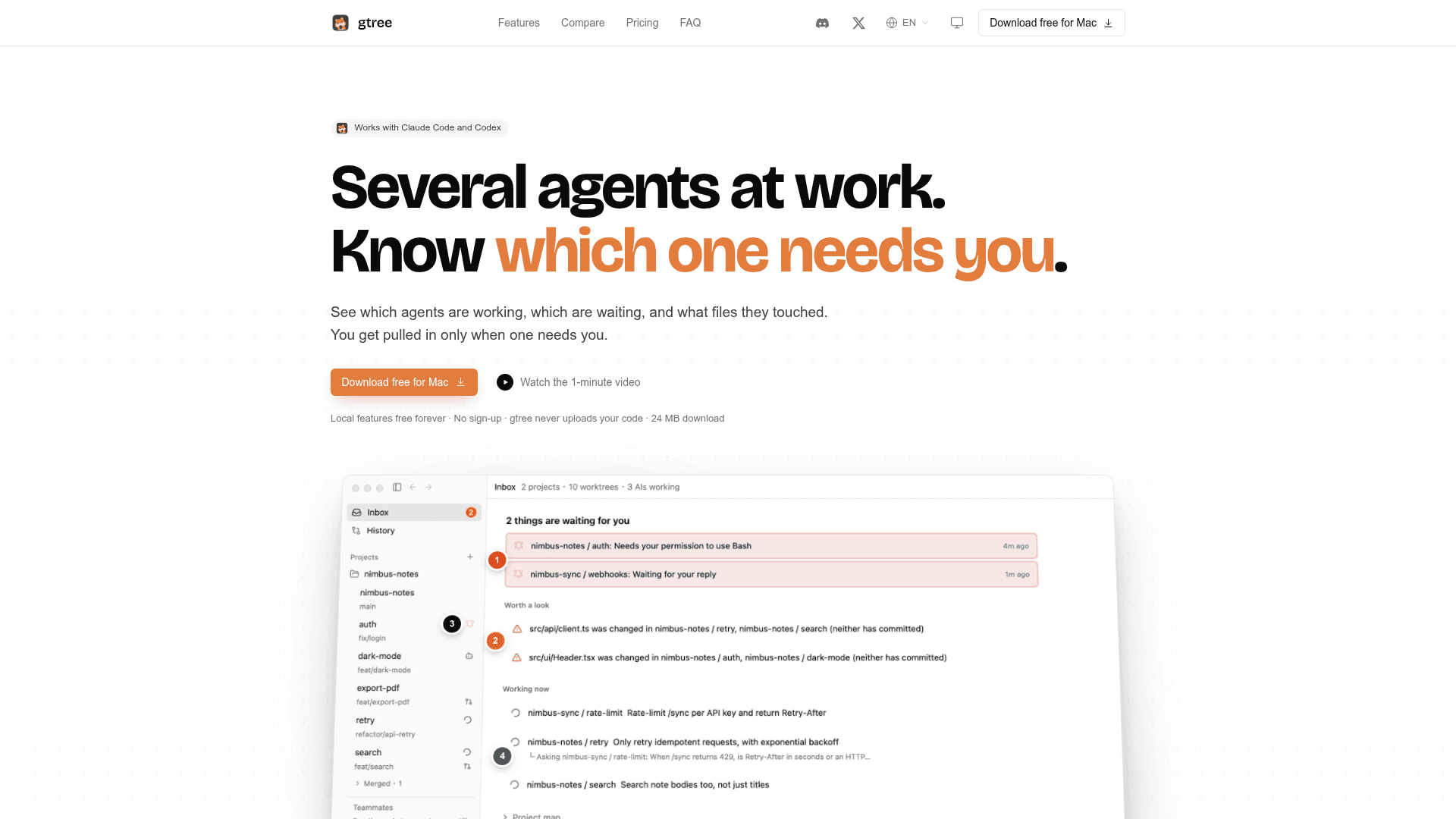
gtree is a desktop control surface for running several coding agents at once. Instead of tabbing through terminals, it keeps a single Inbox of everything waiting on you, such as permission requests or questions. The terminals still run claude or codex themselves. It also includes a full Git client for pushing, pulling, rebasing, opening PRs/MRs, browsing history and comparing branches.
How the multi-agent workflow works
- Agents in the same worktree can see what the others are changing and coordinate before touching the same file.
- When two worktrees change the same file, the sidebar shows a marker and lets you compare them.
- Notifications fire only when an agent needs a permission or an answer, and clicking one opens that session.
- Every AI turn is kept, so you can restore to a previous turn in one click.
- An agent in one project can ask the agent in another project a question. This and continuing old conversations are Claude Code only for now.
iOS Simulator and Git tooling
On macOS with Xcode installed, agents can drive the iOS Simulator while you watch, and you can take over by clicking the phone screen. The Git client has a start page that suggests next steps (push, rebase, create MR), a lane-graph history with AI turns layered in, and comparison of any two branches or commits.
Setup path
Install with a one-line shell command or download a .zip, then connect Claude Code or Codex on first launch. Updates are applied from the sidebar. Only an Apple Silicon macOS build exists now; Intel Mac, Windows and Linux are planned without dates. A Team plan with teammate sync is in development.
Community Discussions
Be the first to start a conversation about gtree
Share your experience with gtree, ask questions, or help others learn from your insights.
Pricing
Personal
Free for individuals; everything that runs on your Mac is free forever with no feature limits.
- No sign-up
- gtree never uploads your code
- Full Git client
- Teammates is optional
- macOS Apple Silicon
Capabilities
Key Features
- Inbox of agents waiting on permissions or answers across projects
- Agent-to-agent coordination on shared files
- Same-file conflict flag across worktrees
- Restore to any AI turn
- Cross-project agent questions
- iOS Simulator control with user takeover
- Built-in Git client with PR/MR actions, history graph and branch comparison
- Optional Teammates view of unpushed changes
- Native 24 MB app
- Local operation without code upload