
HexoKit
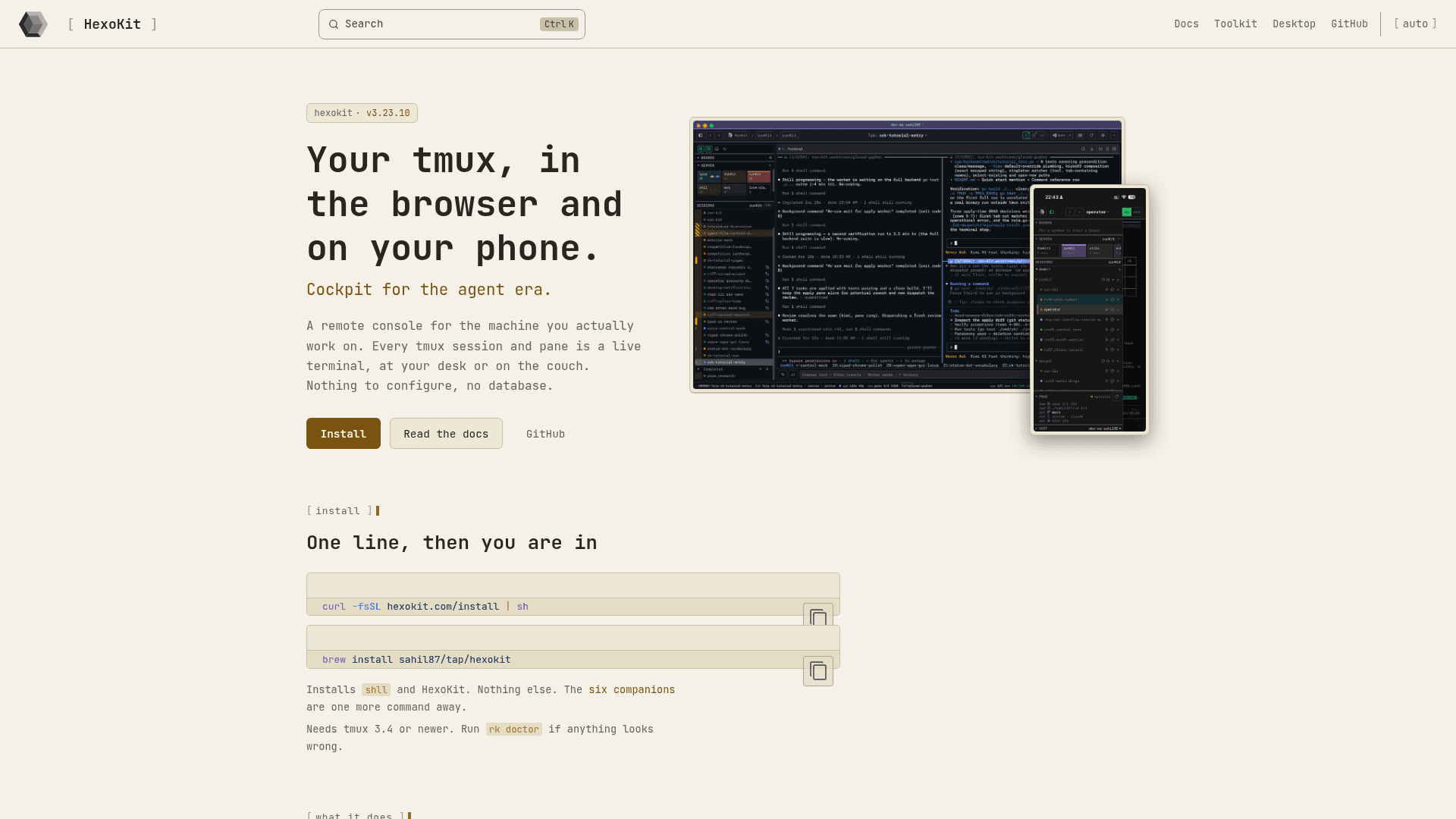
A remote, phone-first web console that exposes every tmux session and pane as a live terminal in the browser.
At a Glance
HexoKit core is MIT licensed and free to use, modify and distribute; self-hosted via CLI install.
Engagement
Available On
Alternatives
Listed Nov 2026
About HexoKit
HexoKit is an MIT-licensed remote console for the machine you actually work on, made by Sahil Ahuja. It presents every tmux session and pane as a live terminal in a browser sidebar, on desktop or phone, with no database and state read straight from tmux.
What It Is
HexoKit is a terminal-native web console for tmux. It never wraps what runs in a pane, so a pane can be an AI coding agent, a build, a REPL, an ssh session or a dev server. The project describes itself as agent-agnostic: it does not parse any agent's output or speak any agent's protocol. It requires tmux 3.4 or newer and installs the hexokit command, with rk as an interchangeable short name.
Spawning and Watching Parallel Agents
Two halves compose but can run independently. rk riff creates a git worktree, opens a tmux window in it and launches an agent or any command; rk riff -N 3 spawns three workspaces in parallel. rk serve runs the browser dashboard that watches tmux. Boards let you pin panes from any server and view them side by side. Status dots show per-window journey and liveness, and agent hooks for tools such as Claude Code, Codex, Gemini CLI and GitHub Copilot CLI can report active, waiting or idle state after a one-time setup.
Operator, Scheduling and Extras
rk cron schedules agent prompts and rk operator opens a coordinating agent that watches the fleet and escalates to your phone. rk notify sends Web Push notifications. Windows can also hold an editor (rk code), a web tile (rk present) or the host's desktop (rk gui). An MCP server over stdio is available through rk mcp.
Access and Desktop App
The dashboard runs on port 6123 by default and can be reached from a phone over HTTPS via Tailscale. A native Electron desktop app for macOS and Linux installs with rk desktop install and can connect to the local machine, over SSH, or to a URL. It companions a toolkit of related tools such as wt, fab-kit and tu installed through shll.
Community Discussions
Be the first to start a conversation about HexoKit
Share your experience with HexoKit, ask questions, or help others learn from your insights.
Pricing
Open Source (MIT)
HexoKit core is MIT licensed and free to use, modify and distribute; self-hosted via CLI install.
- MIT licensed core
- Self-hosted remote console for tmux
- No database
- Desktop app installable via rk desktop install
- Requires tmux 3.4 or newer
Capabilities
Key Features
- Live browser terminal for every tmux session and pane
- Phone-friendly interface with on-screen key bar
- rk riff spawns agent workspaces in git worktrees, including parallel runs
- Boards pin panes from multiple servers side by side
- Status dots and agent state (active, waiting, idle)
- Operator agent and rk cron scheduled prompts
- Web Push notifications via rk notify
- Code editor, web tile and host desktop (GUI) tiles
- Cmd+K command palette
- Electron desktop app for macOS and Linux
- MCP server over stdio via rk mcp
- Remote SSH hosts via rk remote