
Highlight AI
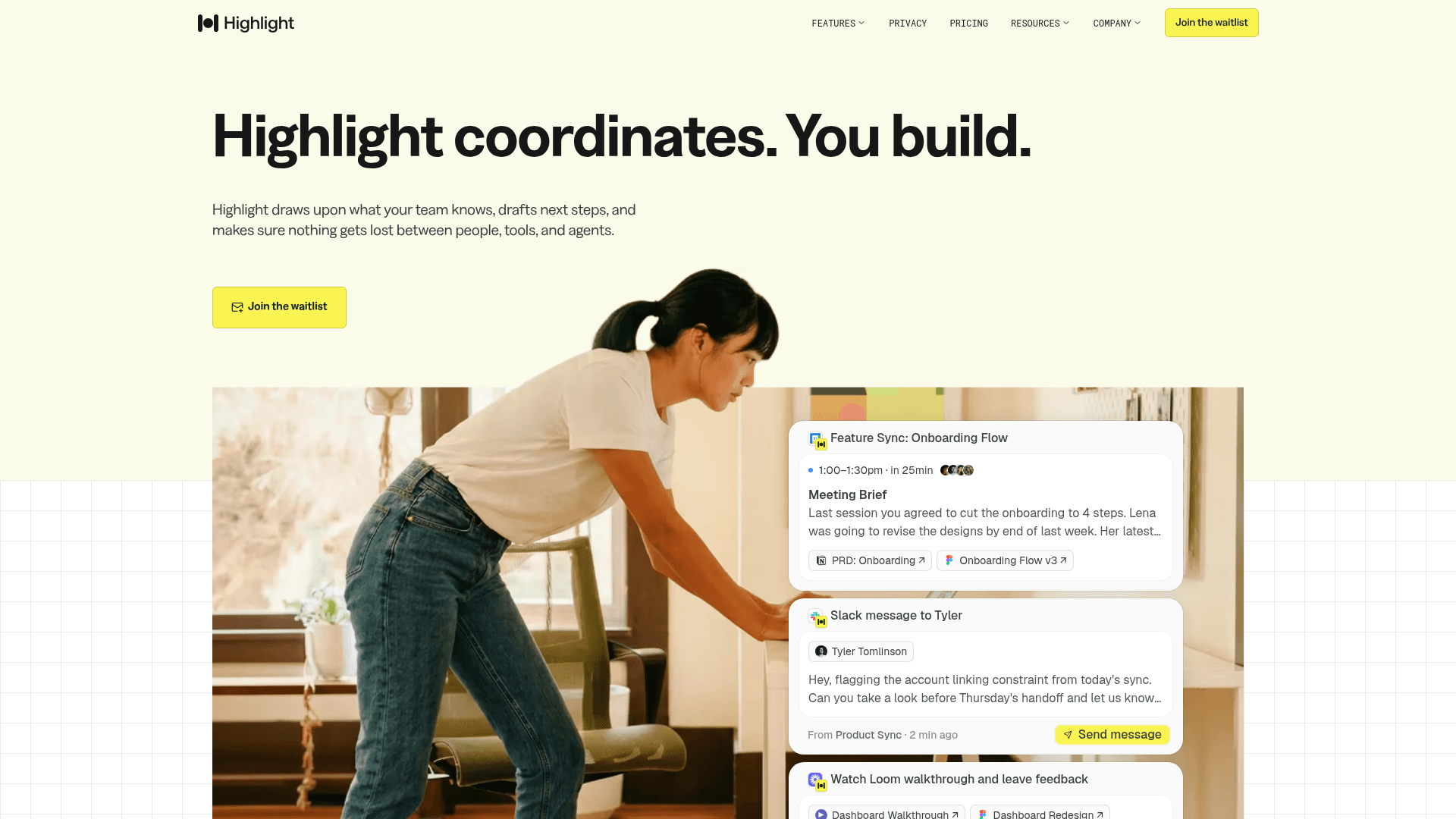
Highlight is an AI coordination layer that captures commitments and decisions across meetings, messages, and docs, then automatically drafts next steps and keeps teams aligned.
At a Glance
About Highlight AI
Highlight is an AI-powered team coordination tool built by a San Francisco-based team with backgrounds at Discord, Medal.tv, and Meta. It captures decisions and commitments as they happen across meetings, messages, and documents, weaves them into a shared team memory, and automatically drafts next steps — from Linear tickets to Slack messages to Notion pages. The product is currently available as "Highlight for Individuals" (a personal assistant) while a Teams version is on a waitlist.
What It Is
Highlight sits in the coordination layer between people and tools, not just inside a single app. It works by listening to and reading across the inputs a team already uses — video calls, audio, Slack, email, Notion docs — and building a persistent shared memory from what it captures. When a meeting ends or a commitment is made, Highlight surfaces what needs to happen next and stages those actions for human review before they go out.
How the Three-Step Workflow Operates
Highlight's core loop has three stages the product page describes as Capture, Connect, and Act:
- Capture: Every commitment and decision is caught as it happens, not just in meetings but also across messages and docs.
- Connect: Captured context is woven into a shared memory the whole team can draw on, reducing "I thought someone else had that" moments.
- Act: Highlight identifies what needs to happen next, drafts next steps, sets reminders, and stages outputs for review.
This means after a meeting ends, Highlight can have Linear tickets, Slack messages, emails, Notion docs, and calendar invites already drafted before a user closes their laptop.
Key Features
- Actions: Automatically drafts post-meeting outputs — tickets, messages, docs, emails — for one-click review and approval.
- Reminders: Tracks verbal and written commitments from calls, emails, and messages, and sets reminders before anything slips.
- Skills: Lets teams define recurring workflow triggers; Highlight then runs the full sequence and stages every output automatically.
- Collaboration: Surfaces institutional knowledge — decisions, context, rationale — that is normally never written down, making it accessible to the whole team.
Integrations and Platform Reach
Highlight connects to the tools teams already use. Explicitly listed integrations include Google Calendar, GitHub, Notion, Gmail, Slack, Linear, Loom, Figma, and Amplitude. The product ingests video call audio, uploaded documents, Slack threads, and email to build its shared memory layer.
Audience and Use Cases
The product page positions Highlight for cross-functional teams rather than a single role. Specific use cases described include:
- Product managers: Sprint planning ends with Linear tickets, Slack summaries, and Notion decision logs already drafted.
- Engineers: Can answer "why did we choose X?" questions from planning calls months earlier.
- Designers: Get notified about scope changes from meetings they weren't in.
- Recruiters: Have ATS updates, hiring manager flags, and follow-up scheduling handled after every candidate screening.
Current Status
As of the available sources, Highlight for Individuals (the personal assistant) is live and downloadable. A Teams version — described as "the new Highlight" and "where we're headed" — is on a waitlist. The company has raised $40M in Series A funding, according to the About page, with backers including venture firms and founders from companies such as Ramp, Decagon, and Eight Sleep.
Community Discussions
Be the first to start a conversation about Highlight AI
Share your experience with Highlight AI, ask questions, or help others learn from your insights.
Pricing
Free
Personal assistant plan with unlimited chats using auto-selected base models.
- AI assistance for everyday tasks
- Unlimited chats with auto-selected base models
- Local audio transcription for meeting notes and voice mode
- Daily Briefs & Summaries
- All Integrations
Pro
Personal assistant plan with premium AI models, cloud transcription, and credits.
- Everything in the Free plan
- 2,000 credits per month included
- Premium and Flagship AI Models
- Instant action items from meetings and screen context
- Real-time cloud transcription
- Enhanced meeting notes and summaries
- Bring your own API keys
- Premium Support
Teams
Team coordination plan with agentic chat, team context, and tailored credit allocation. Coming soon — join the waitlist.
- Everything in the Pro Plan
- Pre-Meeting briefs
- Reminders instantly captured
- Follow-ups drafted automatically
- Skills built for you based on how you work
- Agentic chat
- Team context
- Dedicated support
Capabilities
Key Features
- Automatic action item drafting after meetings
- Commitment and reminder tracking across calls, messages, and docs
- Shared team memory from meetings, Slack, email, and documents
- Skills: define recurring workflow triggers for automated sequences
- Pre-meeting briefs
- Local audio transcription for meeting notes and voice mode
- Real-time cloud transcription (Pro)
- Daily Briefs & Summaries
- Bring your own API keys (Pro)
- Agentic chat (Teams)
- Team context layer (Teams)