
Main Menu
  • Tools
  • Developers
  • Topics
  • Discussions
  • News
  • Blogs
  • Builds
  • Contests
Create
Sign In
    EveryDev.ai
    Sign inSubscribe
    Home
    Tools

    1,678+ AI tools

    • New
    • Trending
    • Featured
    • Compare
    Categories
    • Agents852
    • Coding826
    • Infrastructure375
    • Marketing347
    • Design291
    • Research273
    • Projects263
    • Analytics258
    • Integration156
    • Testing156
    • Data148
    • Security128
    • Learning124
    • MCP124
    • Extensions107
    • Communication102
    • Prompts90
    • Commerce86
    • Voice83
    • Web66
    • DevOps57
    • Finance17
    Sign In
    1. Home
    2. Tools
    3. Horizon
    Horizon icon

    Horizon

    Development Environments

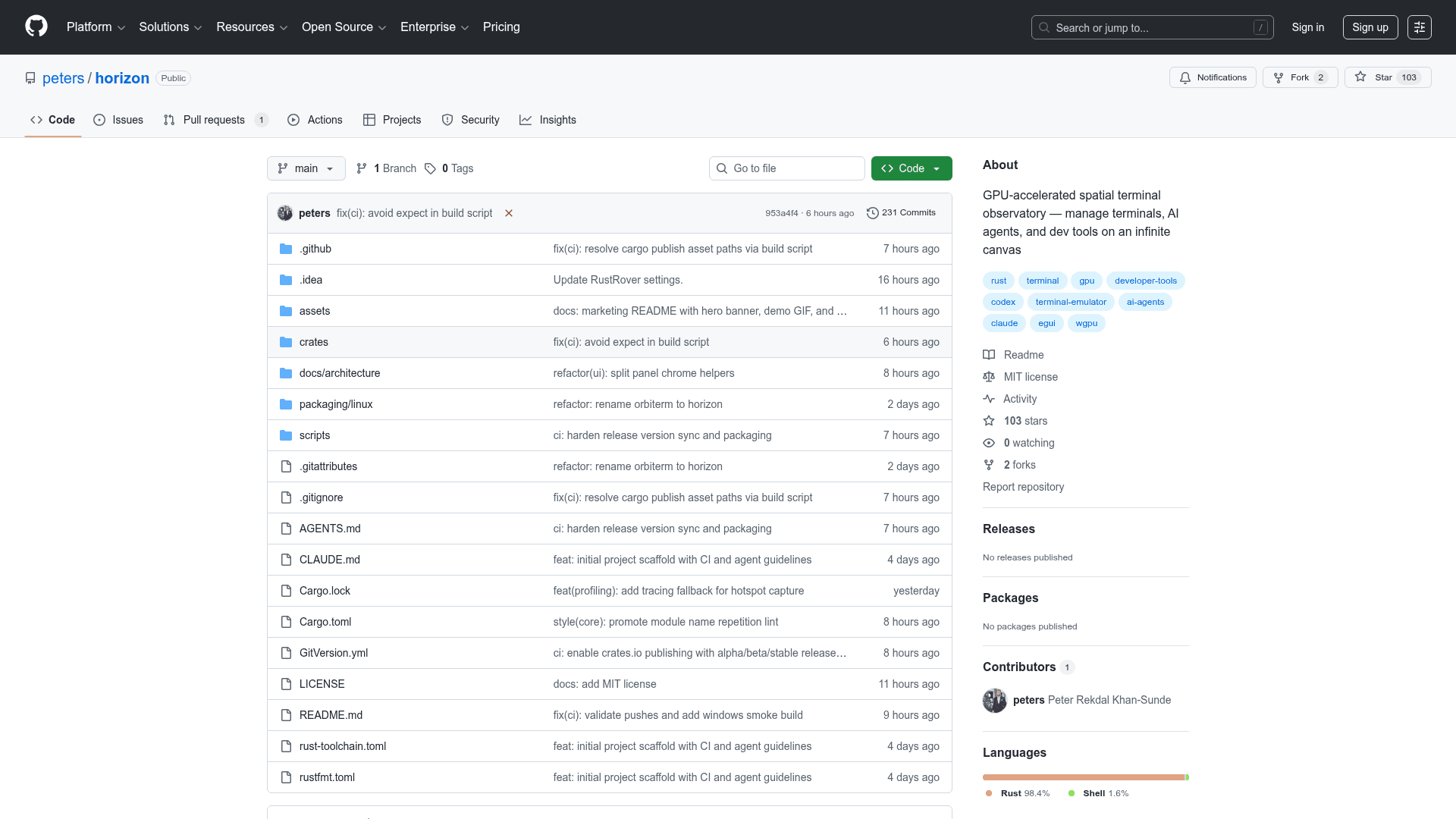
    GPU-accelerated spatial terminal that places all your sessions on an infinite canvas with built-in AI agent panels, git integration, and workspace management.

    Visit Website

    At a Glance

    Pricing

    Open Source

    Full access to all features under MIT license.

    Engagement

    Available On

    Windows
    macOS
    Linux

    Resources

    WebsiteDocsGitHubllms.txt

    Topics

    Development EnvironmentsCommand Line AssistantsAgent Harness

    Alternatives

    muxGhosttycmux

    Developer

    Peter Rekdal Khan-SundeSoftware developer based in Norway. Contributor to open-sour…

    Listed Mar 2026

    About Horizon

    Horizon is a GPU-accelerated terminal board built in Rust that organizes terminal sessions on an infinite 2D canvas. Instead of tabs or tiled layouts, every terminal lives as a panel that can be placed, resized, and grouped freely across the workspace surface.

    The core rendering engine combines eframe/egui for the immediate-mode UI with wgpu for GPU-accelerated graphics across Vulkan, Metal, DX12, and OpenGL backends. Terminal emulation is powered by the Alacritty terminal engine, providing 24-bit color, mouse reporting, scrollback, alt-screen support, and Kitty keyboard protocol compatibility.

    Horizon supports multiple color-coded workspaces to separate different contexts like frontend, backend, and monitoring. Each workspace can auto-arrange its panels using five layout modes: rows, columns, grid, stack, and cascade. A minimap in the corner provides spatial orientation and click-to-jump navigation across the canvas.

    AI agent integration is a first-class feature. Horizon includes dedicated panel types for Claude Code and Codex sessions that persist and auto-resume between application restarts. A live usage dashboard tracks token spend across all active agent sessions, giving developers visibility into their AI tool consumption.

    The built-in git status panel watches repositories in the background, displaying changed files, inline diffs, and hunk-level detail without requiring context switches to a separate tool. Smart detection features let users Ctrl+click URLs to open them in a browser or hover file paths to jump directly to them.

    Configuration is handled through a YAML file at ~/.horizon/config.yaml, where users define workspaces, panel presets, and feature flags. A live settings editor accessible via Ctrl+, provides YAML syntax highlighting and instant preview, applying changes to the canvas in real time.

    Session persistence ensures that workspaces, panel positions, scroll positions, and terminal history are restored exactly as they were when the application was last closed. The application ships as a standalone binary for Linux x64, macOS arm64 and x64, and Windows x64, with no external dependencies required. It can also be built from source using Rust 1.85 or later.

    Horizon uses SQLite for local state management, supports Wayland and X11 on Linux, and includes a profiling build profile for performance analysis. The project is licensed under MIT and hosted on GitHub with an active CI pipeline.
    Horizon - 1

    Community Discussions

    Be the first to start a conversation about Horizon

    Share your experience with Horizon, ask questions, or help others learn from your insights.

    Pricing

    OPEN SOURCE

    Open Source

    Full access to all features under MIT license.

    • Infinite canvas terminal management
    • GPU-accelerated rendering
    • AI agent panels (Claude Code, Codex)
    • Git integration panel
    • Session persistence
    View official pricing

    Capabilities

    Key Features

    • Infinite 2D canvas for placing and organizing terminal panels
    • GPU-accelerated rendering via wgpu (Vulkan, Metal, DX12, OpenGL)
    • Full terminal emulation powered by Alacritty engine with 24-bit color and Kitty keyboard protocol
    • Color-coded workspaces with five auto-arrange layout modes
    • Minimap navigation with click-to-jump across the canvas
    • First-class Claude Code and Codex AI agent panel integration
    • Live token usage dashboard for AI agent sessions
    • Built-in git status panel with inline diffs and hunk-level detail
    • Smart URL and file path detection with Ctrl+click navigation
    • Live YAML settings editor with syntax highlighting and instant preview
    • Full session persistence including panel positions and terminal history
    • Standalone binary distribution with no external dependencies

    Integrations

    Claude Code
    Codex
    Git
    Alacritty Terminal

    Reviews & Ratings

    No ratings yet

    Be the first to rate Horizon and help others make informed decisions.

    Developer

    Peter Rekdal Khan-Sunde

    Software developer based in Norway. Contributor to open-source projects including OpenCV. Works with Finter Mobility AS and maintains Horizon, a GPU-accelerated spatial terminal, and Surge, an automatic update system for applications.

    Read more about Peter Rekdal Khan-Sunde
    GitHub
    1 tool in directory

    Similar Tools

    mux icon

    mux

    Mux is an open-source tool for running parallel coding agents, each with its own isolated workspace, accessible from your browser or desktop.

    Ghostty icon

    Ghostty

    Ghostty is a fast, feature-rich, and cross-platform terminal emulator that uses platform-native UI and GPU acceleration.

    cmux icon

    cmux

    A native macOS terminal app built for coding agents, featuring vertical tabs, notification rings, split panes, an in-app browser, and a socket API for automation.

    Browse all tools

    Related Topics

    Development Environments

    AI-enhanced code editors and IDEs that improve the coding experience.

    108 tools

    Command Line Assistants

    AI-powered command-line assistants that help developers navigate, search, and execute terminal commands with intelligent suggestions and context awareness.

    89 tools

    Agent Harness

    Infrastructure, orchestrators, and task runners that wrap around LLM coding agents — covering session management, context delivery, worktree isolation, architecture enforcement, and issue-to-PR pipelines.

    28 tools
    Browse all topics
    Back to all tools
    Explore AI Tools
    • AI Coding Assistants
    • Agent Frameworks
    • MCP Servers
    • AI Prompt Tools
    • Vibe Coding Tools
    • AI Design Tools
    • AI Database Tools
    • AI Website Builders
    • AI Testing Tools
    • LLM Evaluations
    Follow Us
    • X / Twitter
    • LinkedIn
    • Reddit
    • Discord
    • Threads
    • Bluesky
    • Mastodon
    • YouTube
    • GitHub
    • Instagram
    Get Started
    • About
    • Editorial Standards
    • Corrections & Disclosures
    • Community Guidelines
    • Advertise
    • Contact Us
    • Newsletter
    • Submit a Tool
    • Start a Discussion
    • Write A Blog
    • Share A Build
    • Terms of Service
    • Privacy Policy
    Explore with AI
    • ChatGPT
    • Gemini
    • Claude
    • Grok
    • Perplexity
    Agent Experience
    • llms.txt
    Theme
    With AI, Everyone is a Dev. EveryDev.ai © 2026
    Sign in