
cmux
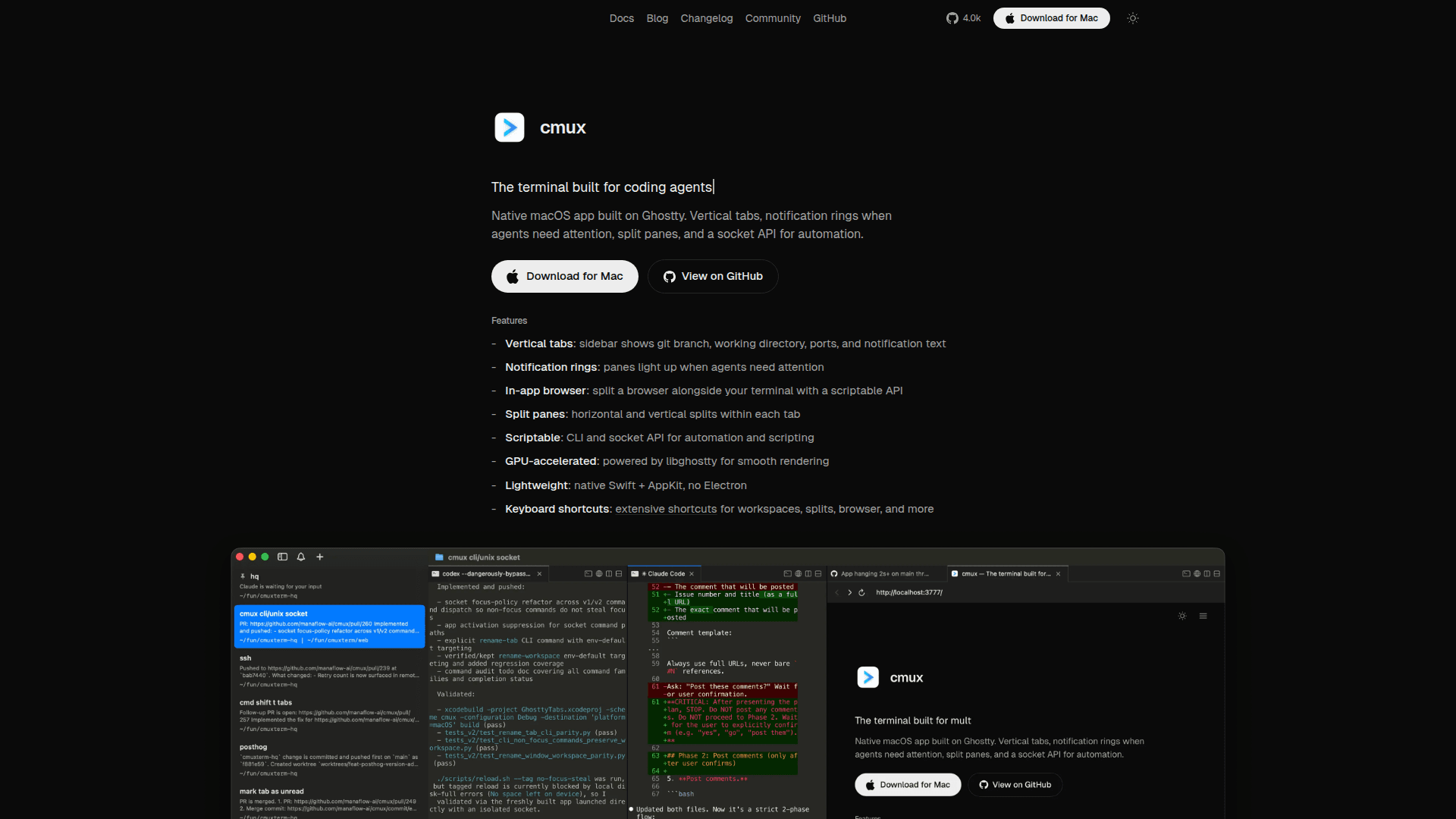
A native macOS terminal app built for coding agents, featuring vertical tabs, notification rings, split panes, an in-app browser, and a socket API for automation.
At a Glance
cmux is free to use with full features. Source code available on GitHub.
Engagement
Available On
Alternatives
Listed Mar 2026
About cmux
cmux is a native macOS terminal application purpose-built for agentic coding workflows. Built on libghostty for GPU-accelerated rendering, it combines vertical tabs, split panes, and an embedded scriptable browser into a lightweight Swift + AppKit app with no Electron overhead. It works with any terminal-based coding agent—Claude Code, Codex, Gemini CLI, Aider, Goose, Cline, Cursor Agent, and more—right out of the box.
- Vertical tabs: Sidebar displays git branch, working directory, open ports, and notification text for each session, making it easy to manage multiple agent tasks simultaneously.
- Notification rings: Panes visually light up and show unread badges when agents need attention, triggered via standard terminal escape sequences (OSC 9/99/777) or the cmux CLI and Claude Code hooks.
- In-app browser: Split a browser panel alongside your terminal with a scriptable API, keeping documentation and pull requests visible without leaving the app.
- Split panes: Supports horizontal and vertical splits within each tab for flexible workspace layouts.
- Scriptable CLI & socket API: Automate and script terminal sessions programmatically, enabling advanced agentic workflows and integrations.
- GPU-accelerated rendering: Powered by libghostty for smooth, high-performance terminal rendering.
- Lightweight native app: Built with Swift + AppKit—no Electron—for minimal resource usage and fast startup.
- Extensive keyboard shortcuts: Customizable shortcuts for workspaces, splits, browser, and notifications; terminal keybindings read from your Ghostty config file.
- Universal agent compatibility: Any agent that runs in a terminal works immediately—no special configuration required.
- Free and open source: The full source code is available on GitHub under the manaflow-ai organization.
Community Discussions
Be the first to start a conversation about cmux
Share your experience with cmux, ask questions, or help others learn from your insights.
Pricing
Free
cmux is free to use with full features. Source code available on GitHub.
- Vertical tabs with git branch and working directory info
- Notification rings and unread badges
- In-app scriptable browser
- Split panes (horizontal and vertical)
- CLI and socket API for automation
Capabilities
Key Features
- Vertical tabs with git branch and working directory info
- Notification rings and unread badges for agent attention
- In-app scriptable browser panel
- Horizontal and vertical split panes
- CLI and socket API for automation
- GPU-accelerated rendering via libghostty
- Native Swift + AppKit (no Electron)
- Customizable keyboard shortcuts
- macOS desktop notifications
- Claude Code hooks integration
- OSC 9/99/777 escape sequence support