
Human Behavior
Session replay, error tracking, and AI agents that watch your users so you don't have to — all from a single SDK.
At a Glance
Get started with session replay, issues, and agents at no cost.
Engagement
Available On
Alternatives
Listed Aug 2026
About Human Behavior
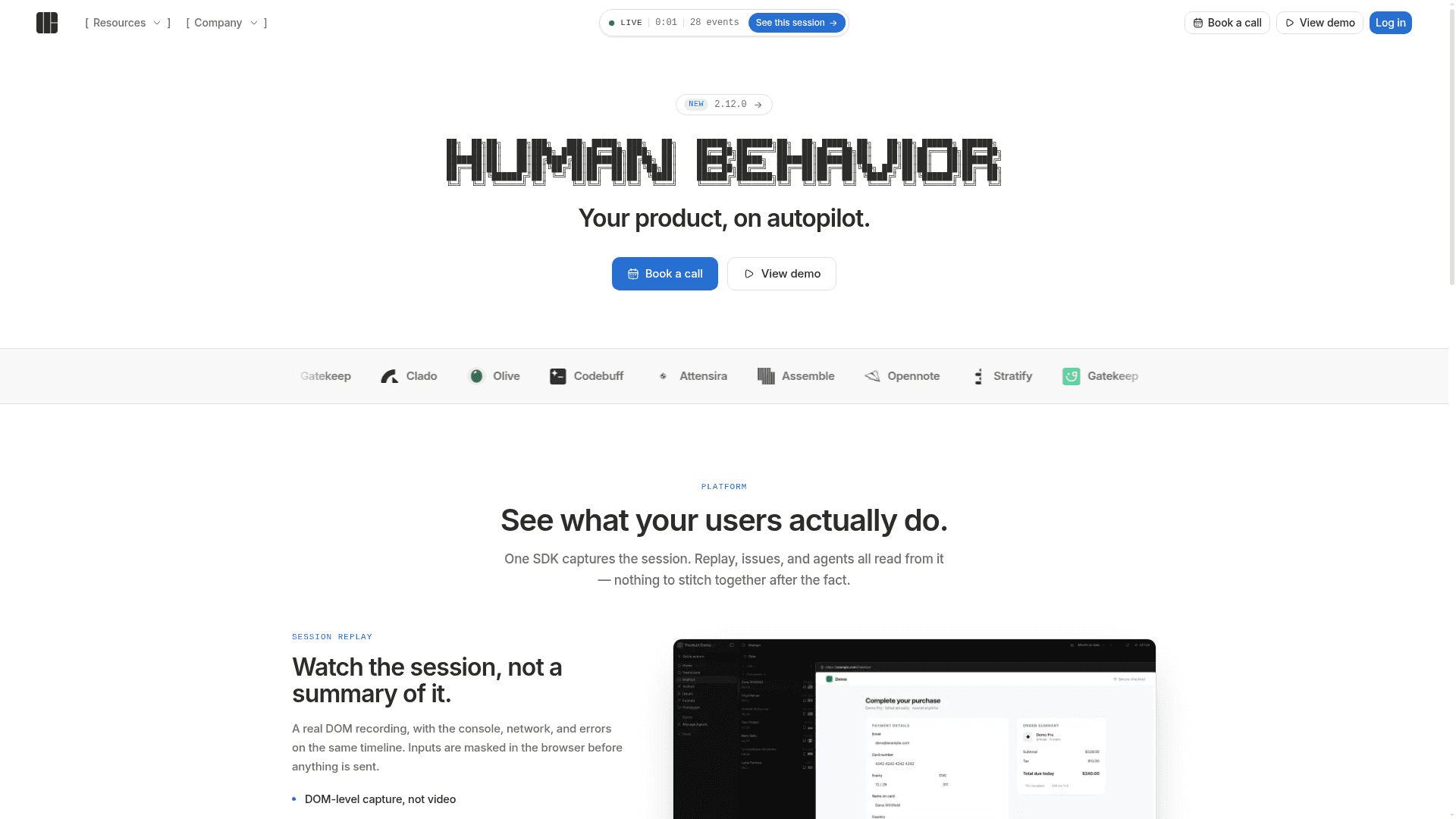
Human Behavior is a user-session intelligence platform that combines DOM-level session replay, error tracking, and AI agents in a single SDK. It targets product and engineering teams who want to understand what users actually do in their app without stitching together data from multiple tools. The platform is actively used by companies including Clado, Olive, Codebuff, Attensira, Assemble, Opennote, Stratify, and Gatekeep, as listed on the homepage.
What It Is
Human Behavior is a web observability platform built around one core idea: one SDK captures everything, and replay, issues, and agents all read from the same data. Rather than recording a video of the screen, it captures the live DOM, so teams can scrub through an exact reconstruction of what the user saw. Console logs, network requests, and JavaScript errors all appear on the same timeline as the session, eliminating the need to cross-reference separate tools.
Session Replay Architecture
The replay engine records at the DOM level rather than as a video file. According to the product page, inputs are masked in the browser before any data is sent, which keeps sensitive user data from leaving the client in plaintext. Key capabilities listed on the site include:
- DOM-level capture, not video
- Console and network events on one shared timeline
- Direct jump to any moment in the session
Error Tracking with Built-In Context
Every exception captured by Human Behavior is fingerprinted and grouped automatically. Unlike standalone error trackers that require a separate lookup to find the relevant session, Human Behavior attaches a full session replay to every issue. The site describes source-mapped stack traces and breadcrumb trails that show the sequence of events leading up to a crash — all without opening a second tool or searching for a session ID.
AI Agents for Unattended Session Analysis
The agents feature is the platform's most distinctive angle. Teams can describe a job in plain language — for example, "find sessions where users hit a checkout error" — and an agent runs on a schedule, reading stacks, breadcrumbs, and recordings autonomously. Findings are cited to a specific moment in the recording and delivered to external tools (such as Slack) rather than requiring a dashboard visit. The homepage quotes Bardia Safari, CEO of Olive (YC W25), saying: "I don't open a dashboard anymore — Human Behavior agents catch bugs and ping me in Slack before users even complain."
Who It Is For
Human Behavior is positioned for early-stage and growth-stage product teams that ship fast and cannot afford to spend hours manually watching session replays. The homepage quotes Tom Zheng, Founder of Clado (YC X25), attributing roughly one-third of all features shipped since launch to insights from Human Behavior, and citing hundreds of hours saved on manual replay review. The platform also sends customers daily summary emails covering feature usage, bugs, and churn signals, as noted by a TechCrunch reporter quoted on the homepage.
Community Discussions
Be the first to start a conversation about Human Behavior
Share your experience with Human Behavior, ask questions, or help others learn from your insights.
Pricing
Free
Get started with session replay, issues, and agents at no cost.
- Session replay
- Error tracking
- AI agents
Pro
For growing teams that need more sessions and advanced features.
- Session replay
- Error tracking
- AI agents
- Scheduled agent runs
- Slack delivery
Capabilities
Key Features
- DOM-level session replay (not video)
- Console and network events on one timeline
- Privacy-first input masking in the browser
- Fingerprinted and grouped error tracking
- Source-mapped stack traces
- Session replay attached to every issue
- AI agents for scheduled, unattended session analysis
- Natural-language agent configuration
- Findings cited to a specific session moment
- Delivery to external tools (e.g., Slack)
- Daily summary emails for feature usage, bugs, and churn
- Single SDK for replay, issues, and agents