
Jango
AI-powered multi-user testing tool that simulates real participants navigating your web app in separate browser sessions so you can test collaborative and social flows alone.
At a Glance
Try Jango on your own app with a small cast.
Engagement
Available On
Alternatives
Listed Oct 2026
About Jango
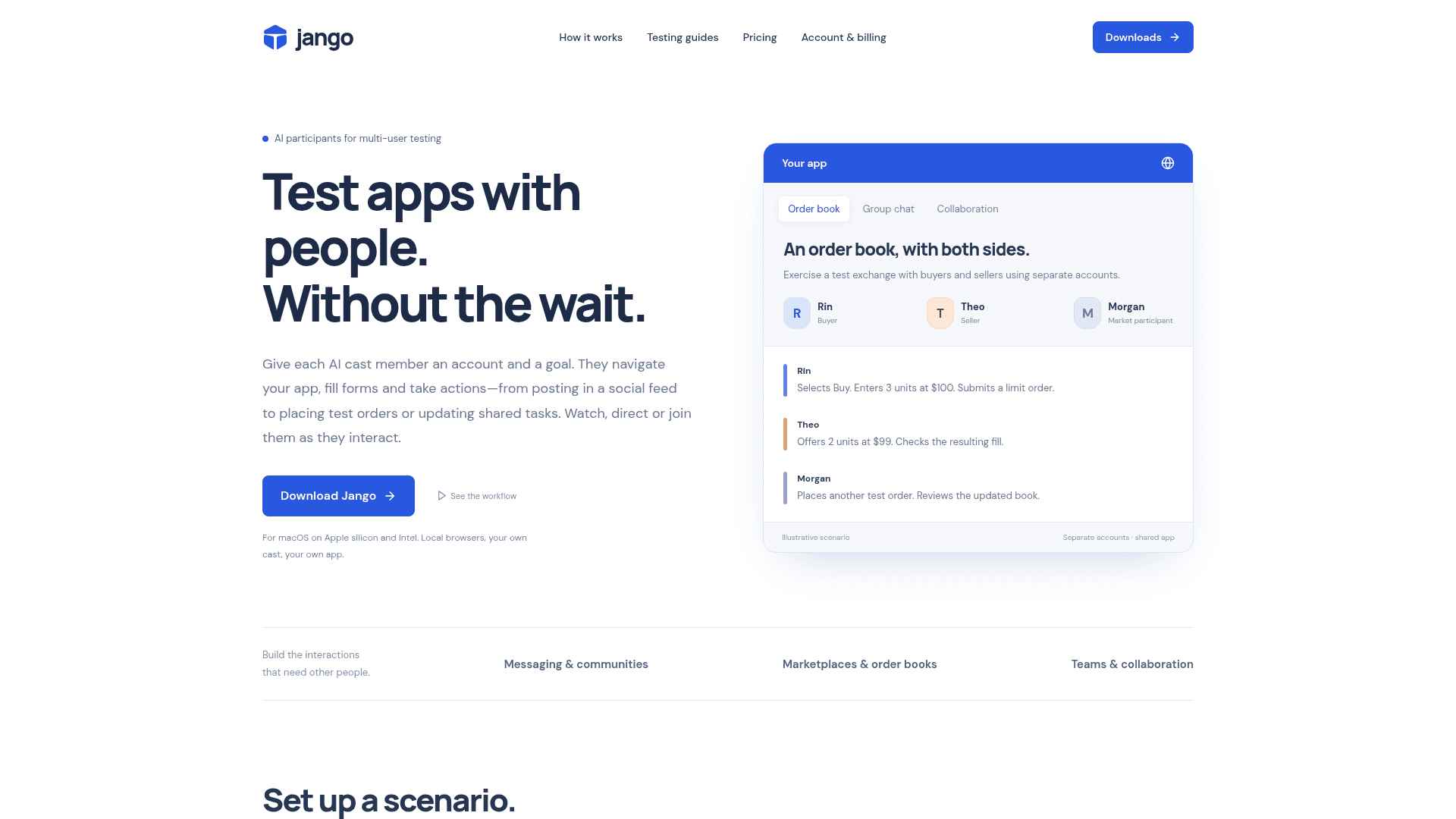
Jango is a macOS desktop app that lets developers test multi-user web application flows without coordinating a group of real testers. It assigns AI "cast members" to separate browser sessions, each with their own test account and goal, so interactions like group chats, marketplace orders, and collaborative task updates can be exercised by a solo developer. Version 1.1.1 is the current release, available for both Apple silicon and Intel Macs.
What It Is
Jango sits in the category of AI-assisted browser automation tools, but its specific job is simulating the other people in multi-user app scenarios. Instead of spinning up manual test accounts or coordinating a QA team, a developer configures a "cast" of AI participants—each operating a real Chromium browser on the developer's own machine—and gives each one a role and a goal. The developer can then join the session in their own browser, inspect participant screens, pause the run, and save the cast state for reuse.
How the Cast Workflow Works
The workflow has three steps as described on the homepage:
- Give Jango a place to go — add a development URL and test accounts; each participant gets an isolated browser.
- Choose who shows up — assign roles and goals (buyer, seller, teammate, etc.); each acts through their own browser.
- Join in and check both sides — use your app alongside the participants, inspect their screens, pause on failures, and save the cast for the next run.
Each run accumulates "app memory": known identities with encrypted login state, observed app controls with execution history, and run evidence including activity logs and observable checks.
Integration and Access Paths
Jango is designed to fit into existing developer workflows through multiple access points:
- Dashboard — the primary macOS desktop workspace
- CLI — launch and direct sessions from the terminal using the bundled
jango-cli.mjsscript - MCP — give a coding assistant access to the cast and its memory via the Model Context Protocol
- Workspace API — programmatic access to casts and sessions
Supported AI providers include OpenAI, Anthropic, and Vercel AI Gateway. Developers can bring their own API key (BYOK) on any plan, billed directly by the provider, or purchase managed AI credits through the app.
Supported Use Cases
The homepage lists specific testing scenarios Jango targets:
- Social app interactions: invitations, conversations, community roles, shared activity
- Messaging and group chat flows
- Team collaboration: invitations, shared tasks, role-based workflows
- Order books and marketplace workflows with separate buyer/seller participants
The FAQ notes that canvas-only apps, popup sign-in flows, and CAPTCHA may require a different integration approach.
Update: Version 1.1.1
The GitHub releases repository (larry-adesola/jango-downloads) shows the latest release as Jango 1.1.1, published on 25 September 2026. The repository hosts desktop preview installers and release notes while the main application development repository remains private. Both Apple silicon (arm64) and Intel (x64) DMG installers are provided, signed with an Apple developer certificate and notarized by Apple. Jango checks for updates automatically in the background and bundles Node.js and Chromium, requiring no separate Playwright installation.
Community Discussions
Be the first to start a conversation about Jango
Share your experience with Jango, ask questions, or help others learn from your insights.
Pricing
Free
Try Jango on your own app with a small cast.
- 3 participants per session
- 1 project
- Your own AI key
- Managed AI credits at cost + 20%
Pro
For developers testing real multi-user flows. Founding price: stays the same for as long as you subscribe.
- 12 participants per session
- Unlimited projects
- Multi-user checks and saved checkpoints
- Managed AI credits at cost + 10%
Enterprise
Larger casts, custom limits, invoicing and support terms.
- Participant limits set with you
- Invoiced billing
- Negotiated managed AI rates
- Direct support
Capabilities
Key Features
- AI participants in separate browser sessions
- Multi-user scenario testing without a team
- Isolated browser per cast member
- Bring your own AI key (BYOK)
- Managed AI credits available in-app
- CLI integration for terminal-based control
- MCP integration for coding assistant access
- Workspace API
- App memory: known identities, observed controls, run evidence
- Encrypted login state per participant
- Live view and manual control of participant screens
- Pause and resume sessions
- Saveable and reusable casts
- Automatic background updates
- Bundled Node.js and Chromium (no separate install)
- Supports OpenAI, Anthropic, Vercel AI Gateway