Jauvex
A macOS desktop app that puts Claude Code, Codex and Grok coding agent sessions in one window with voice and text control.
At a Glance
Open-source desktop app (Apache License 2.0) for macOS to run Claude, Codex and Grok agents side by side by voice.
Engagement
Available On
Alternatives
Listed Oct 2026
About Jauvex
Jauvex is a desktop client from Reindent, described as made by one human and agents, for the Claude Code, Codex and Grok Build sessions on a Mac. The README lists Jauvex Personal version 1.3.3 for macOS under the Apache License 2.0, with source on GitHub. Users can type or talk to their agents, and the project says it uses no server.
What It Is
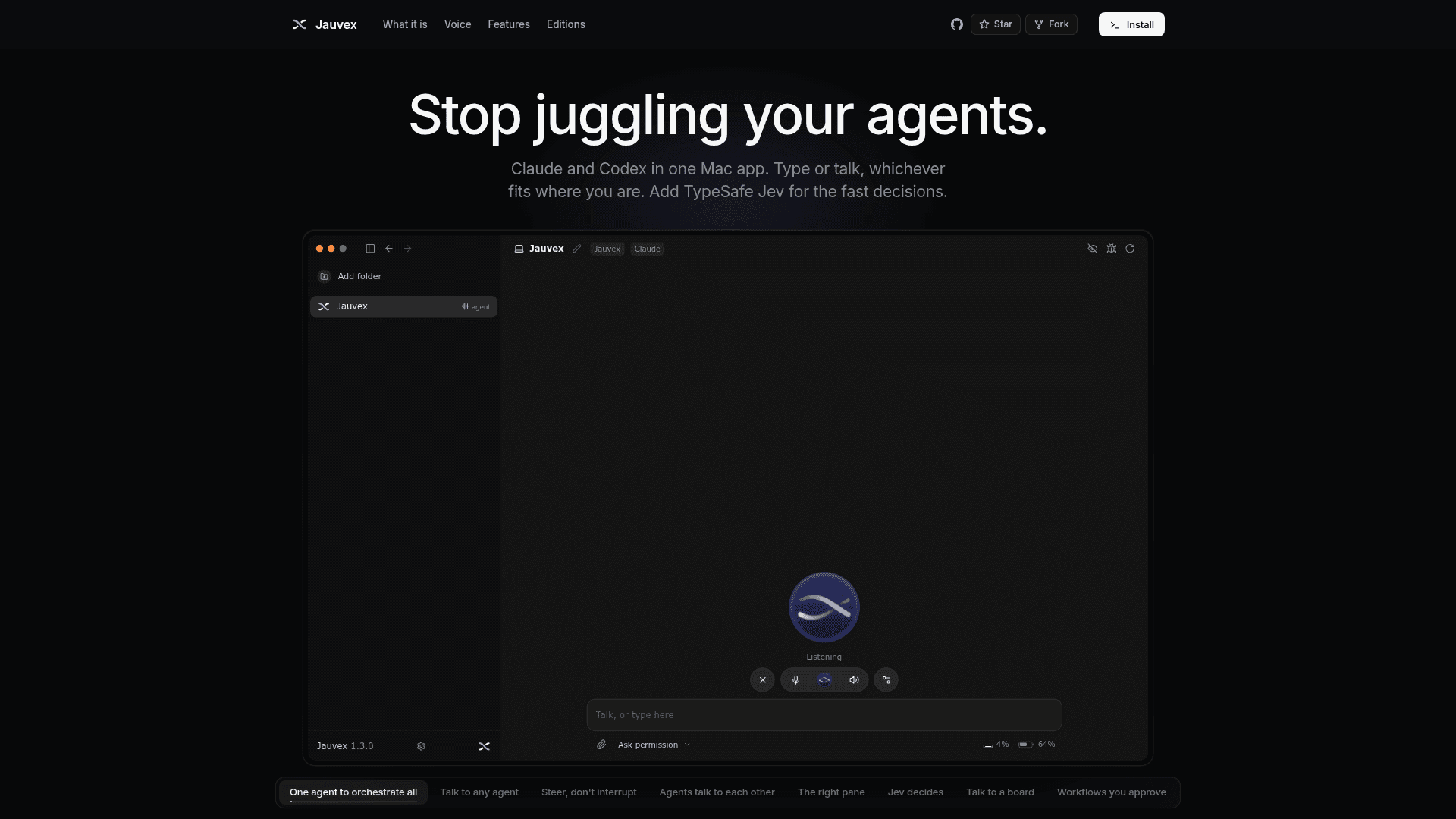
Jauvex is an Electron app that orchestrates coding-agent sessions. According to the README, you add a folder as a project, pick up any of its existing sessions or start new ones with a provider, and talk to them. The site says sessions stay on your Mac, where Claude Code and Codex keep them. Jev, from TypeSafe, is an optional model for fast decisions and needs a TypeSafe key.
Voice that does not talk over you
The README describes a voice channel that answers in three beats: a quick word, what it understood, and a summary of the agent's answer. Starting to speak stops its voice at once. What you say while an agent works is steered into the running turn rather than interrupting it, and an explicit stop request can interrupt the work. The README says speech is transcribed locally with whisper.cpp, and the voice uses the macOS system voice. A wake phrase, "Hey Jauvex", can bring it back after it mutes itself.
Agents, boards and workflows
- Agents can message each other inside the app through the app's own routing.
- The Jauvex agent is the app's own agent for setup, adding folders and creating agents, and it has a command-line interface.
- Boards turn a folder's markdown to-do lists into columns or a Kanban view, with a chat for talking to a board.
- Workflows are markdown files with steps assigned to agents, human approval gates, schedules or event triggers, and a recorded history of runs.
- Jev agents are not chats: they take a state and questions and return answers with probabilities, optionally coupled with a Claude or Codex trainer.
Setup path
The site gives a one-line install command run in Terminal. It requires Node 22.18 or newer and builds the app on your Mac from source, with nothing prebuilt downloaded. At least one of Claude Code or Codex must be signed in with its own command line. Grok and a TypeSafe key are optional. The README says the same command updates the app and that the app can offer new versions itself.
Editions and status
The site lists Personal, a Pro edition available by invitation that adds workspaces, a workspace agent and Ubuntu or headless server operation, and a custom Enterprise offering. The repository shows a creation date of 2026-09-24 and activity through 2026-10-01. The site lists further providers, such as OpenRouter, Gemini and Cursor, as planned and not yet in Jauvex.
Community Discussions
Be the first to start a conversation about Jauvex
Share your experience with Jauvex, ask questions, or help others learn from your insights.
Pricing
Jauvex Personal
Open-source desktop app (Apache License 2.0) for macOS to run Claude, Codex and Grok agents side by side by voice.
- Claude, Codex and Grok in one desktop app
- Voice channel for steering agents
- Jev (TypeSafe) for fast decisions
- Apache License 2.0 source code
- Installed with a one-command build on your Mac
Capabilities
Key Features
- Claude Code, Codex and Grok sessions in one desktop window
- Voice channel with three-beat answers
- Steering a running agent by voice without interrupting it
- Local speech transcription with whisper.cpp
- Wake phrase and auto-mute
- Agents messaging each other inside the app
- Jauvex agent and command line for setup and agent creation
- Folders as projects
- Right pane for files, pages and images
- Markdown boards with Sections and Kanban views
- Markdown workflows with human approval gates, schedules and run history
- Jev agents with optional trainer
- Context meter and usage panel
- Permission modes including Auto and YOLO
- Image paste and drop into messages
- Self-update from the app