
Farol
Open-source Mac desktop workspace that runs scripted and AI-review pipelines on coding agents' branches and sends failures back to the agent to fix.
At a Glance
Farol desktop app (Apple Silicon Mac build) is free and open source under the MIT License; build from source or download the Mac build.
Engagement
Available On
Listed Oct 2026
About Farol
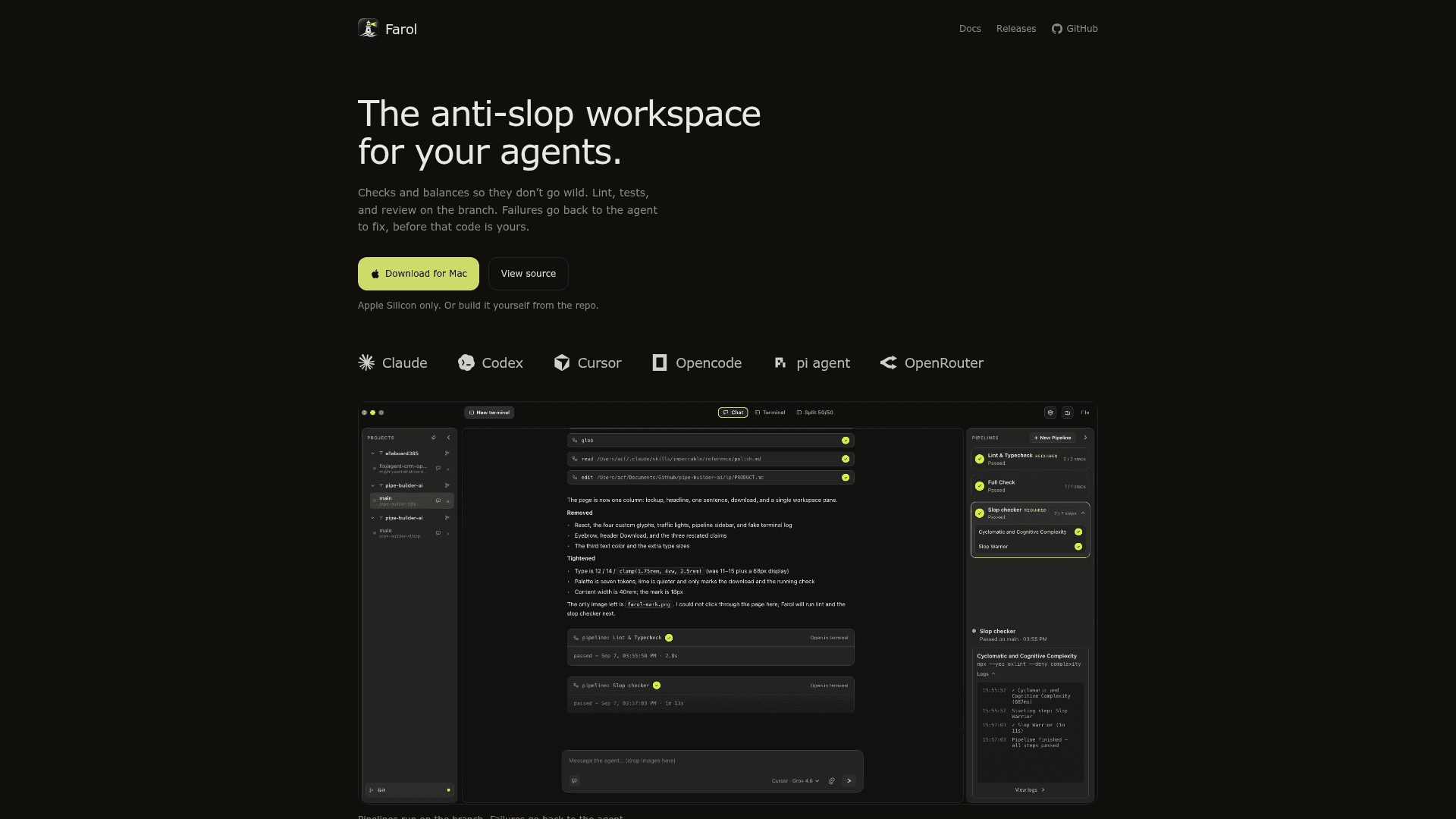
Farol is an open-source Electron desktop app for Apple Silicon Macs, built by Antonio Carlos Filho (acf77). It runs coding agents such as Claude, Codex, Cursor, OpenCode and pi through their own CLIs, then checks their work on the branch with pipelines of shell and AI steps. Failed checks are sent back to the agent so it can fix them and rerun.
What It Is
Farol is a workspace for supervising AI coding agents. You open a Git checkout, describe a task in Chat (Plan first or go straight to Build), and the agent works in your project folder. When it finishes a change, Farol runs your pipelines on the checkout, uncommitted work included. The loop repeats until every step passes.
How Pipelines Work
A pipeline is a list of checks run on the agent's branch. Shell steps run your own commands, such as a linter or test suite, in your login shell. Git steps hand a diff, log or file list to later steps. AI steps run a prompt on their own agent and model, such as an architecture review, a security audit or a slop check, and pass or fail with a verdict. Gates skip the remaining steps when a step fails. Steps can be wired on a canvas, passing output between steps with ${name}. Pipelines can run after every agent change in Chat, or as Git hooks before commit or push. They are saved in .farol/pipelines.json so teams can commit them.
Chat and Agent Control
Chat offers Plan and Build modes, a per-chat agent and model picker with fallbacks for usage limits, @ file mentions, / skills, and optional tool-approval prompts. A context meter and Fresh start continue long tasks in a new session from the agent's handoff note. Worktrees appear side by side in the project rail, so separate agents can work on separate branches. Source Control in the rail handles commit, push, and pull request actions.
Scope and Data Handling
Shell steps run locally on the Mac. AI steps send their prompt and needed code to the model provider you chose, through that provider's CLI and login. Checks apply to agents run inside Farol; an agent started in a terminal can use Farol's pipeline tools over MCP, but Farol does not enforce them there. Remote sandboxes are listed as coming soon. The current build is Apple Silicon only and is not notarized.
Community Discussions
Be the first to start a conversation about Farol
Share your experience with Farol, ask questions, or help others learn from your insights.
Pricing
Open Source
Farol desktop app (Apple Silicon Mac build) is free and open source under the MIT License; build from source or download the Mac build.
- MIT License
- Pipelines with shell and AI steps
- Works with Claude, Codex, Cursor, Opencode, pi agent, and OpenRouter
- Apple Silicon Mac only
- Remote sandboxes coming soon
Capabilities
Key Features
- Pipelines of shell, Git and AI steps
- Failures sent back to the agent in a fix-and-rerun loop
- Visual pipeline canvas with step output passing
- Gate steps that skip later steps on failure
- Mandatory-in-Chat, before-commit and before-push triggers
- Plan and Build chat modes
- Per-chat agent and model selection with fallbacks
- Git worktree support for parallel agents on separate branches
- Context meter and Fresh start handoff
- Source Control for commit, push and pull requests
- Pipelines saved in .farol/pipelines.json for team sharing